45
Before You Start
If the card is new or was previously formatted by another camera or
personal computer, formatting the card with the camera is recommended.
When the card is formatted, all images and data in the card will
be erased. Even protected images will be erased, so make
sure there is nothing you need to keep. If necessary, transfer
the images to a personal computer, etc., before formatting the
card.
1
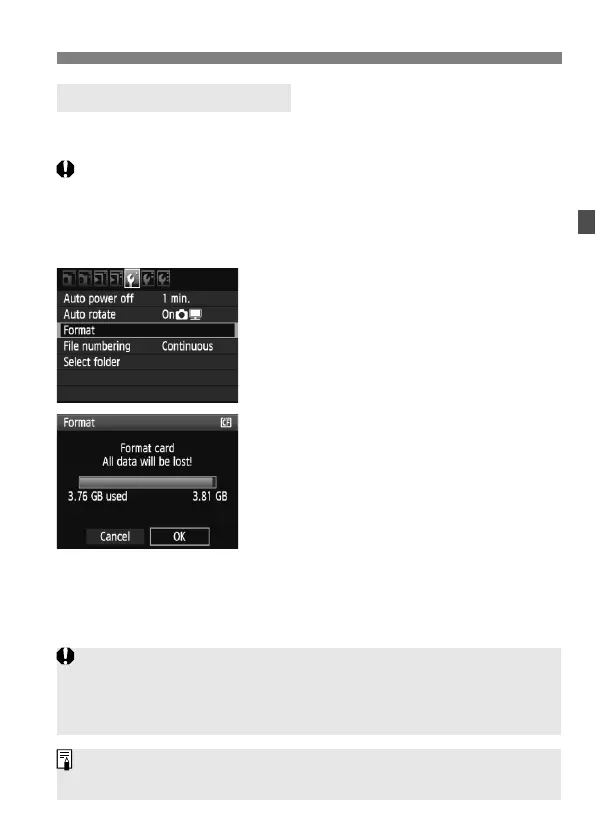
Select [Format].
Under the [5] tab, select [Format],
then press <0>.
2
Select [OK].
Turn the <5> dial to select [OK],
then press <0>.
The card will be formatted.
When the formatting is completed,
the menu will reappear.
3 Formatting the Card
When the card is formatted or data is erased, only the file management
information is changed. The actual data is not completely erased. Be aware
of this when selling or discarding the card. When discarding the card,
destroy the card physically to prevent personal data from being leaked.
The card capacity displayed on the card format screen might be smaller
than the capacity indicated on the card.



 To Next Page