126
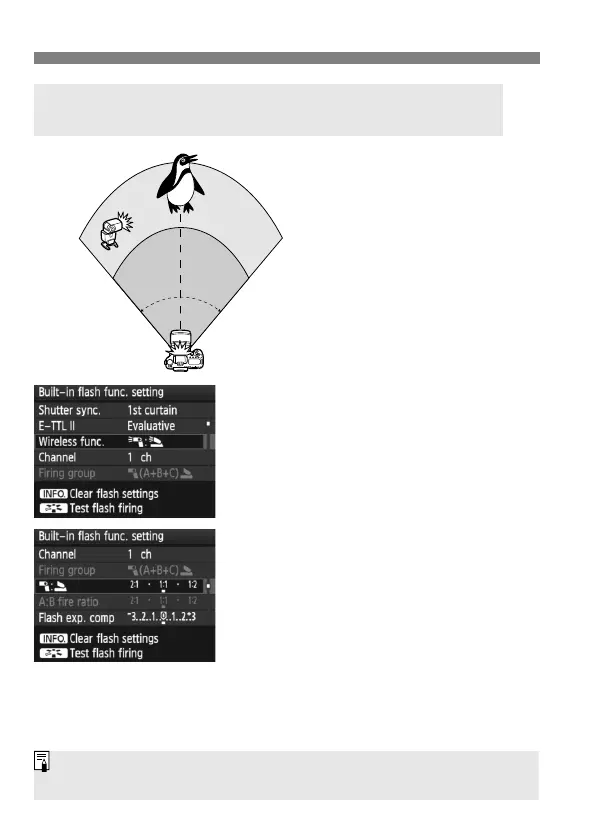
Using Wireless FlashN
This shows fully-automatic
wireless flash shooting with
one external Speedlite and
the built-in flash.
You can change the flash
ratio between the external
Speedlite and built-in flash to
adjust how the shadows look
on the subject.
1
Select [Wireless func.].
Follow step 5 on page 125 to select
[0:3] for [Wireless func.], then
press <0>.
2
Set the desired flash ratio and
shoot.
Select [1:2] and set the flash ratio
within 8:1 to 1:1. Setting a flash ratio
to the right of 1:1 (up to 1:8) is not
possible.
If the flash output is inadequate, set a
higher ISO speed (p.64).
Fully-automatic Shooting with One External Speedlite
and Built-in Flash
80
o
Approx. 7m
(23.0ft.)
Approx.
5m (16.4ft.)
Approx.
7m
(23.0ft.)
Approx. 10m
(32.8ft.)
The 8:1 to 1:1 flash ratio is equivalent to 3:1 to 1:1 stops (1/2-stop
increments).



 To Next Page