83
3 Changing the File Name
4
Exit the setting.
Enter the required number of
alphanumeric characters, then press
the <M> button.
The new file name will be registered
and the screen in step 2 will reappear.
5
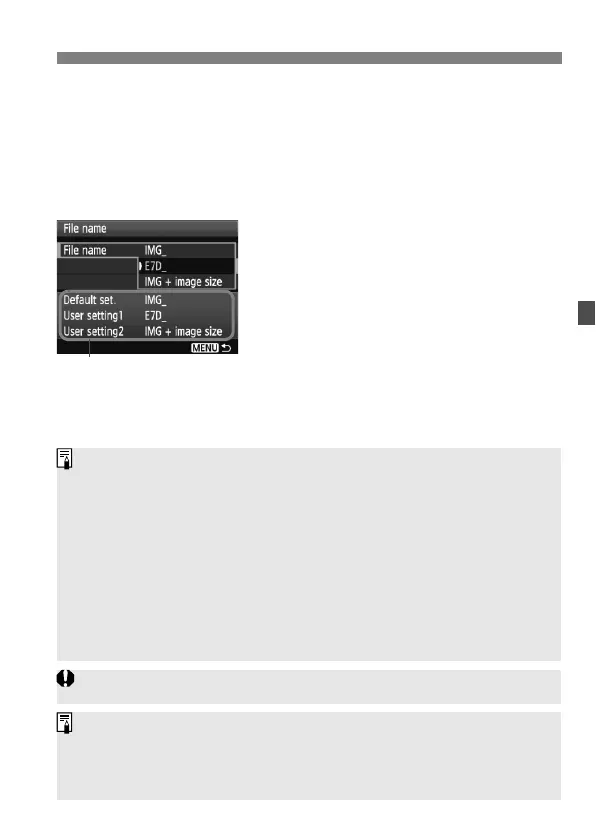
Select the registered file name.
Turn the <5> dial to select [File
name], then press <0>.
Turn the <5> dial to select the
registered file name, then press
<0>.
If User setting2 has been registered,
select “*** (the 3 characters
registered) + image size”.
About User setting2
When you select the “*** + image size” registered with User setting2 and
take pictures, the image-recording quality character will be automatically
appended as the file name’s fourth character from the left. The meaning of
the image-recording quality characters is as follows:
“***L” = 73, 83, 1 “***M” = 74, 84, 41
“***S” = 76, 86, 61
When the image is transferred to a personal computer, the automatically
appended fourth character will be included. You can then see the image size
without having to open the image. RAW or JPEG images can be
distinguished with the extension.
The first character cannot be an underscore “_”.
The extension will be “.JPG” for JPEG images, “.CR2” for RAW images,
and “.MOV” for movies.
When you shoot a movie with User setting2, the file name’s fourth
character will be an underscore “_”.



 To Next Page