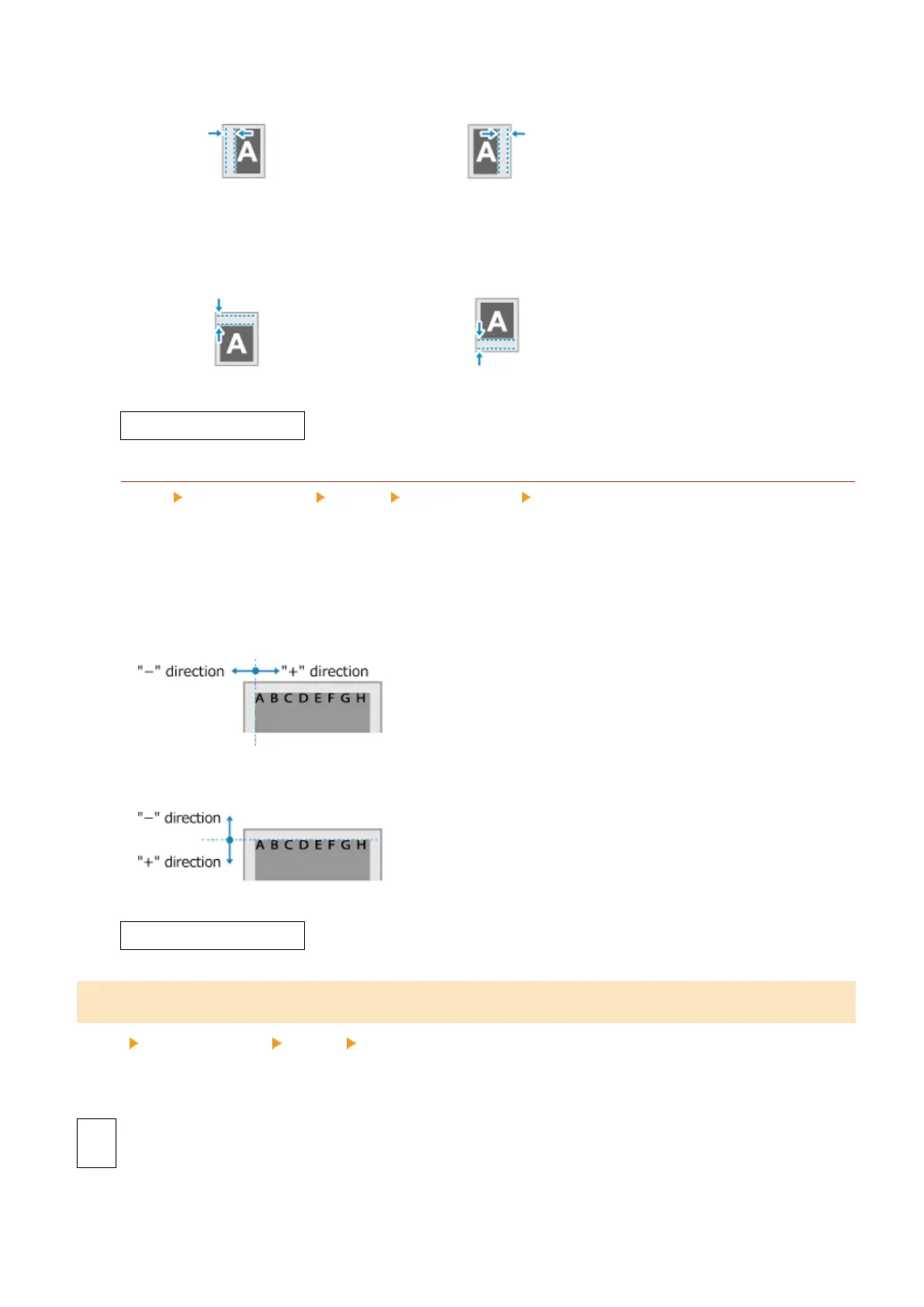
Specify the offset width by selecting a positive (+) value to bind on the left edge of the paper or a negative (-)
value to bind on the right edge.
Specied as a positive (+) value
Specied as a negative (-) value
If [Binding Location] is set to [Short Edge]
Specify the offset width b
y selecting a positive (+) value to bind on the top edge of the paper or a negative (-)
value to bind on the bottom edge.
Specied as a positive (+) value
Specied as a negative (-) value
-50.0 to 00.0 to +50.0 (mm)
[Offset Short Edge] or [Offset Long Edge]
[Menu] [Function Settings] [Printer] [Printer Settings] [Layout]
Offset the print position of te
xt and images. Use this setting when the printed text and images are shifted
towards one edge of the paper or when they extend beyond the print range.
Specify the offset width as a positive (+) or negative (-) value in 0.5 mm increments for each paper edge
direction and print side.
To Offset Along the Short Edge (Horizontally)
Specify the adjustment width by selecting a positive (+) value to adjust to the right on the paper or a negative
(-) value to adjust to the left on the paper.
To Offset Along the Long Edge (Vertically)
Specify the adjustment width b
y selecting a positive (+) value to adjust down on the paper or a negative (-)
value to adjust up on the paper.
-50.0 to 00.0 to +50.0 (mm)
[Auto Error Skip]
[Menu] [Function Settings] [Printer] [Printer Settings]
Specify whether to continue printing if an err
or occurs during printing.
It is recommended that the [Off] setting normally be used so that printing stops when an error occurs.
[Off]
[On]
Settings Menu Items
234













 To Next Page