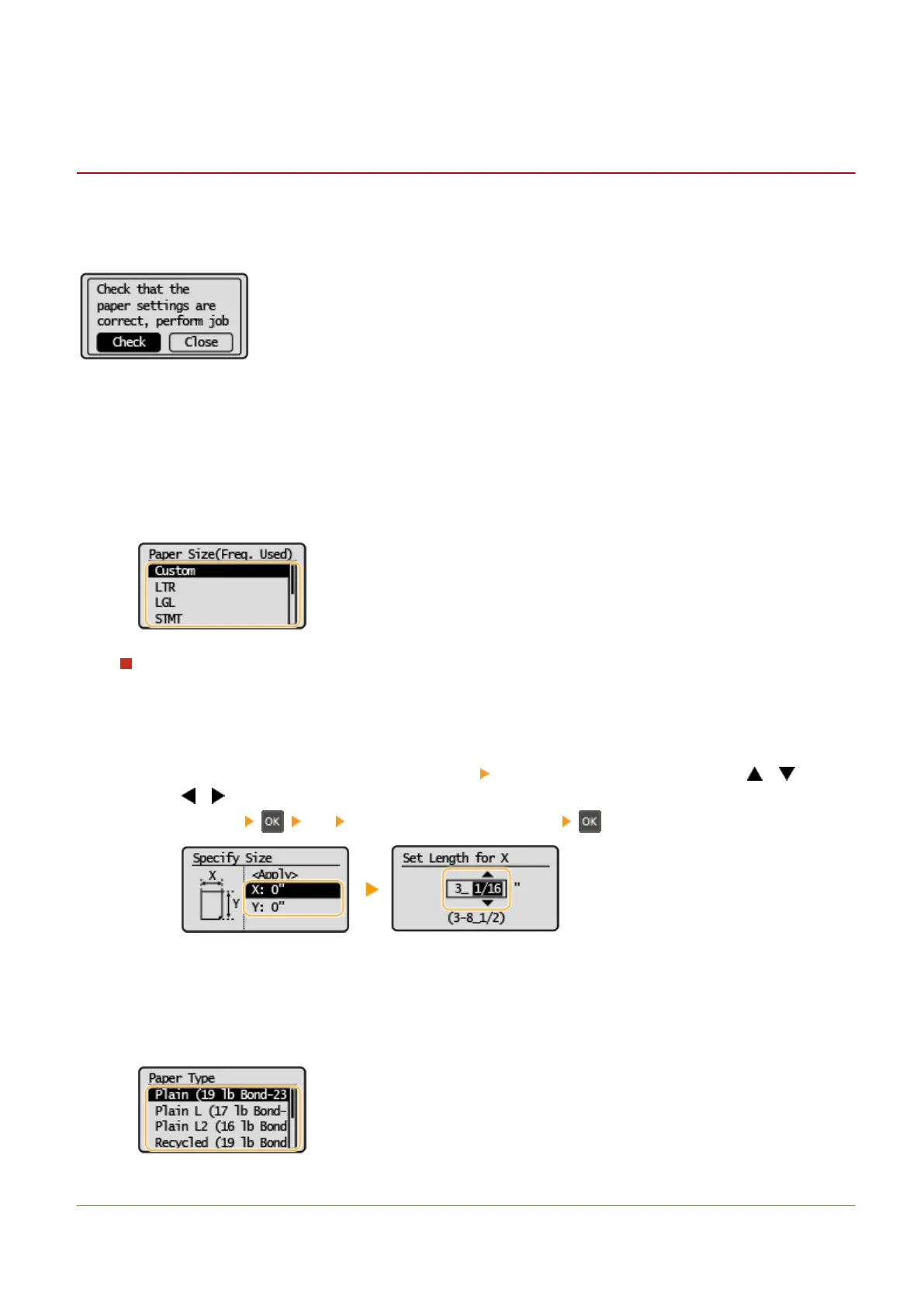
Specifying Paper Size and Type in the Multi-Purpose
T
ray
23FJ-06A
The scr
een shown here is displayed when paper is loaded in the multi-purpose tray. Follow the on-screen instructions
to specify settings that match the size and type of the loaded paper.
1
Select <Check>.
2
Select <Size/Type Settings>.
● If the loaded paper size is not displayed, select the <Other Sizes>.
When loading custom size paper
1
Select <Custom>.
2
Specify the length of the <X> side and <Y> side.
● Ex
ecute the following steps in sequence: <X>
enter the length of the <X> side using / , with
/ to move the cursor between the digits for inputting whole numbers and
fr
actions
<Y> enter the length of the <Y> side
3
Select <Apply>.
3
Select the paper type.
LINKS
Basic Operations
107









 To Next Page