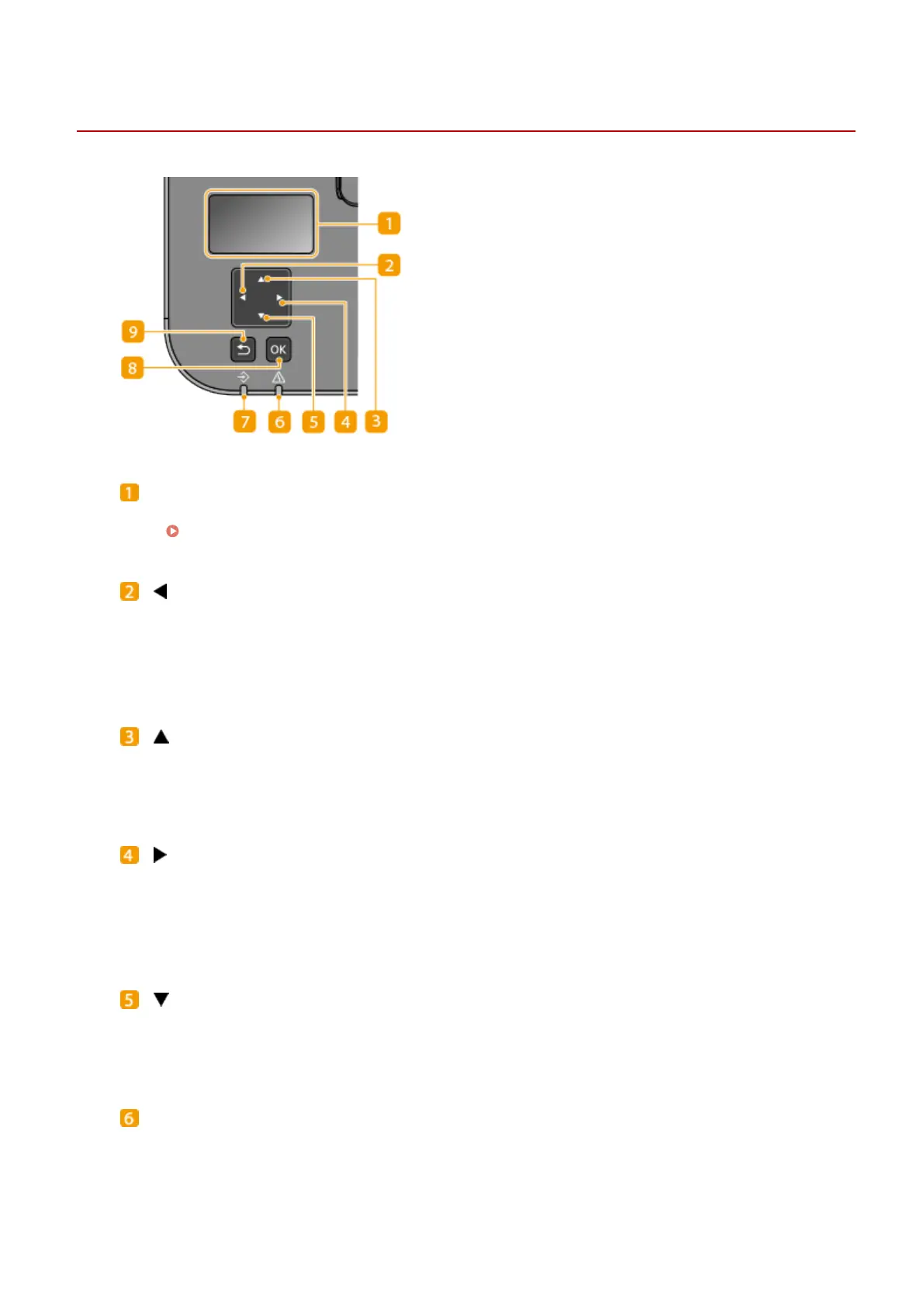
Operation Panel
23FJ-01H
Display (screen)
Y
ou can view the operation and error statuses of this machine, the amount remaining in the toner cartridge,
etc.
Basic Screens(P. 86)
[ ] key
● When specifying settings, pr
ess to return to the previous screen.
● When entering text, press to select the item you want to use.
● Press to decrease a setting value such as the contrast of the display.
[ ] key
● When specifying settings, pr
ess to select the item immediately above the currently selected item.
● When changing setting values, press to increase a value.
[ ] key
● When specifying settings, pr
ess to proceed to the next screen.
● When entering text, press to select the item you want to use.
● Press to increase a setting value such as the contrast of the display.
[ ] key
● When specifying settings, pr
ess to select the item immediately below the currently selected item.
● When changing setting values, press to decrease a value.
Alarm indicator
Blinks or lights up when an error such as a paper jam occurs.
Basic Operations
81














 To Next Page