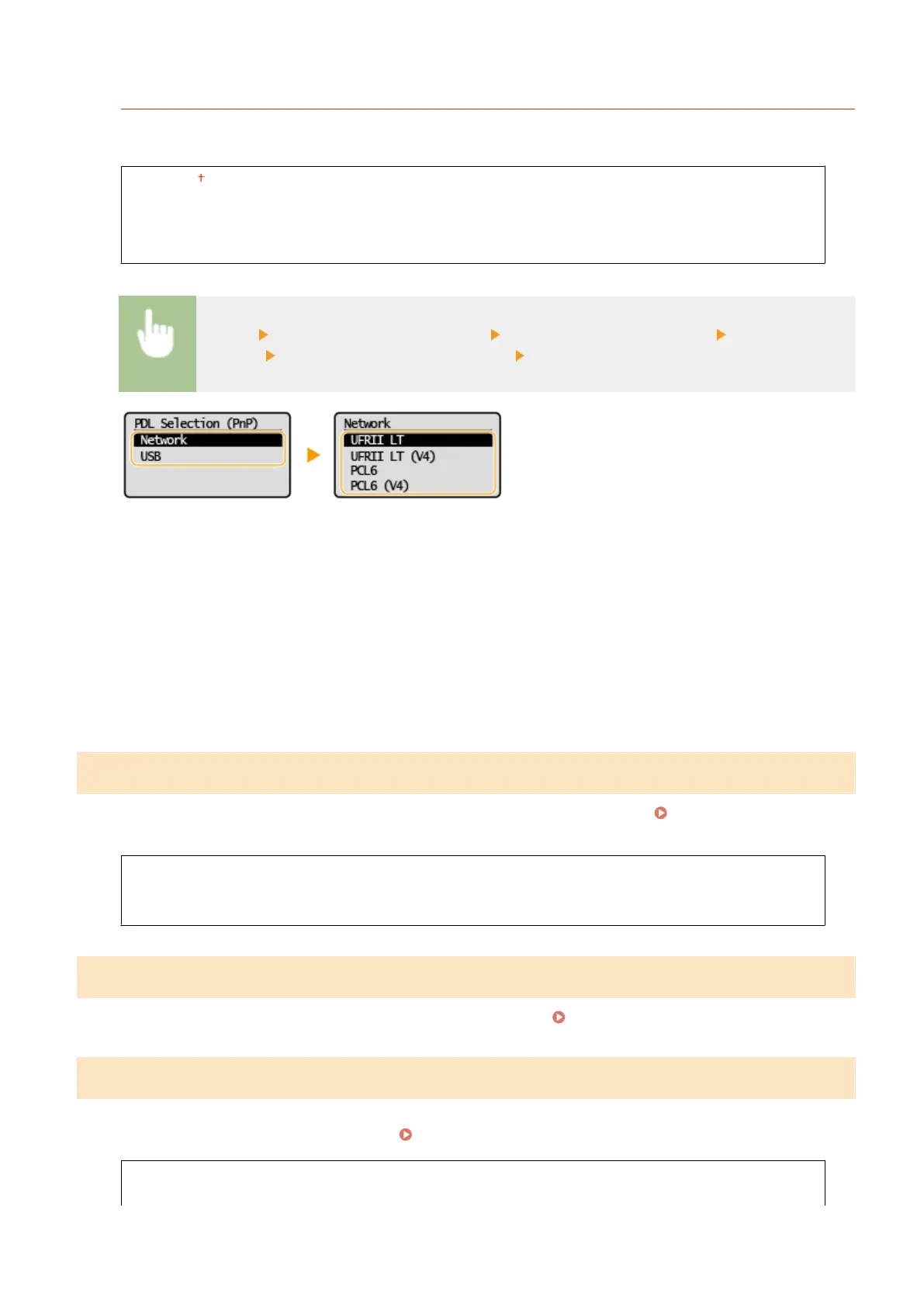
<USB>
Select a page description language so that the machine is detected as a printer that is compatible with that
language when it is connected to a computer via USB
.
<UFRII LT>
<UFRII LT (V4)>
<PCL6>
<PCL6 (V4)>
<Menu> <System Management Settings> <PDL Selection (Plug and Play)> Select <Network>
or <USB> Select a page description language Restart the machine
<UFRII LT>
Detects and connects the machine as a UFRII L
T printer.
<UFRII LT (V4)>
Detects and connects the machine as a UFRII LT printer that is compatible with XML Paper Specication (XPS).
<PCL6>
Detects and connects the machine as a PCL6 printer.
<PCL6 (V4)>
Detects and connects the machine as a PCL6 printer that is compatible with XML Paper Specication (XPS).
<Update Firmware>
Select ho
w to install the rmware update according to the environment of the machine.
Updating the
Firmwar
e(P. 190)
<Via PC>
<Via Internet>
<Version Information>
<Initialize Eco Report Counter>
Select to r
estore the Eco Report Counter settings to the factory defaults.
Initializing Eco Report Counter(P. 192)
<Initialize Menu>
Select to r
estore the settings listed below to the factory defaults. You can restore all the settings listed below at once,
or you can restore individual settings separately.
Initializing Menu(P. 192)
<Preferences>
<Timer Settings>
Setting Menu List
235














 To Next Page