Setting Up Connection by Specifying Detailed Settings
23FJ-00L
If you want to specify the security settings in detail or cannot establish the wir
eless connection using the other
procedures, manually enter all the required information for the wireless LAN connection. Before specifying detailed
settings, check and write down the required information, including the SSID, network key, and wireless security
protocols.
Checking the SSID and Network Key(P. 36)
1
Select <Menu> in the Home screen.
Home Screen(P. 87)
2
Select <Network Settings>.
● If the scr
een for entering a PIN appears, enter the correct PIN.
Setting the System Manager PIN(P. 145)
3
Select <Wireless LAN Settings>.
● If the <Direct Connection will be disabled. Is it OK?> message is displayed, select <Yes>.
4
Read the message that is displayed, and select <OK>.
5
Select <SSID Settings>
<Enter Manually>.
6
Enter the SSID that you have written down.
● Enter the SSID
, and select <Apply>.
● On how to enter text, see
Entering Text(P. 93) .
7
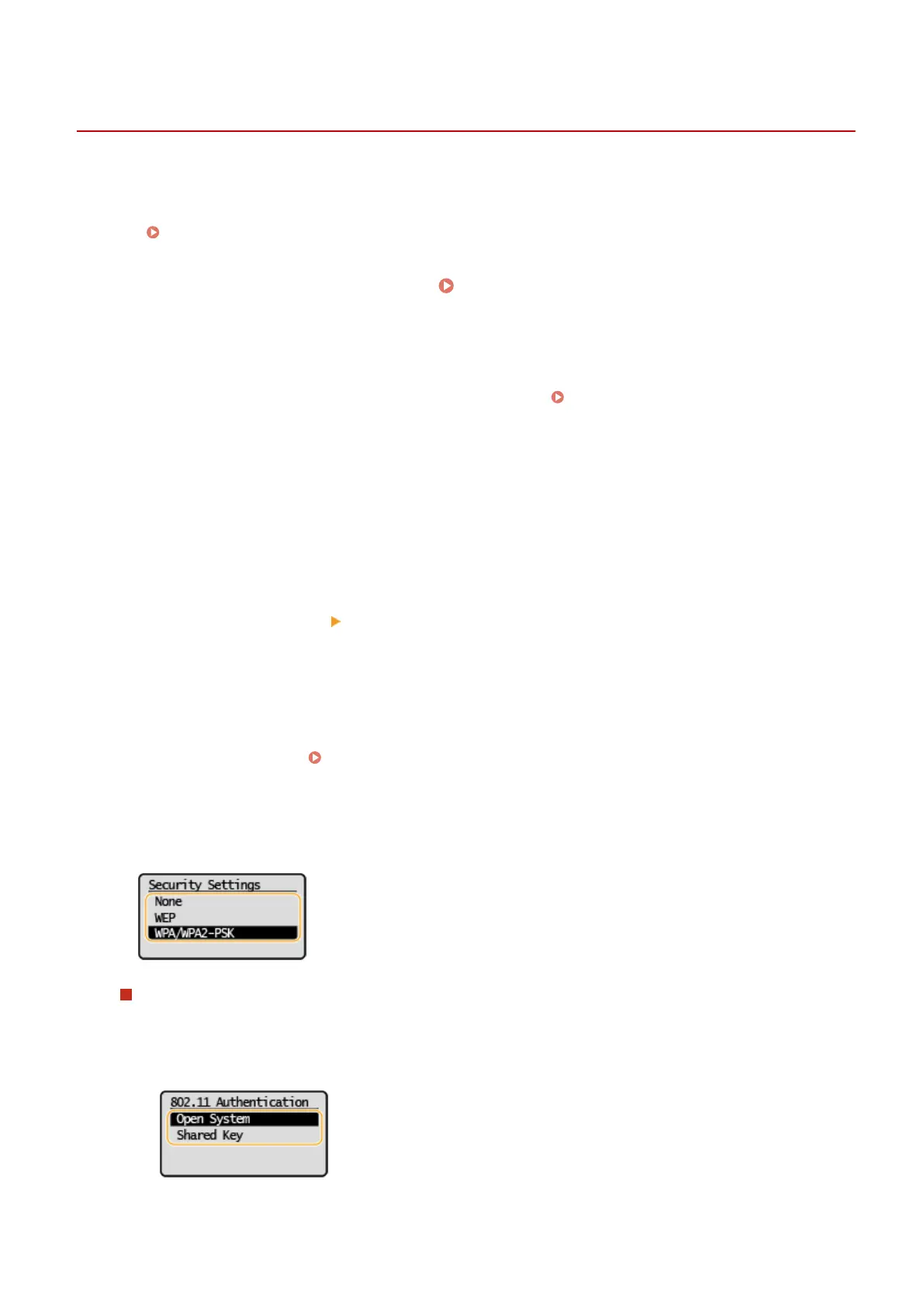
Specify the security settings based on the information that you have written down.
● If you do not need to specify the security settings, select <None>.
Using WEP
1
Select <WEP>.
2
Select an authentication method.
<Open System>
Setting Up
33














 To Next Page