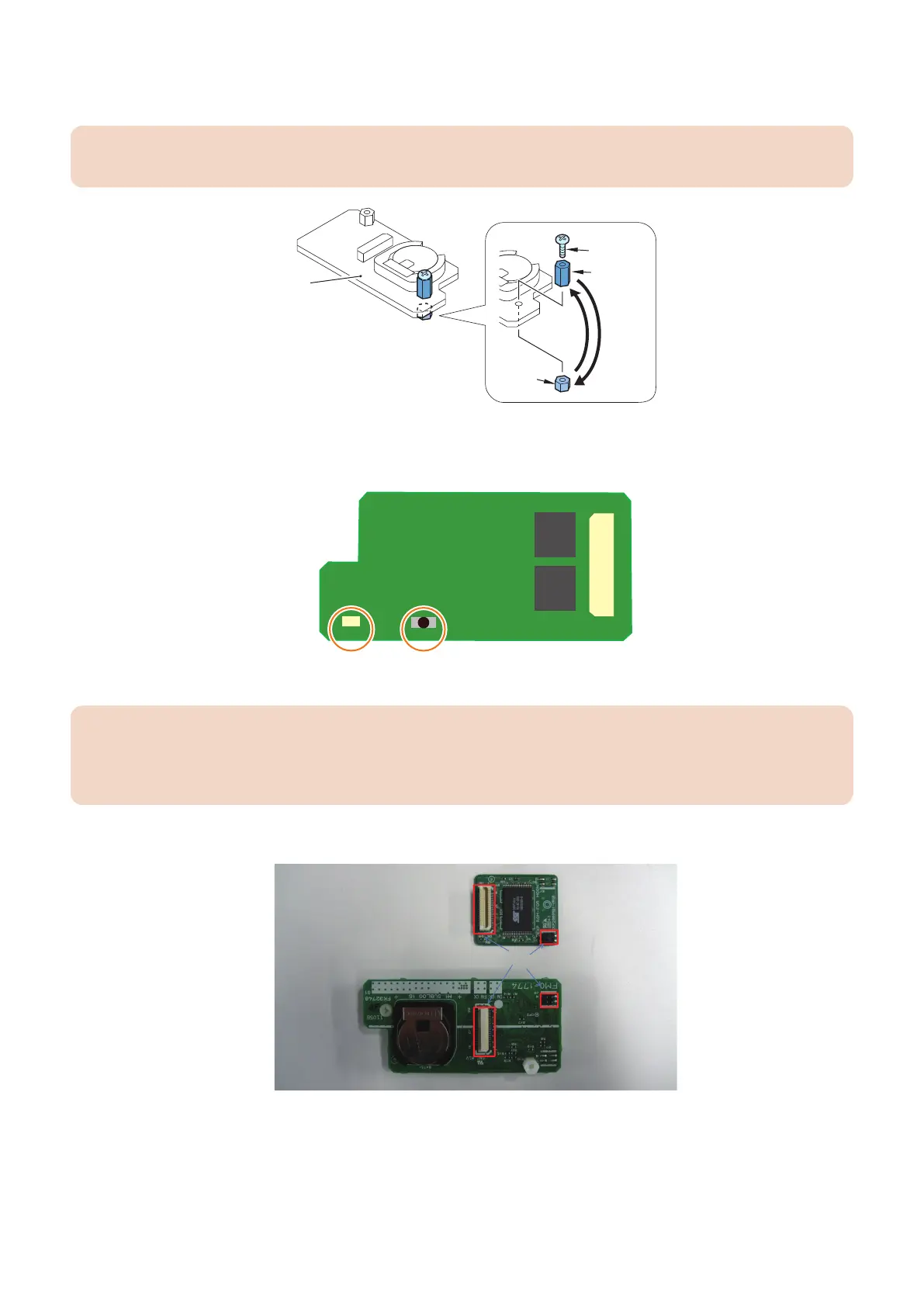
1. Disassemble the Sublog Board [1], and replace the spacer (short) [1] and the spacer (long) [3] with each other.
• 1 screw [4]
CAUTION:
Because the screw [4] is a molded part, do not tighten it too much. Otherwise, it may be damaged.
Installing the Expansion ROM for servicing and Sublog Board
1. Push SW1 on the board and confirm that LED1 turns on.
If LED1 does not turn on, You need change the battery on Sublog Board is located at BATS1 ( CR2032 ).
CAUTION:
There is danger of explosion if the battery is replaced with an incorrect type.
Replace it only with the same type of battery.
Dispose of used batteries according to the manufacturer’s instructions.
2. Install the Expansion ROM for servicing to the Sublog Board.
Connectors
Sublog Board
Expansion ROM for servicing
3. Technical Explanation (System)
91














 To Next Page