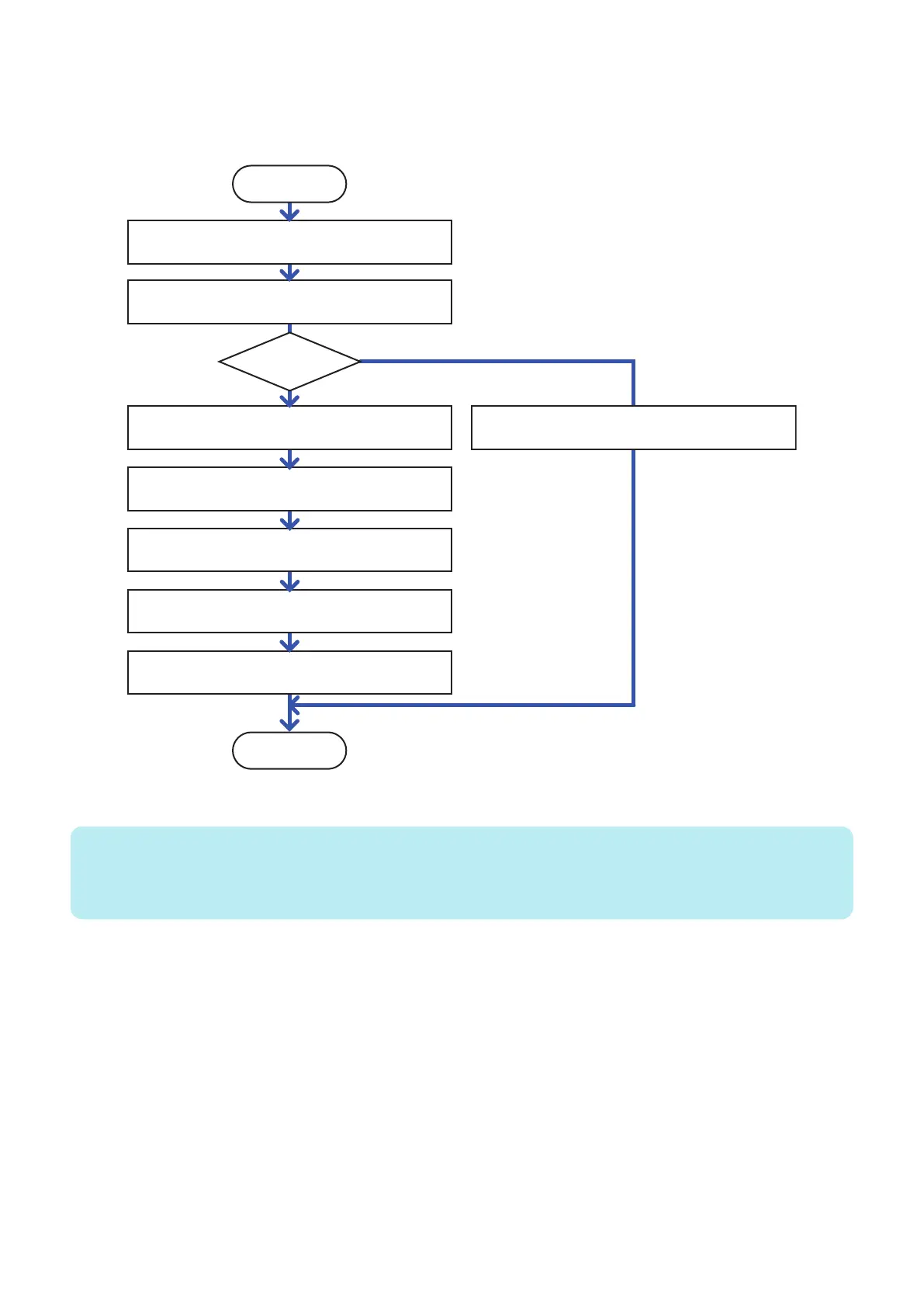
● Backup and Restoration (Export and Import) Procedure
Flow Chart
The flow of backup/restoration using the Expansion ROM for servicing and the Sublog Board is described below.
Finish
After turning OFF the power, install the Sublog Board
attached with the Expansion ROM to the Main Controller PCB.
Export the data to the Sublog Board.
Make settings again manually since data cannot be
exported from the faulty Main Controller PCB.
After turning OFF the power, remove the Sublog Board
and the faulty Main Controller PCB from the machine.
Before installation to the machine, install the Sublog Board
(to which data was exported)attached with the Expansion ROM
to an unused Main Controller PCB.
Install the above unused Main Controller PCB
to the machine and turn ON the power.
Import data from the Sublog Board.
After turning OFF the power, remove the Sublog Board
from the Main Controller PCB.
START
Has data been
exported?
No
Yes
Changing the Height of the Sublog Board
NOTE:
When installing the Sublog Board, it needs to be installed parallel to the Main Controller PCB in order to prevent connection error
of the connector connecting the Main Controller PCB and the Sublog Board.
This machine utilizes the height of the spacer (short), and how to replace the spacers with each other is shown below.
3. Technical Explanation (System)
90














 To Next Page