Cleaning the Fixing Unit
85RS-04W
The xing unit may be dirty under the follo
wing conditions. Clean the xing unit.
● When black streaks appear on the output
● When replacing the toner cartridge
Operating results Operating results
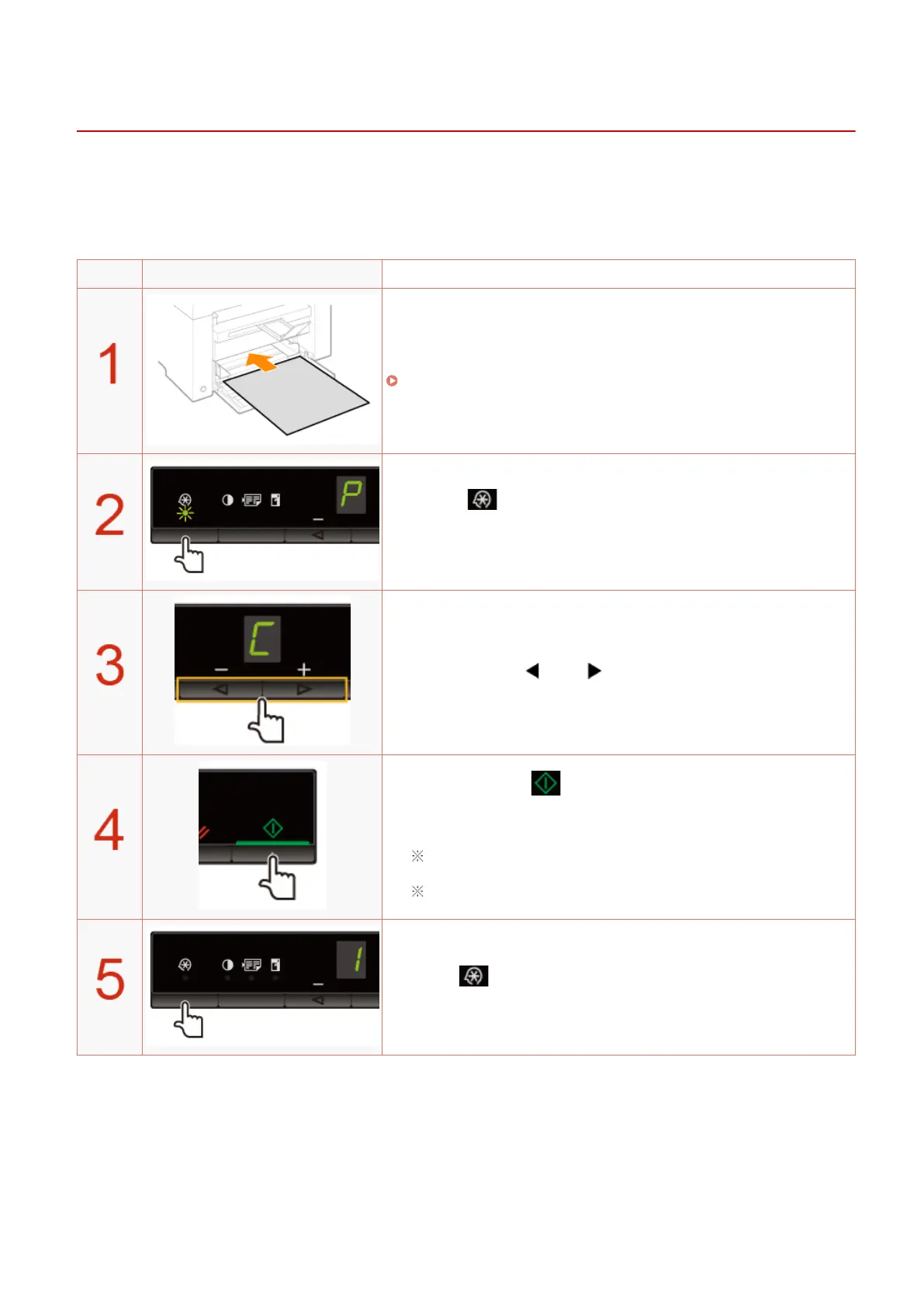
Load A4 or Letter size plain paper.
" In the Paper Cassette(P. 47) "
Press [ ] (Menu setting key), and then start the menu
oper
ation.
When the menu is operating, the menu indicator blinks.
Press [ ] or [ ] until "C" is displayed.
When [ ] is pressed, cleaning starts.
It tak
es approximately 140 seconds.
We recommend that plain paper be loaded when cleaning the xing
unit.
You cannot perform cleaning when jobs are stored in the memory.
Press [ ] (Menu setting key) to exit the menu operation.
The menu indicator turns off.
Maintenance
198












 To Next Page