In the Paper Cassette
85RS-015
Before loading paper in the paper cassette, see " Attention (Loading Paper)(P
. 50) ."
1
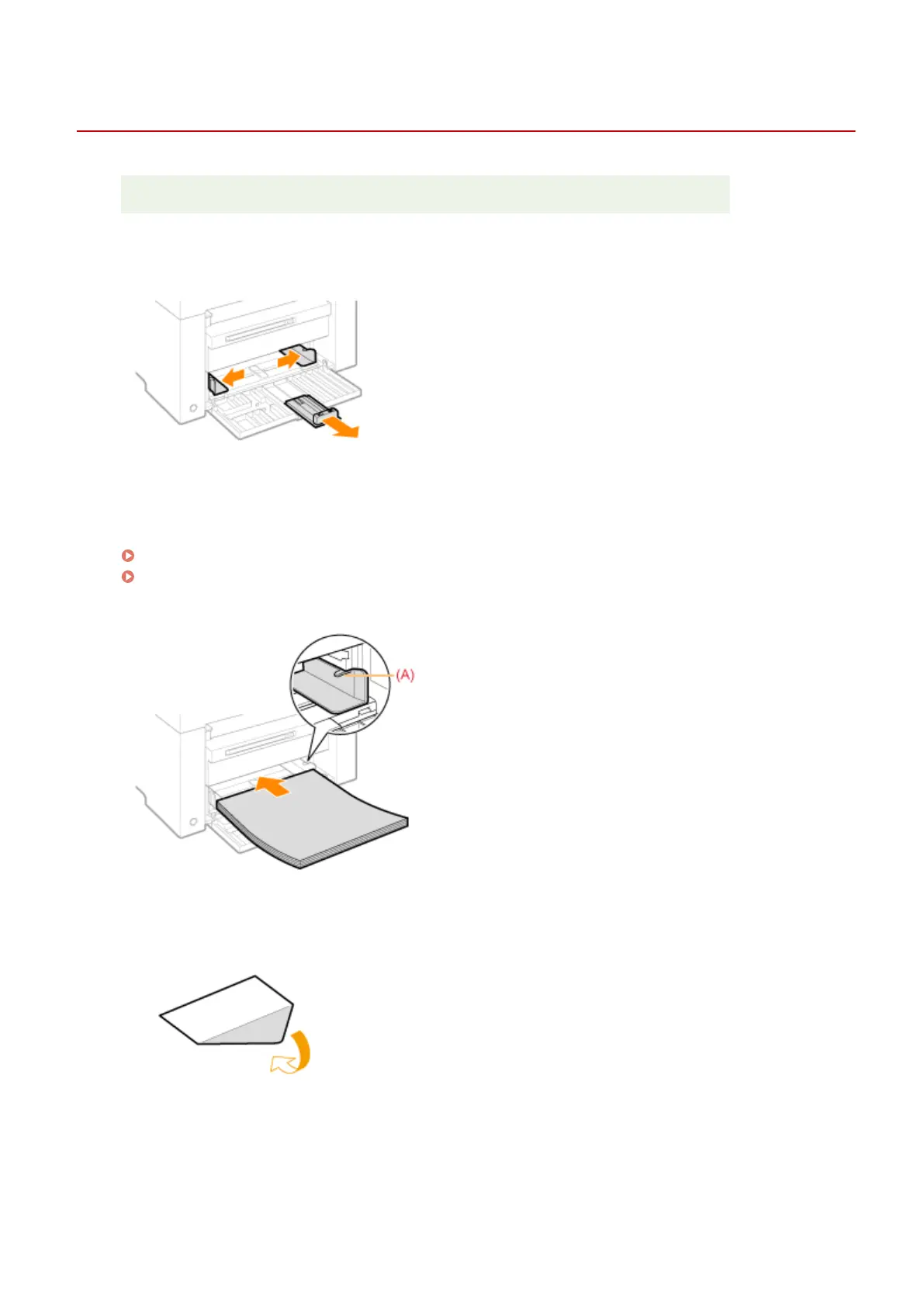
Spread the paper guides a little wider than the paper size.
2
Gently load the paper stack into the paper cassette with the print side face up, until
the edge of the paper stack meets the back of the paper cassette.
" Paper Loading Capacity
(P. 51) "
" Paper Loading Orientation(P
. 52) "
Make sure that the paper stack does not exceed the load limit guides (A).
When loading envelopes
(1) Fold the envelope ap.
(2) Place the stack of envelopes on a at surface, atten them to r
elease any remaining air, and make sure that
the edges are pressed tightly.
Basic Operation
47












 To Next Page