Printing the User Data List
85RS-01C
Print the user data list.
The follo
wing items are printed.
● Controller ROM version
● Country/region code
● No. of printed pages/No. of scanned pages
● Registering the quantity
● Paper type settings
● Setting copy type
● Setting sharpness
● Setting special mode
Operating results Operating procedures
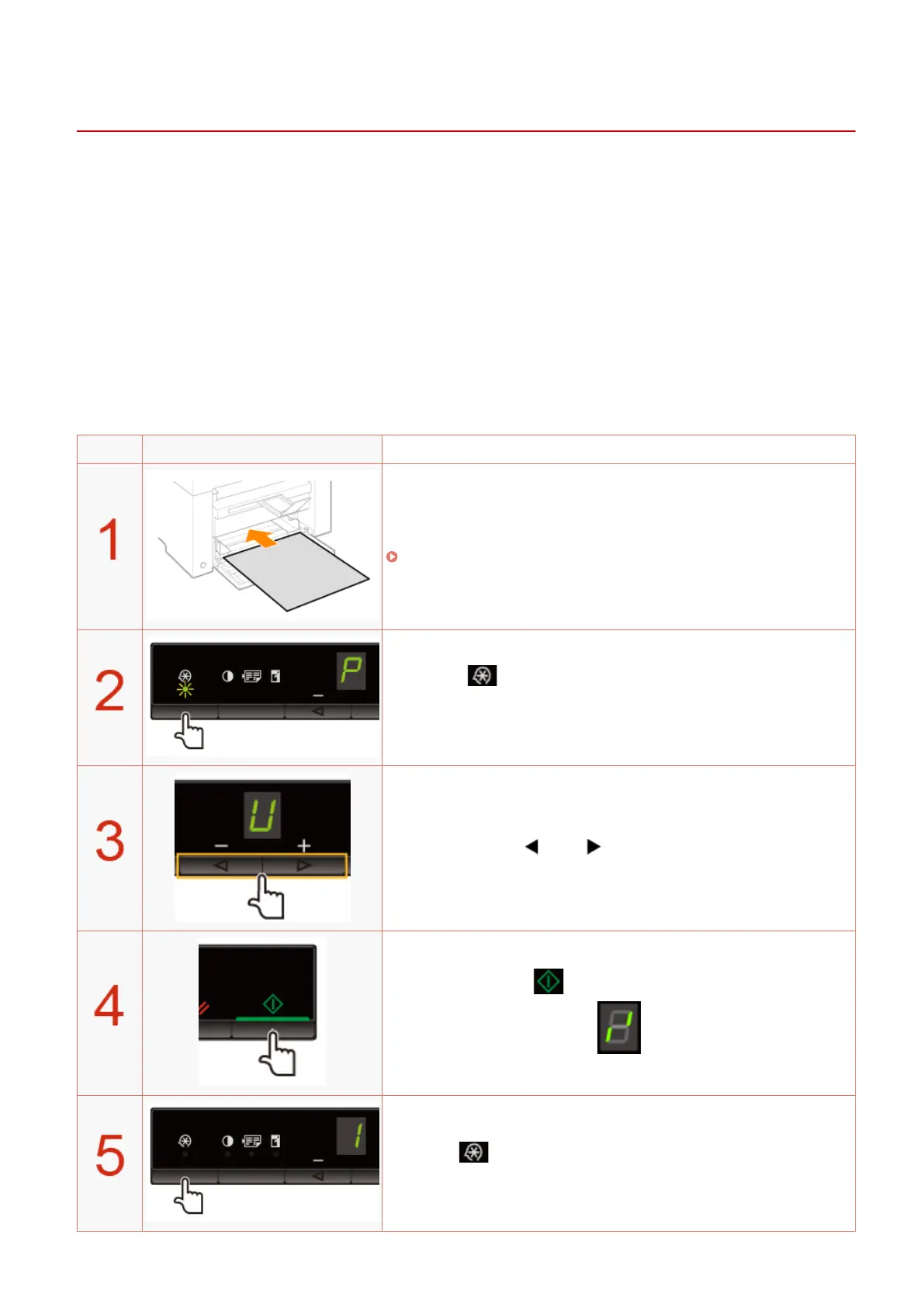
Load A4 or Letter size paper.
" In the Paper Cassette(P. 47) "
Press [ ] (Menu setting key), and then start the menu
operation.
When the menu is operating, the menu indicator blinks.
Press [ ] or [ ] until "U" is displayed.
Press [ ] to print the user data list.
Press [ ] (Menu setting key) to exit the menu operation.
The menu indicator turns off.
Basic Operation
57












 To Next Page