Replacing the Toner Cartridge
85RS-052
See " Attention (Replacing the T
oner Cartridge)(P. 210) " in advance.
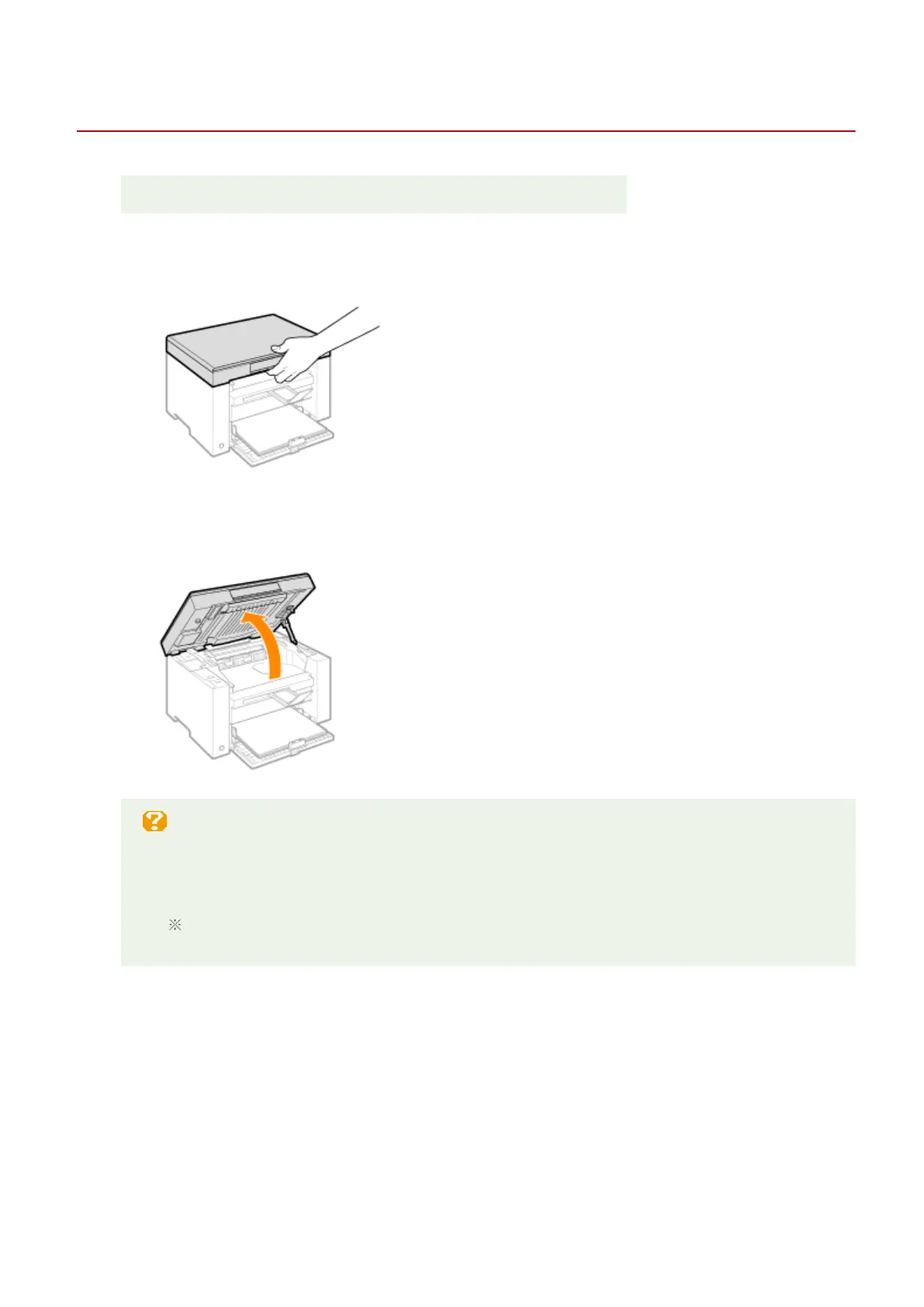
1
Hold the operation panel.
2
Lift the scanning platform.
When you cannot lift the scanning platform
Make sure that the platen glass is completely closed.
Do not try to for
cefully lift the scanning platform, as this may damage the machine.
The platen glass may not be completely closed when a thick document such as books is placed
inside. In such case, r
emove it from the platen glass.
3
Hold the grip on the left front side of the toner cover.
Maintenance
206












 To Next Page