How to Operate Menus
85RS-00R
This section describes haw to oper
ate or set up the menu.
T
o cancel operations
Press [
], and then press [ ] (Menu setting key).
It cancels oper
ations without saving the settings and returns to a status where normal operation is
possible.
Operating results Operating procedures
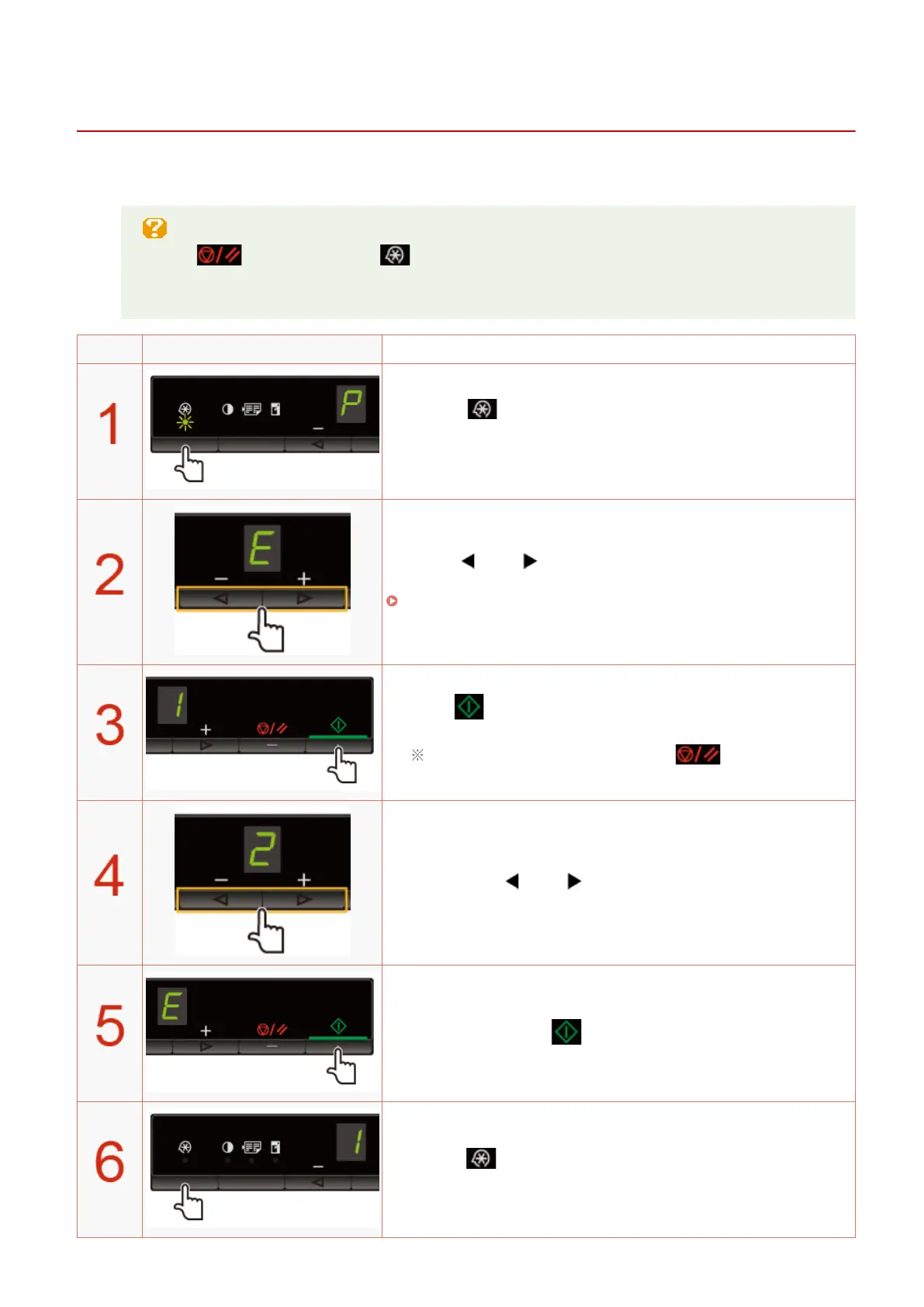
Press [ ] (Menu setting key), and then start the menu
oper
ation.
When the menu is operating, the menu indicator blinks.
Press [ ] or [ ], select the items which you want to set.
Letters sho
wing menu items are displayed on the display.
" Setting List(P
. 31) "
Press [ ], set the menu to be able to change the settings.
To return to the previous screen, press [ ].
Press [ ] or [ ], change the setting values.
Press [ ], conrm the setting.
Press [ ] (Menu setting key), exit the menu operation.
The menu indicator turns off.
Basic Operation
30












 To Next Page