Setting a Paper Type
85RS-019
After loading paper in the cassette, change the menu settings accor
ding to the paper type.
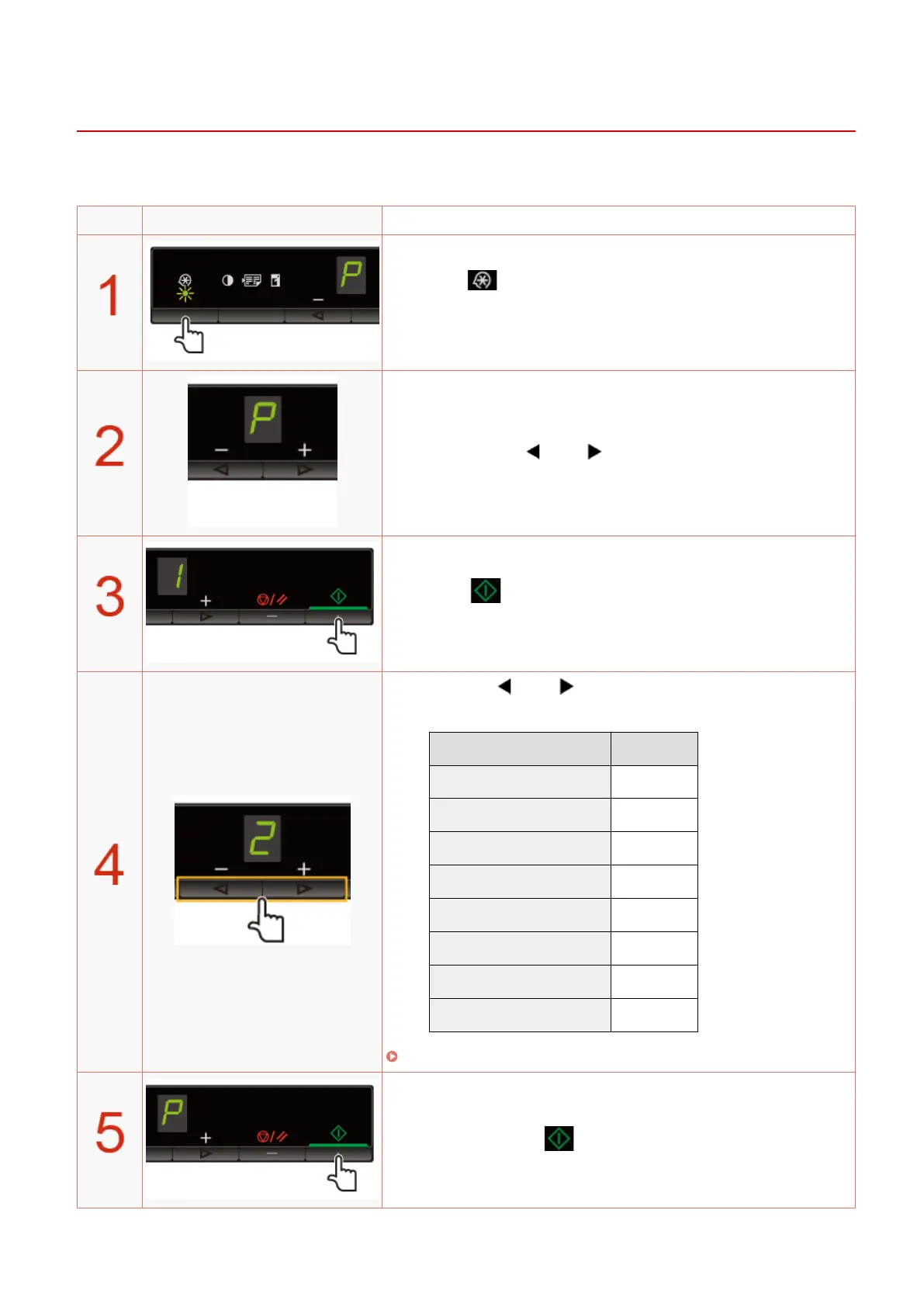
Operating results Operating procedures
Press [ ] (Menu setting key), and then start the menu
oper
ation.
When the menu is operating, the menu indicator blinks.
Press [ ] or [ ] until "P" is displayed.
Press [ ], and set the menu to be able to change the
settings.
Press [ ] or [ ] to change the setting values.
The display and the paper types are matched as follows.
Display Paper type
1 Plain paper
+1 Plain paper L
2 Heavy paper 1
+2 Heavy paper 2
3 Rough paper
4 Envelopes
5 Transparencies
6 Labels
" Supported Paper T
ypes(P. 70) "
Press [ ] to conrm the setting.
Basic Operation
54












 To Next Page