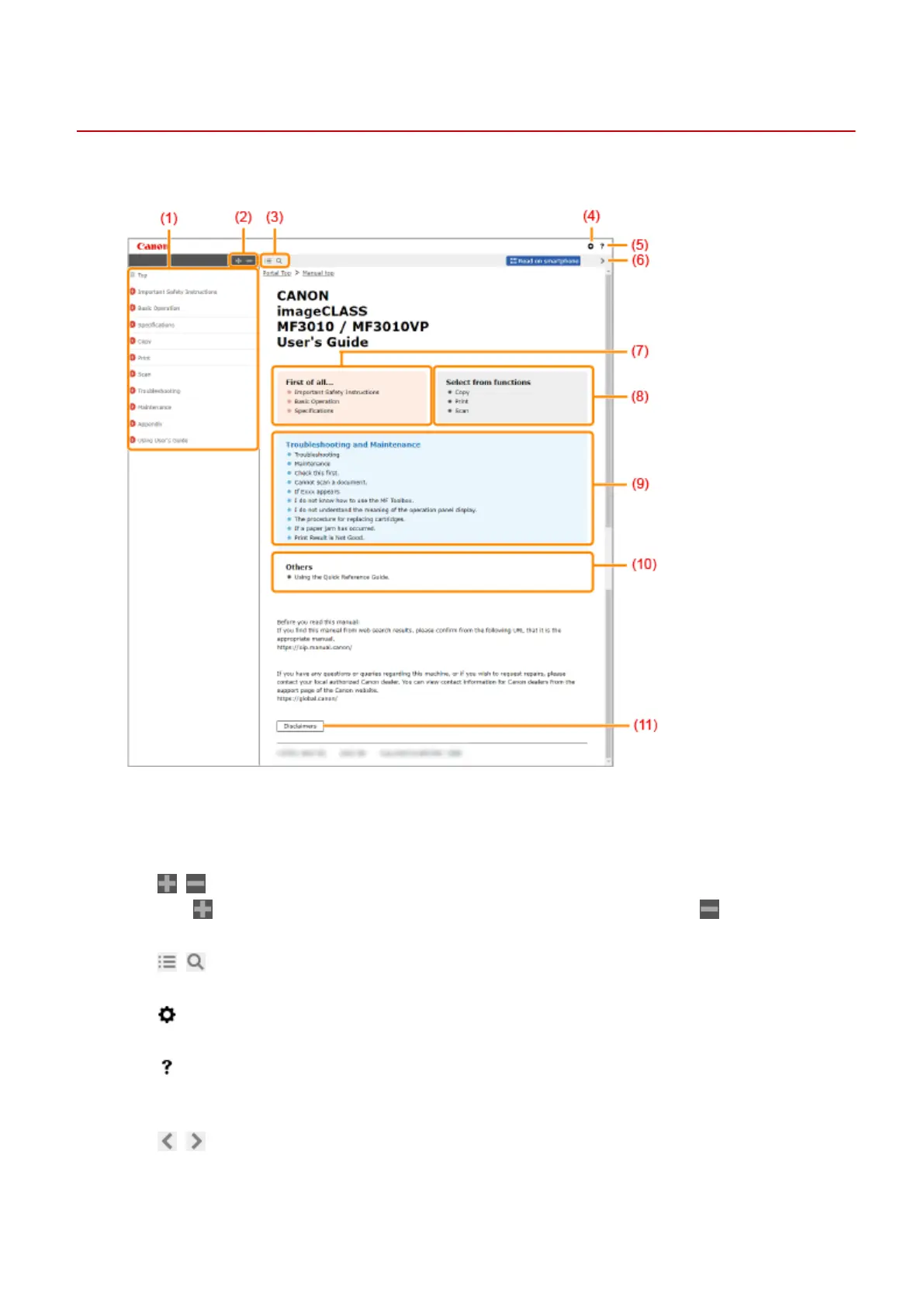
Top Page
85RS-063
Appears when the User
's Guide starts.
(1) Table of Contents
Chapter titles ar
e displayed.
(2)
/
Click to display all items, including those nested underneath other items. Click to return to the
original list.
(3)
/
Click to switch between the table of contents and the search display.
(4)
Click to specify settings such as text size, layout, and display method for the User's Guide.
(5)
Click to display information on how to view the User's Guide, how to perform a search, and other
information.
(6)
/
Click to display the previous or following topic.
(7) [First of all...]
Using User's Guide
233












 To Next Page