Upgrading Firmware
85RS-01E
This section describes the pr
ocedure to upgrade the printer rmware.
For details on the procedure for upgrading the rmware, see the manual supplied with the rmware.
IMPORTANT
Performing only when it is necessary
Upgr
ade the printer rmware only when it is necessary.
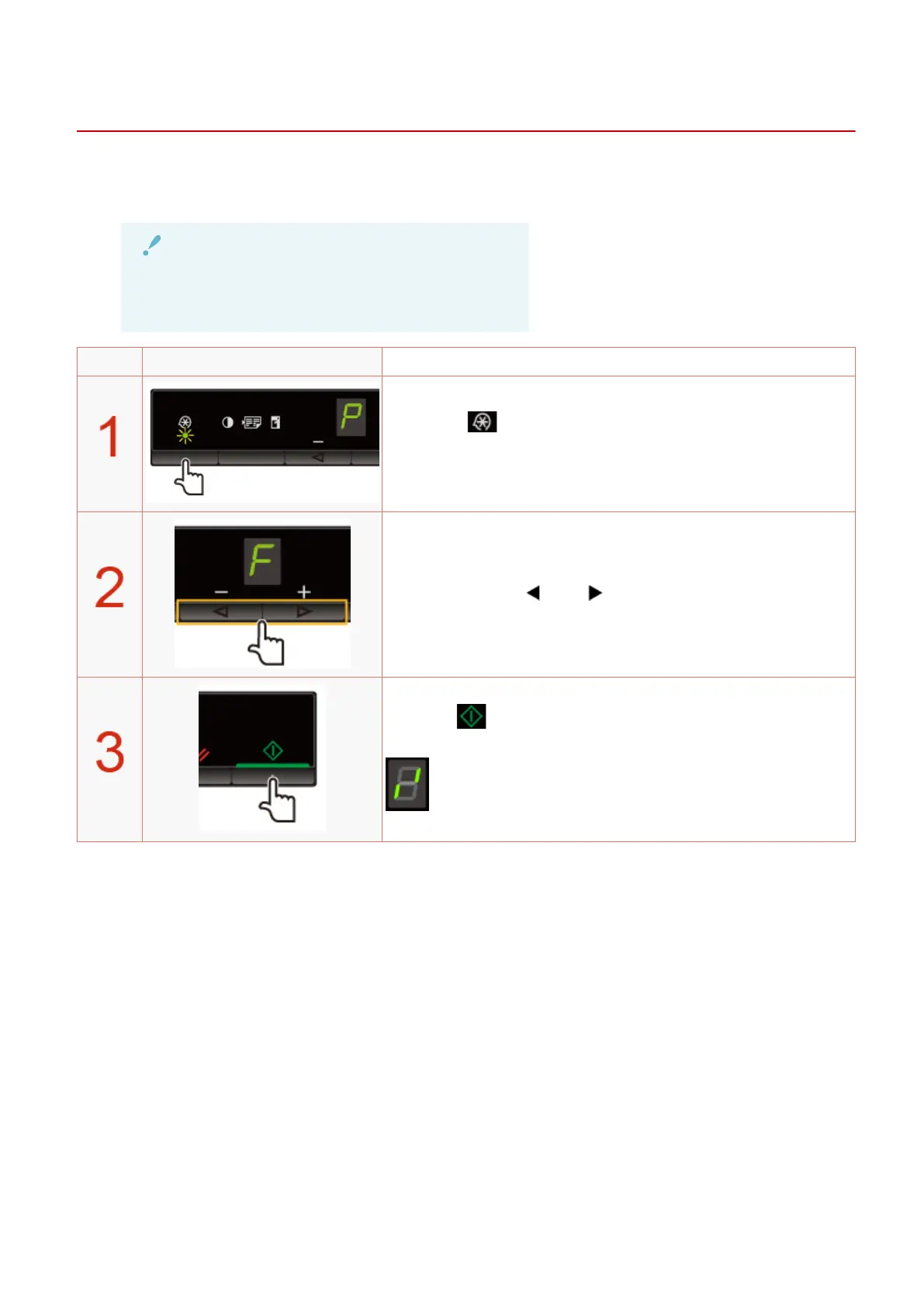
Operating results Operating procedures
Press [ ] (Menu setting key), and then start the menu
oper
ation.
When the menu is operating, the menu indicator blinks.
Press [ ] or [ ] until "F" is displayed.
When [ ] is pressed, the update mode for the rmwar
e is
displayed as shown below.
Basic Operation
58












 To Next Page