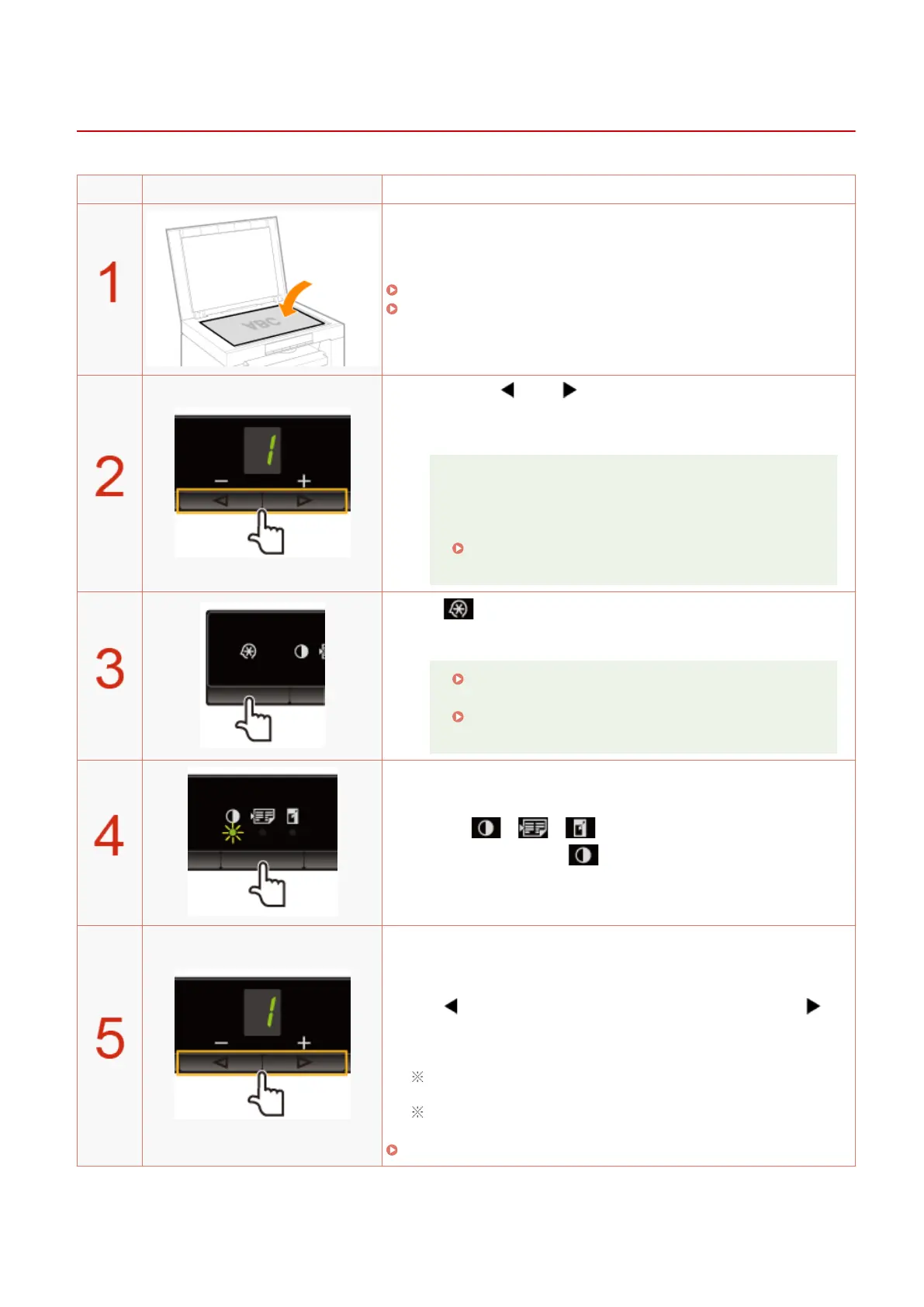
Adjusting the Density
85RS-024
Operating results Operating procedures
Place the document.
" Placing Documents
(P. 43) "
" Supported Paper T
ypes(P. 70) "
Press [ ] or [ ] to specify the copy quantity.
Specify the cop
y quantity rst.
You can set the copy quantity to "F" or "1" to "9."
You can register the custom copy quantity (user-dened
number up to twenty-nine copies) to "F." The pre-dened
settings comes useful if you copy a certain number of
quantity, or want to copy more than 10 sets.
" Registering the Quantity that You Frequently Copy
(Up to Twenty-nine Copies)(P. 78) "
Press [ ] (Menu setting key) to specify the following settings
if necessary
.
" Selecting Cop
y Type (Speed Priority/Resolution
Priorlty)(P. 88) "
" Emphasizing the Outline of an Image (Sharpness)
(P
. 90) "
Press [ ] (Copy setting key) to blink the
[ ] indicator.
Adjust the density.
-4 to A to 0 to +4
[ ]
(Lighter)
Default
value
[ ]
(Dark
er)
When setting the value to [A], the density is automatically set
accor
ding to the documents.
[A] is the only suitable mode for text documents.
" Setting List(P
. 31) "
Copy
79












 To Next Page