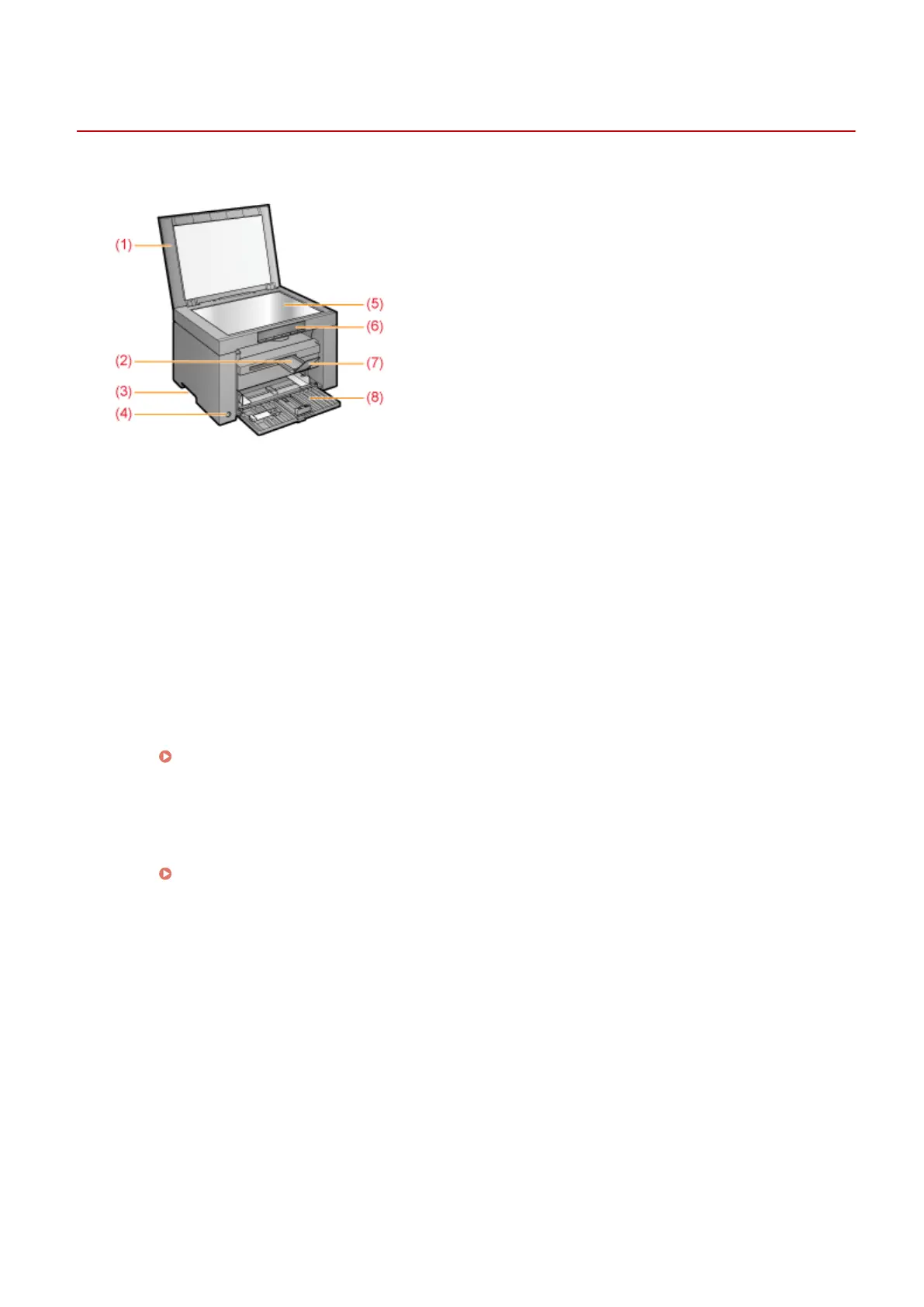
Front Side
85RS-00C
(1) Platen Glass Cover
Pr
otects the platen glass.
(2) Output Tray Extension
Extend this tray to load large size documents.
(3) Lift Handles
Hold this handles to lift or transport the machine.
(4) Power Switch
Used to switch the machine ON or OFF.
(5) Platen Glass
Load paper.
(6) Operation Panel
Used to control the machine.
" Oper
ation Panel and Display(P. 25) "
(7) Paper Stopper
Prevents paper from falling from the output tray.
(8) Paper Cassette
Load the paper.
" Paper Cassette(P
. 24) "
Basic Operation
21












 To Next Page