7
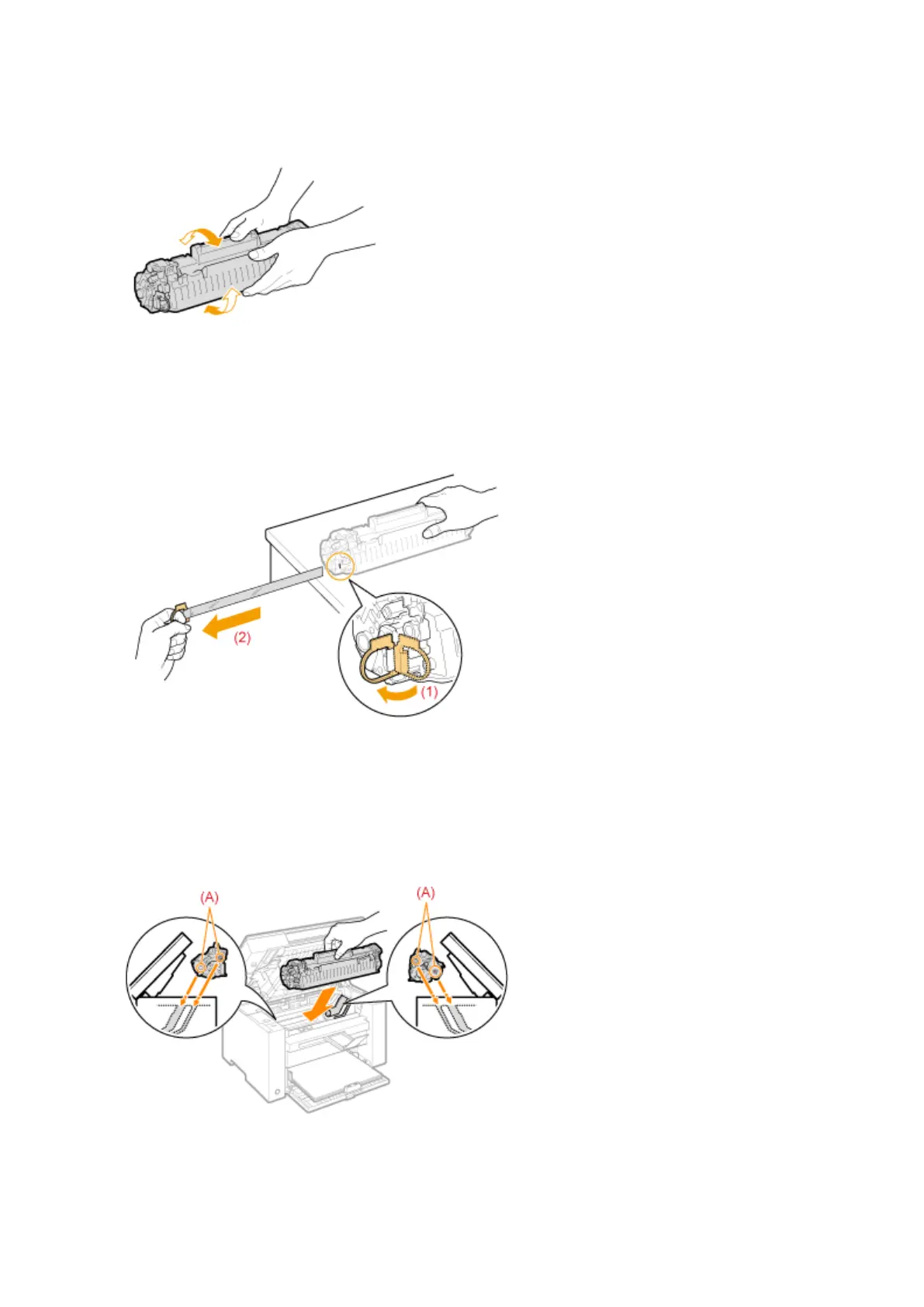
Gently shake the toner cartridge ve or six times to e
venly distribute the toner inside
the cartridge.
8
Place the toner cartridge on a at surface, lift the tab, and gently pull the sealing tape
completely out.
The full length of the sealing tape is approximately 50 cm (20").
9
Insert the toner cartridge.
Fit the protrusions (A) on both sides of the toner cartridge into the guides located on both sides of the machine
and slide the toner cartridge into the machine until the toner cartridge comes to r
est and is held against the
back of the machine.
10
Close the toner cover.
Maintenance
208












 To Next Page