EasyManua.ls Logo

Canon imageCLASS MF3010 - Page 39

Canon imageCLASS MF3010
247 pages
Print Icon
To Next Page IconTo Next Page
To Previous Page IconTo Previous Page
Loading...
Ho
w to Operate Menus(P. 30)
Indicator
Function name
(Default value)
Setting value
Reference
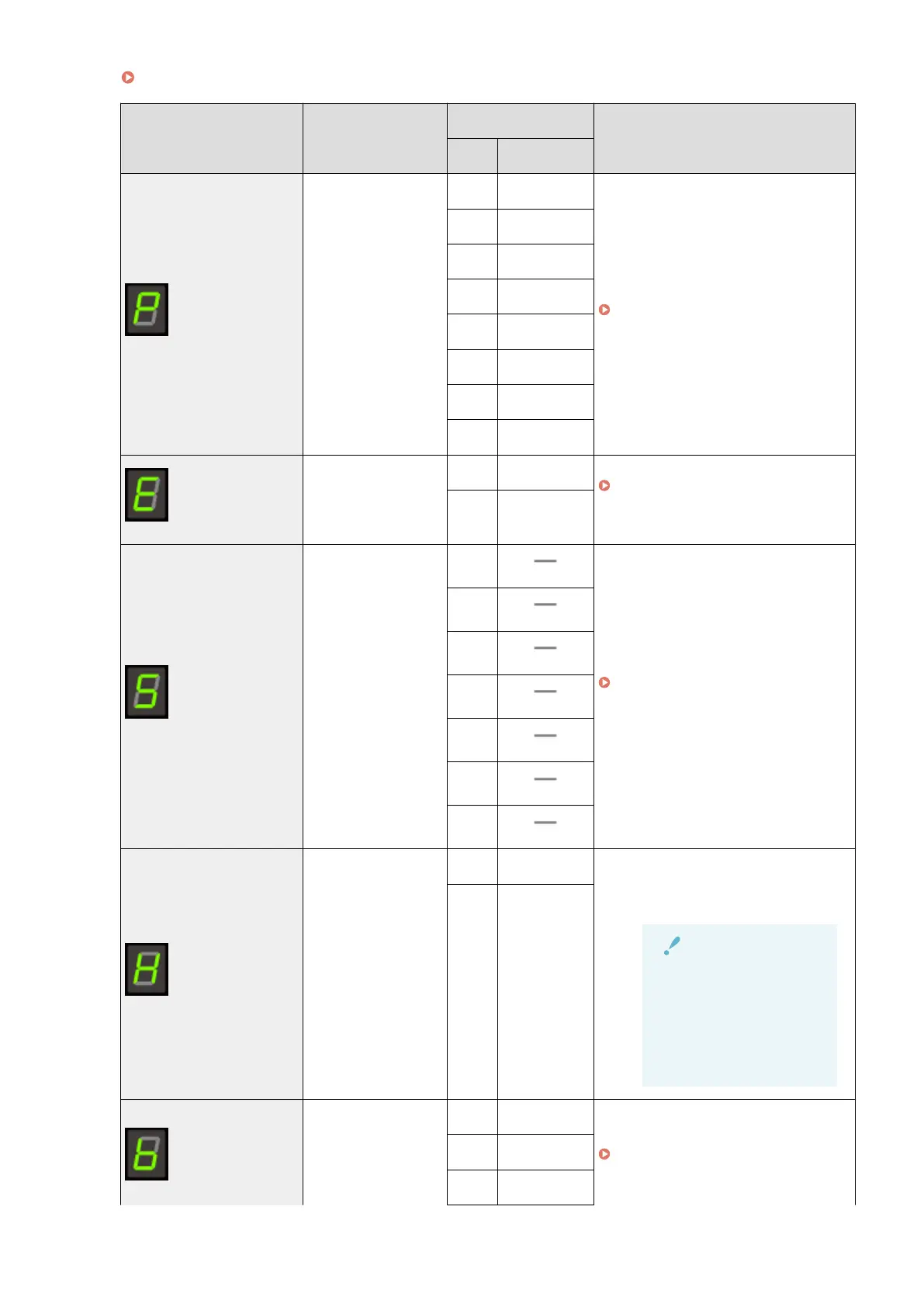
Display Detail
Paper type setting
(Default value: 1)
1 Plain paper
" Setting a Paper T
ype(P. 54) "
+1 Plain Paper L
2 Heavy Paper 1
+2 Heavy Paper 2
3 Rough Paper
4 Envelope
5 Transparency
6 Label
Copy type setting
(Default value: 1)
1 Speed Priority
" Selecting Cop
y Type (Speed Priority/
Resolution Priorlty)(P. 88) "
2
Resolution
Priorlty
Sharpness setting
(Default value: 0)
-3
" Emphasizing the Outline of an Image
(Sharpness)(P
. 90) "
-2
-1
0
+1
+2
+3
Product Extended
Surve
y Program
On/Off
(Default value: 1)
0 Off Enable or disable the Product Extended
Surve
y Program (a program for the
machine usage survey).
IMPORTANT
When the setup is
complete
Restart the machine to
tak
e effect the
settings.
1 On
Special Mode b
(Default value: 1)
0 Off
" Special Mode
(P. 213) "
1 Mode 1
2 Mode 2
Basic Operation
34

Table of Contents

Other manuals for Canon imageCLASS MF3010

Related product manuals