" Registering the Quantity that Y
ou Frequently Copy
(Up to Twenty-nine Copies)(P. 78) "
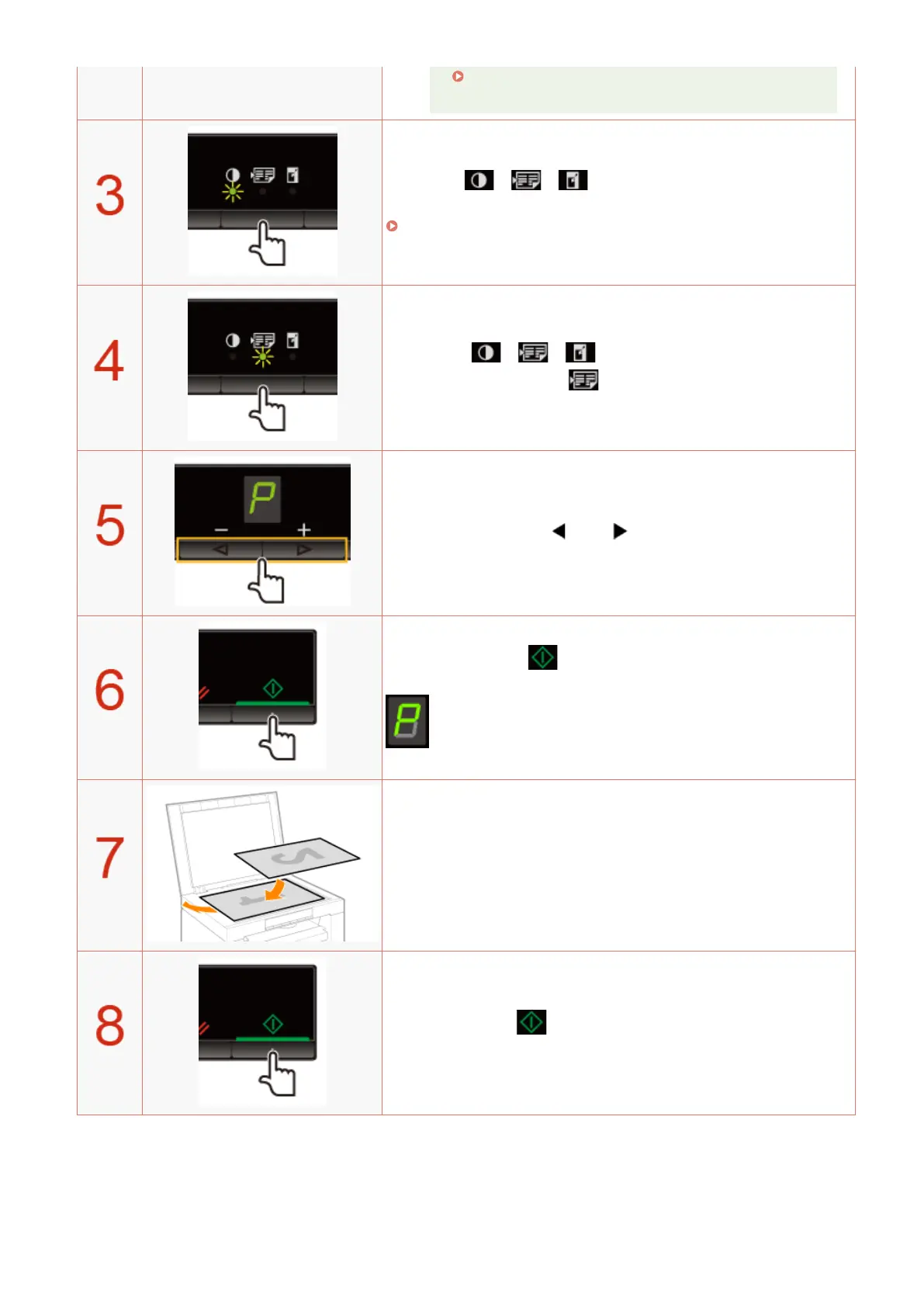
Press [ ] (Copy setting key) to specify the
density settings if necessary
.
" Adjusting the Density
(P. 79) "
Press [ ] (Copy setting key) to blink the
[ ] indicator.
Press [ ] or [ ] to display "P."
Press [ ] to scan the rst document.
After scanning, "P" blinks.
Place the second document.
Press [ ] to scan the second document.
After scanning, printing starts.
Copy
87












 To Next Page