Flow of Mail Box Operations
2-11
2
Introduction to the Mail Box Functions
2
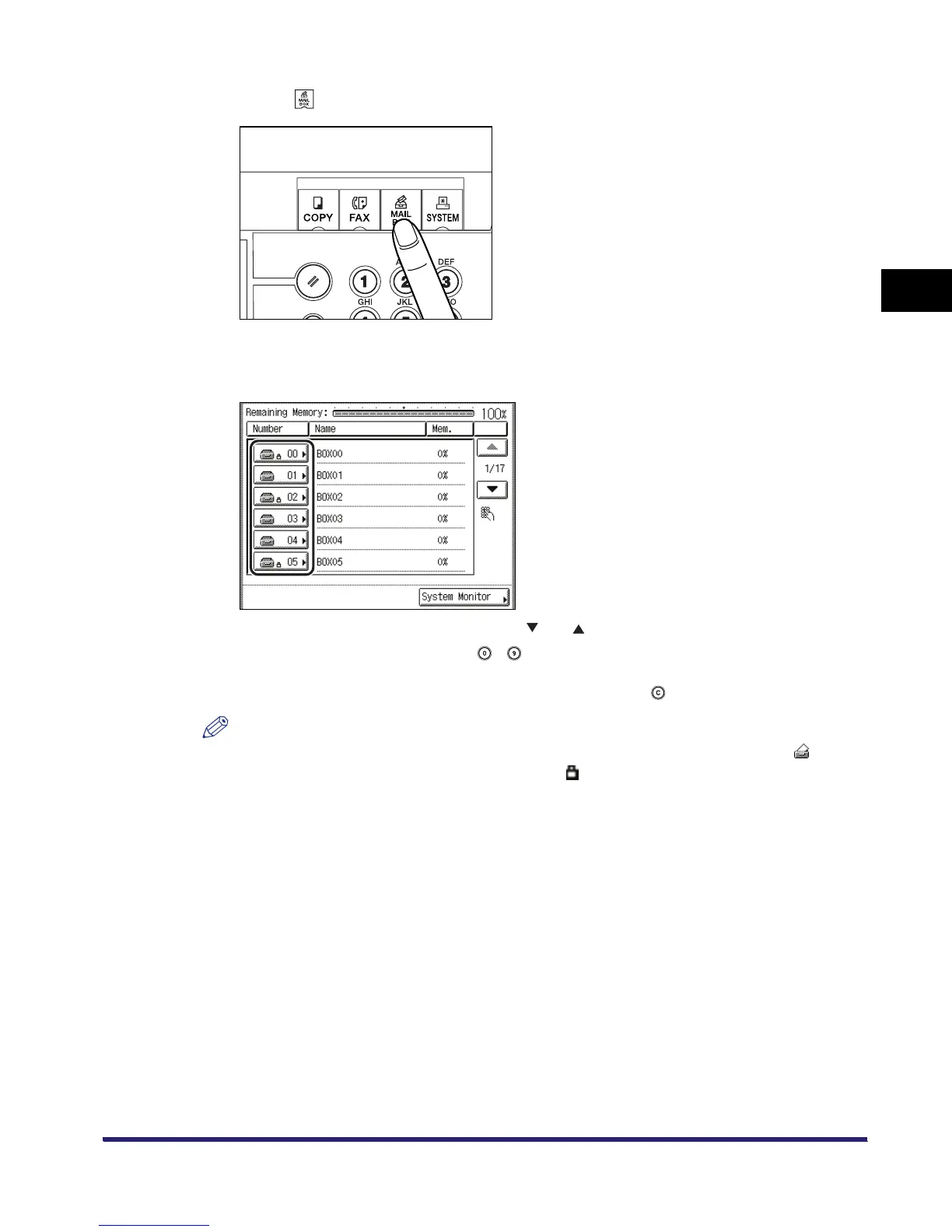
Press .
3
Select the desired inbox number.
If the desired inbox is not displayed, press [ ] or [ ].
If you enter the inbox number using - (numeric keys), make sure to enter a two digit
number ➞ press [OK].
If you make a mistake when entering the inbox number, press ➞ enter the correct number.
NOTE
•
If a document is stored in an inbox, that inbox is displayed with the documents icon ( ).
•
If an inbox is set with a password, a locked icon ( ) is displayed next to the icon of that inbox.
•
If you make a mistake when selecting an inbox, press [Done]
➞
select the correct inbox.



 To Next Page