EasyManua.ls Logo

Canon MV430 - Page 104

Canon MV430
152 pages
Print Icon
To Next Page IconTo Next Page
To Previous Page IconTo Previous Page
Loading...
Using
a
Memory
Card
Play
back
and
view
still
images
recorded
on
a
memory
card.
(For
details
on
connecting
to
a
TV,
see
“Connections
for
Playback
on
a
TV
Screen”
on
p.
30)
The
camcorder
may
not
be
able
to
copy
or
play,
etc.,
images
recorded
on
a
non-
Canon
camcorder.
Do
not
change
the
data
recorded
on
a
memory
card.
You
may
not
be
able
to
play
back
the
following
still
images
correctly
on
this
camcorder:
-Still
images
that
have
not
been
recorded
with
this
camcorder
but
downloaded
from
a
PC
(excluding
the
sample
images
on
p.
117-118)
-
Still
images
that
have
been
recorded
with
this
camcorder
but
have
subsequently
been
enhanced
on
a
PC
-
Still
images
whose
image
file
names
have
been
changed
on
a
PC
There
are
3
ways
to
view
still
images:
Single
image
Slide
show:
One
after
the
other
automatically
in
order
of
recording
Index
screen:
Six
images
at
once
Make
sure
a
memory
card
that
has
images
recorded
on
it
is
inserted
into
the
camcorder.
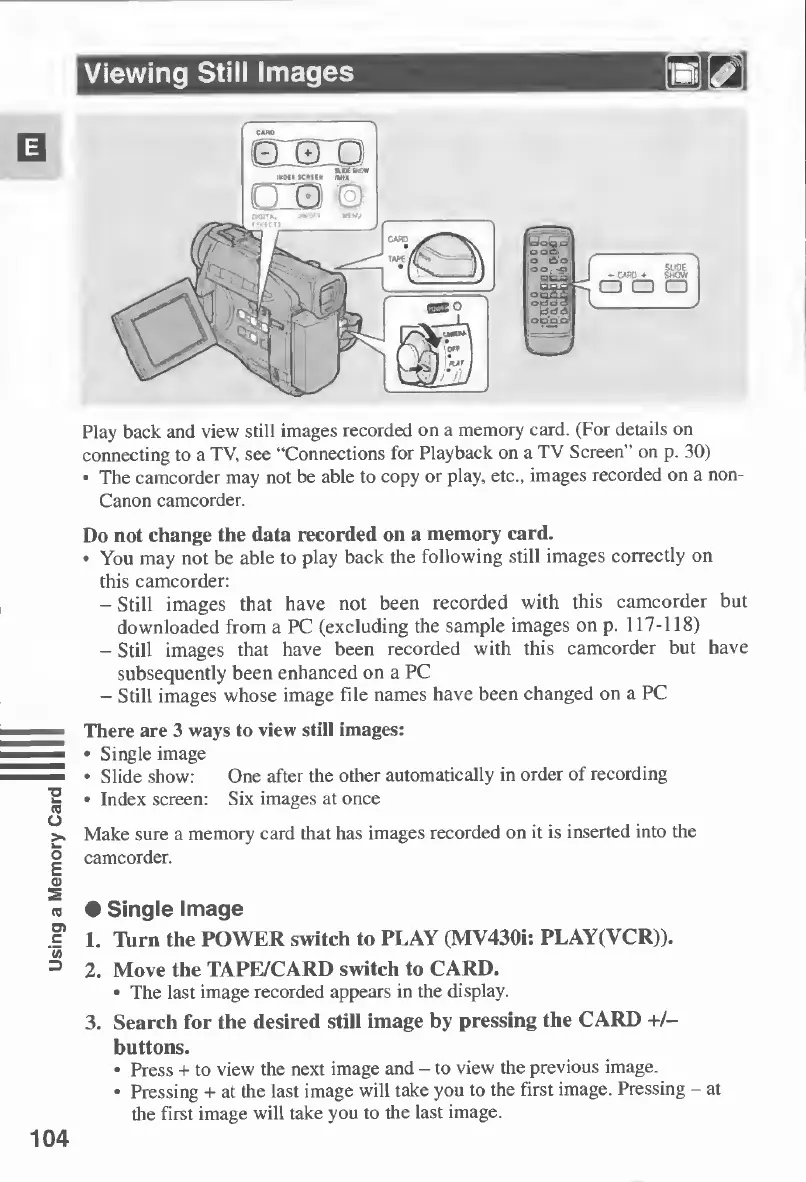
Single
Image
L
l\irn
the
POWER
switch
to
PLAY
(MV430i:
PLAY(VCR)).
2.
Move
the
TAPE/CARD
switch
to
CARD.
The
last
image
recorded
appears
in
the
display.
3.
Search
for
the
desired
still
image
by
pressing
the
CARD
+/-
buttons.
Press
+
to
view
the
next
image
and
-
to
view
the
previous
image.
Pressing
+
at
the
last
image
will
take
you
to
the
first
image.
Pressing
-
at
the
first
image
will
take
you
to
the
last
image.
104

Table of Contents

Other manuals for Canon MV430

Related product manuals