EasyManua.ls Logo

Canon MV430 - Page 105

Canon MV430
152 pages
Print Icon
To Next Page IconTo Next Page
To Previous Page IconTo Previous Page
Loading...
Slide
Show
With
an
image
in
the
display,
press
the
SLIDE
SHOW
button.
The
images
play
back
one
after
the
other
for
5
seconds
each.
To
stop
the
slide
show,
press
the
SLIDE
SHOW
button.
The
slide
show
starts
or
stops
each
time
you
press
the
SLIDE
SHOW
button.
The
slide
show
stops
with
the
last
image
appearing
in
the
display.
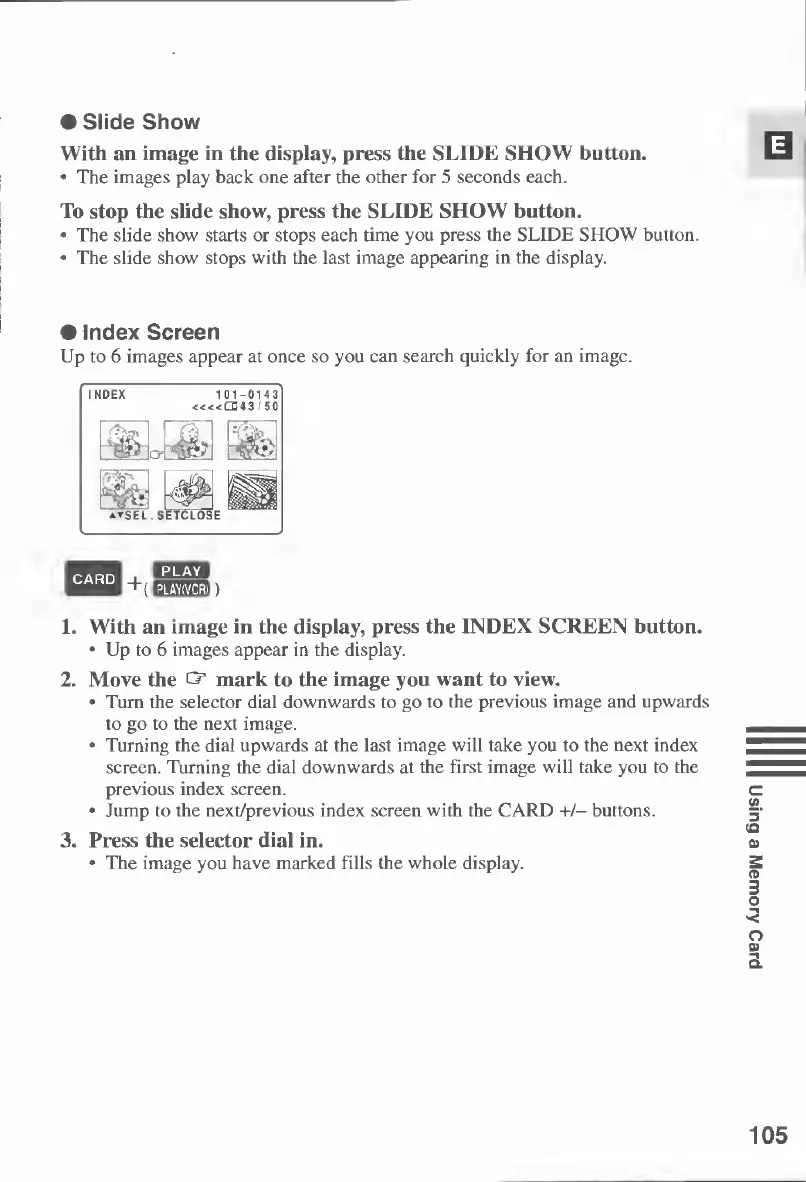
Index
Screen
Up
to
6
images
appear
at
once
so
you
can
search
quickly
for
an
image.
CARD
eh*
~t(
EEE02))
1.
With
an
image
in
the
display,
press
the
INDEX
SCREEN
button.
Up
to
6
images
appear
in
the
display.
2.
Move
the
CT
mark
to
the
image
you
want
to
view.
Turn
the
selector
dial
downwards
to
go
to
the
previous
image
and
upwards
to
go
to
the
next
image.
Turning
the
dial
upwards
at
the
last
image
will
take
you
to
the
next
index
screen.
Turning
the
dial
downwards
at
the
first
image
will
take
you
to
the
previous
index
screen.
Jump
to
the
next/previous
index
screen
with
the
CARD
+/-
buttons.
3.
Press
the
selector
dial
in.
The
image
you
have
marked
fills
the
whole
display.
105
Using
a
Memory
Card

Table of Contents

Other manuals for Canon MV430

Related product manuals