EasyManua.ls Logo

Canon MV430 - Page 141

Canon MV430
152 pages
Print Icon
To Next Page IconTo Next Page
To Previous Page IconTo Previous Page
Loading...
Caution
phrases
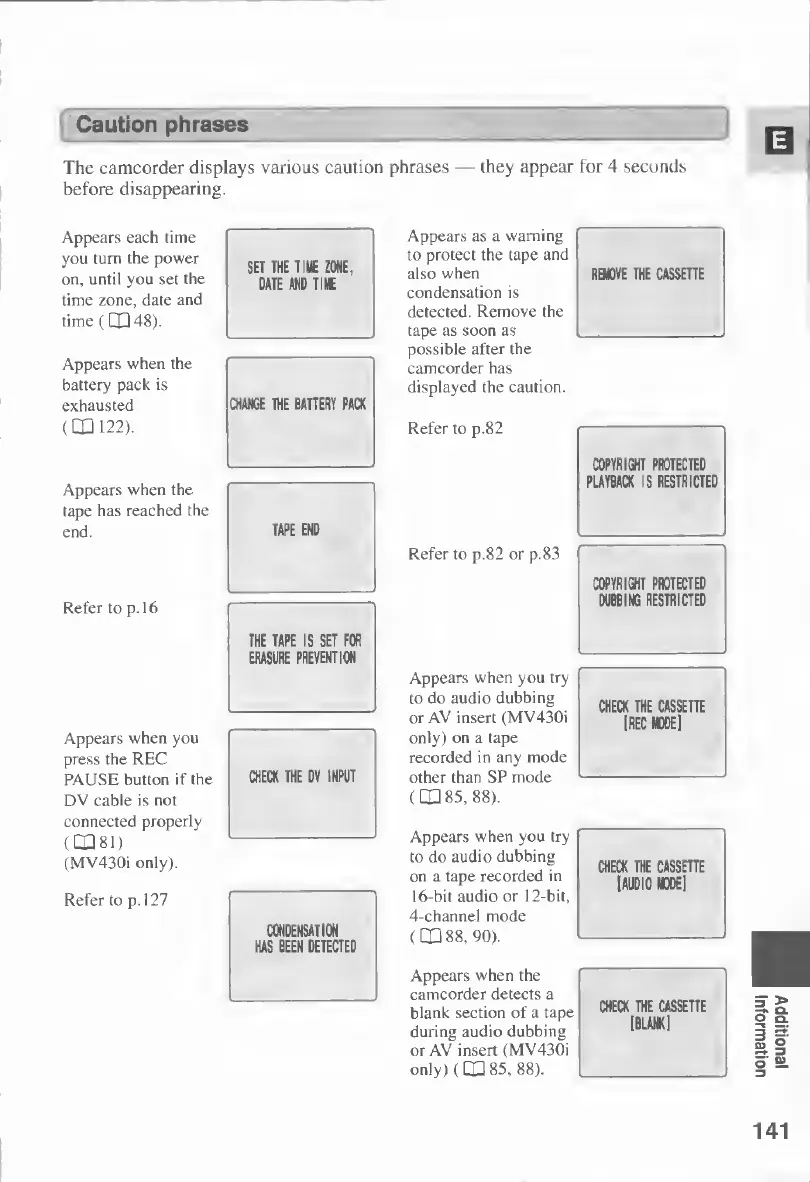
The
camcorder
displays
various
caution
phrases
—
they
appear
for
4
seconds
before
disappearing.
Appears
each
time
you
turn
the
power
on,
until
you
set
the
time
zone,
date
and
time
(CP
48).
Appears
when
the
battery
pack
is
exhausted
(CP
122).
Appears
when
the
tape
has
reached
the
end.
Refer
to
p.
16
Appears
when
you
press
the
REC
PAUSE
button
if
the
DV
cable
is
not
connected
properly
(
â–¡
â–¡
8
1
)
(MV430i
only).
Appears
as
a
warning
to
protect
the
tape
and
also
when
RBflVE
THE
CASSETTE
condensation
is
detected.
Remove
the
tape
as
soon
as
possible
after
the
camcorder
has
displayed
the
caution.
Refer
to
p.82
Refer
to
p.82
or
p.83
Appears
when
you
try
to
do
audio
dubbing
or
AV
insert
(MV430i
only)
on
a
tape
recorded
in
any
mode
other
than
SP
mode
(DQ
85,
88).
Appears
when
you
try
to
do
audio
dubbing
on
a
tape
recorded
in
16-bit
audio
or
12-bit,
4-channel
mode
(CD
88,
90).
Appears
when
the
camcorder
detects
a
blank
section
of
a
tape
during
audio
dubbing
or
AV
insert
(MV430i
only)
(
CQ
85,
88).
141
Additional
Information

Table of Contents

Other manuals for Canon MV430

Related product manuals