EasyManua.ls Logo

Canon MV430 - Page 142

Canon MV430
152 pages
Print Icon
To Next Page IconTo Next Page
To Previous Page IconTo Previous Page
Loading...
Additional
Information
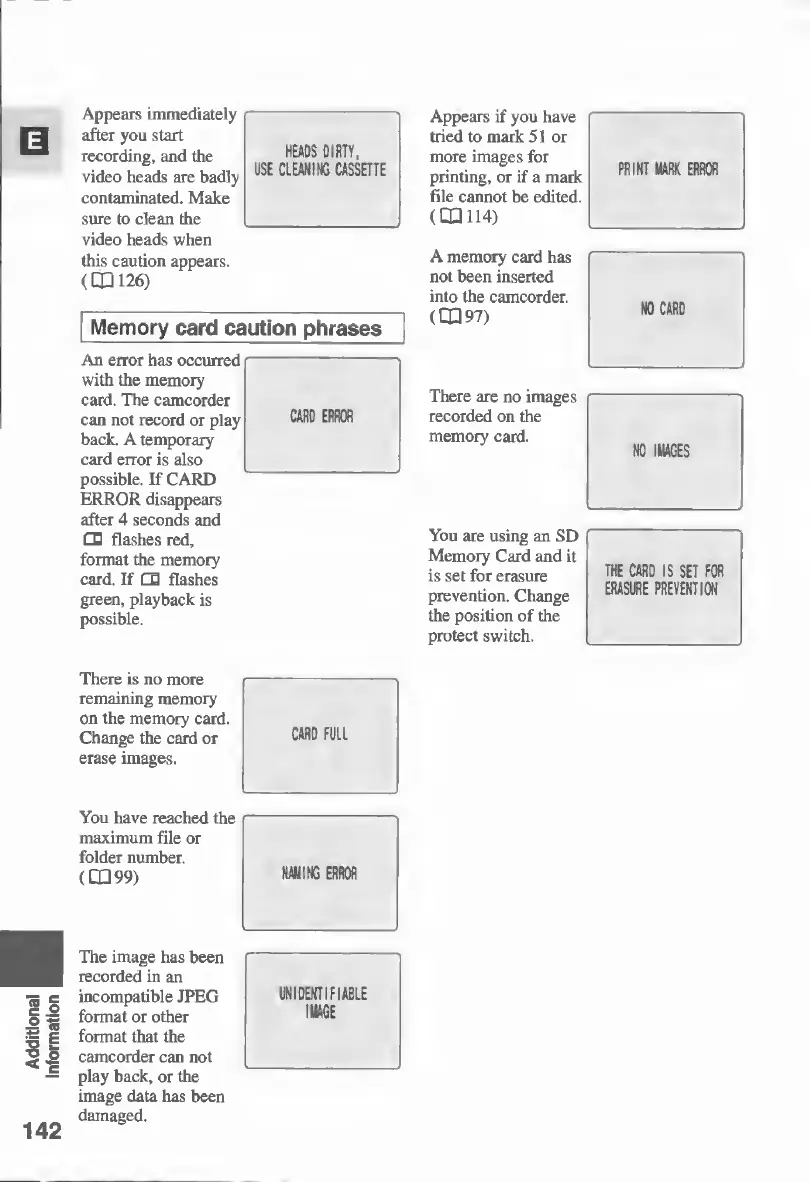
Appears
immediately
after
you
start
recording,
and
the
video
heads
are
badly
contaminated.
Make
sure
to
clean
the
video
heads
when
this
caution
appears.
(CD
126)
HEADS
DIRTY,
USE
CLEANING
CASSETTE
Memory
card
caution
phrases
An
error
has
occurred-
with
the
memory
card.
The
camcorder
can
not
record
or
play
CARD
ERROR
back.
A
temporary
card
error
is
also
possible.
If
CARD
~
-
ERROR
disappears
after
4
seconds
and
d
flashes
red,
format
the
memory
card.
If
d
flashes
green,
playback
is
possible.
Appears
if
you
have
tried
to
mark
51
or
more
images
for
printing,
or
if
a
mark
file
cannot
be
edited.
(CD
114)
A
memory
card
has
not
been
inserted
into
the
camcorder.
(CD
97)
There
are
no
images
recorded
on
the
memory
card.
You
are
using
an
SD
Memory
Card
and
it
is
set
for
erasure
prevention.
Change
the
position
of
the
protect
switch.
THE
CARD
IS
SET
FOR
ERASURE
PREVENTION
There
is
no
more
remaining
memory
on
the
memory
card.
Change
the
card
or
erase
images.
CARD
FULL
142
You
have
reached
the
maximum
file
or
folder
number.
(CD
99)
NAMING
ERROR
The
image
has
been
recorded
in
an
incompatible
JPEG
format
or
other
format
that
the
camcorder
can
not
play
back,
or
the
image
data
has
been
damaged.
UNIDENTIFIABLE
IMAGE

Table of Contents

Other manuals for Canon MV430

Related product manuals