EasyManua.ls Logo

Canon MV430 - Page 20

Canon MV430
152 pages
Print Icon
To Next Page IconTo Next Page
To Previous Page IconTo Previous Page
Loading...
Mastering
the
Basics
16:9
(Widescreen
TV
recording)
BO)
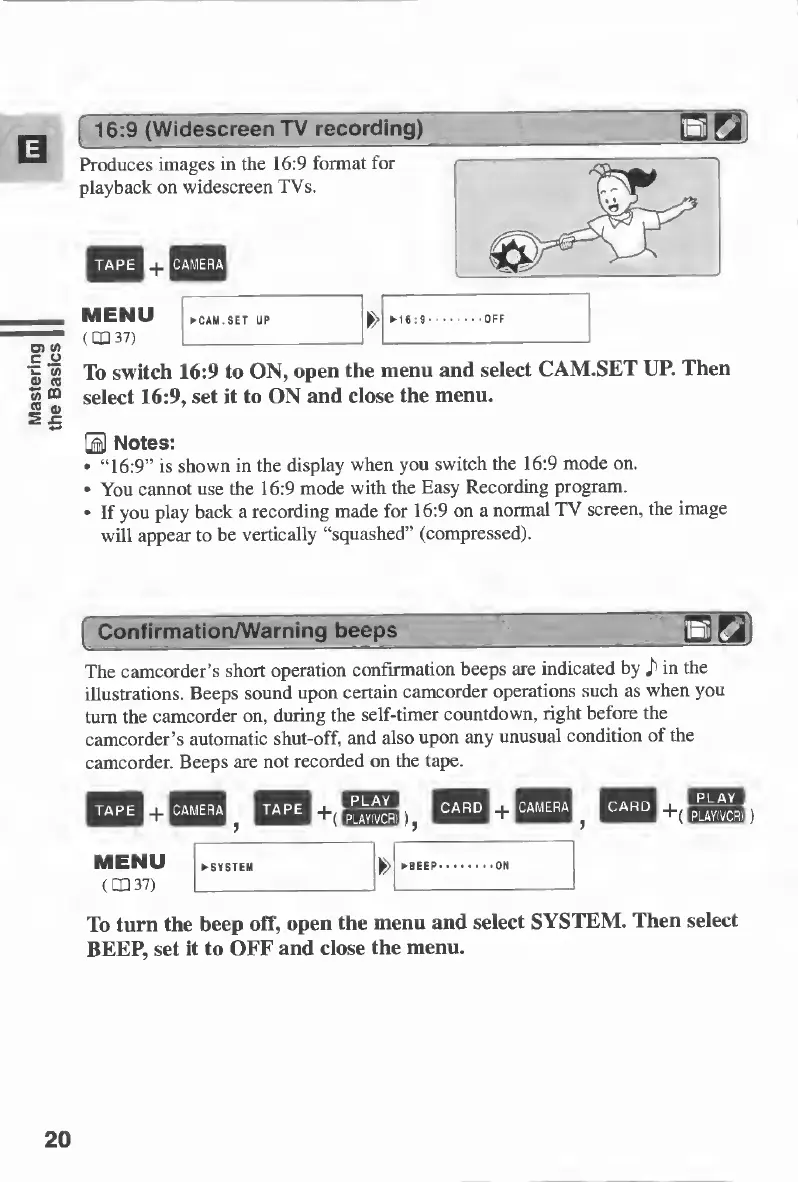
Produces
images
in
the
16:9
format
for
playback
on
widescreen
TVs.
To
switch
16:9
to
ON,
open
the
menu
and
select
CAM.SET
UP.
Then
select
16:9,
set
it
to
ON
and
close
the
menu.
B
Notes:
“16:9”
is
shown
in
the
display
when
you
switch
the
16:9
mode
on.
You
cannot
use
the
16:9
mode
with
the
Easy
Recording
program.
If
you
play
back
a
recording
made
for
16:9
on
a
normal
TV
screen,
the
image
will
appear
to
be
vertically
“squashed”
(compressed).
Confirmation/Warning
beeps
_QGL
The
camcorder’s
short
operation
confirmation
beeps
are
indicated
by
in
the
illustrations.
Beeps
sound
upon
certain
camcorder
operations
such
as
when
you
turn
the
camcorder
on,
during
the
self-timer
countdown,
right
before
the
camcorder’s
automatic
shut-off,
and
also
upon
any
unusual
condition
of
the
camcorder.
Beeps
are
not
recorded
on
the
tape.
play
^
PLAY(VCR)
To
turn
the
beep
off,
open
the
menu
and
select
SYSTEM.
Then
select
BEEP,
set
it
to
OFF
and
close
the
menu.
20

Table of Contents

Other manuals for Canon MV430

Related product manuals