EasyManua.ls Logo

Canon MV430 - Page 38

Canon MV430
152 pages
Print Icon
To Next Page IconTo Next Page
To Previous Page IconTo Previous Page
Loading...
Using
the
Full
Range
of
Features
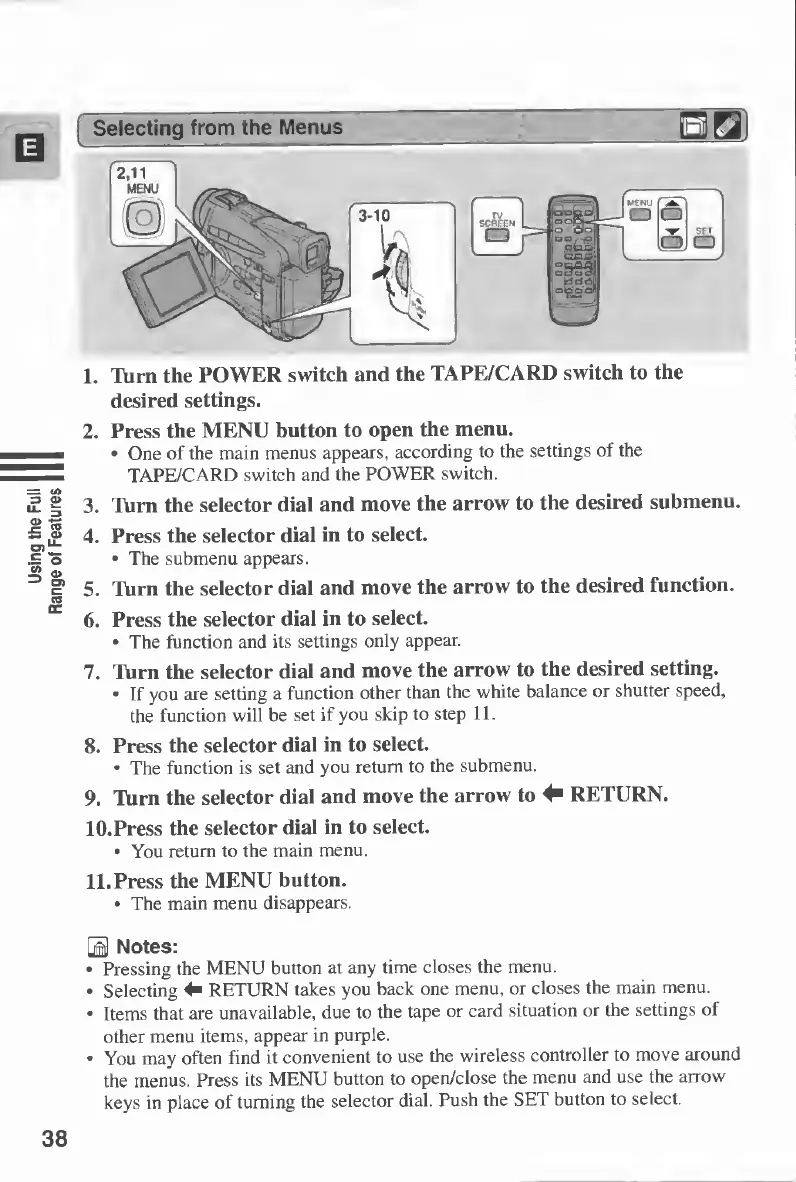
1.
Turn
the
POWER
switch
and
the
TAPE/CARD
switch
to
the
desired
settings.
2.
Press
the
MENU
button
to
open
the
menu.
One
of
the
main
menus
appears,
according
to
the
settings
of
the
TAPE/CARD
switch
and
the
POWER
switch.
3.
Turn
the
selector
dial
and
move
the
arrow
to
the
desired
submenu.
4.
Press
the
selector
dial
in
to
select.
The
submenu
appears.
5.
Turn
the
selector
dial
and
move
the
arrow
to
the
desired
function.
6.
Press
the
selector
dial
in
to
select.
The
function
and
its
settings
only
appear.
7.
Turn
the
selector
dial
and
move
the
arrow
to
the
desired
setting.
If
you
are
setting
a
function
other
than
the
white
balance
or
shutter
speed,
the
function
will
be
set
if
you
skip
to
step
11.
8.
Press
the
selector
dial
in
to
select.
The
function
is
set
and
you
return
to
the
submenu.
9.
Turn
the
selector
dial
and
move
the
arrow
to
^
RETURN.
10.
Press
the
selector
dial
in
to
select.
You
return
to
the
main
menu.
11.
Press
the
MENU
button.
The
main
menu
disappears.
S
Notes:
Pressing
the
MENU
button
at
any
time
closes
the
menu.
Selecting
4"
RETURN
takes
you
back
one
menu,
or
closes
the
main
menu.
Items
that
are
unavailable,
due
to
the
tape
or
card
situation
or
the
settings
of
other
menu
items,
appear
in
purple.
You
may
often
find
it
convenient
to
use
the
wireless
controller
to
move
around
the
menus.
Press
its
MENU
button
to
open/close
the
menu
and
use
the
arrow
keys
in
place
of
turning
the
selector
dial.
Push
the
SET
button
to
select.
38

Table of Contents

Other manuals for Canon MV430

Related product manuals