EasyManua.ls Logo

Canon MV430 - Page 65

Canon MV430
152 pages
Print Icon
To Next Page IconTo Next Page
To Previous Page IconTo Previous Page
Loading...
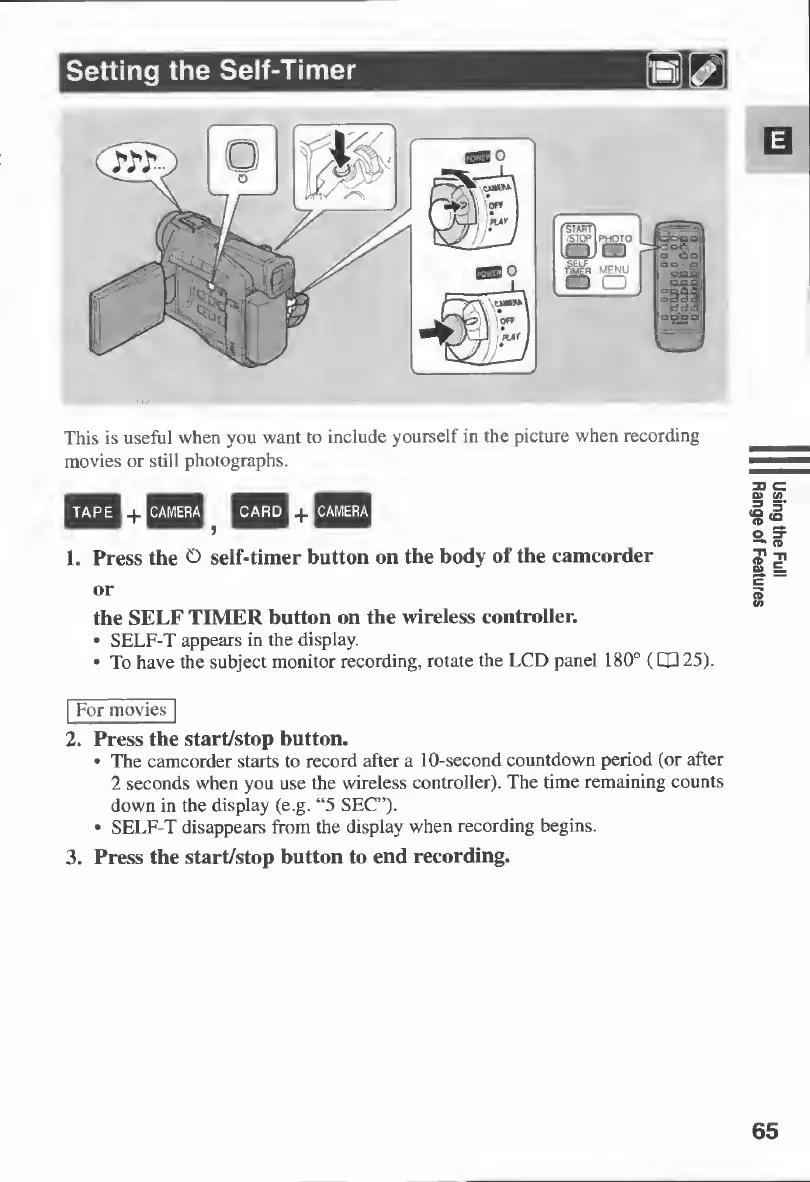
This
is
useful
when
you
want
to
include
yourself
in
the
picture
when
recording
movies
or
still
photographs.
+
5
+
1.
Press
the
O
self-timer
button
on
the
body
of
the
camcorder
or
the
SELF
TIMER
button
on
the
wireless
controller.
SELF-T
appears
in
the
display.
To
have
the
subject
monitor
recording,
rotate
the
LCD
panel
180°
(CP
25).
For
movies
2*
Press
the
start/stop
button.
The
camcorder
starts
to
record
after
a
10-second
countdown
period
(or
after
2
seconds
when
you
use
the
wireless
controller).
The
time
remaining
counts
down
in
the
display
(e.g.
“5
SEC”).
SELF-T
disappears
from
the
display
when
recording
begins.
3.
Press
the
start/stop
button
to
end
recording.
65
Using
the
Full
Range
of
Features

Table of Contents

Other manuals for Canon MV430

Related product manuals