EasyManua.ls Logo

Canon MV430 - Page 90

Canon MV430
152 pages
Print Icon
To Next Page IconTo Next Page
To Previous Page IconTo Previous Page
Loading...
Editing
-
For
MV430i
(For
MV430,
CD
88).
You
can
add
sound
to
the
original
sound
on
a
pre-recorded
tape
from
audio
products
(AUDIO
IN)
or
with
the
internal
or
external
microphone
(MIC.
IN).
The
original
sound
will
not
be
erased.
For
best
results,
add
sound
to
tapes
that
have
been
recorded
with
this
camcorder
in
SP
mode
with
12-bit
sound.
If
there
are
non-recorded
portions
on
the
tape,
or
portions
recorded
in
a
mode
other
than
SP
mode,
or
with
16-bit
or
12-bit,
4-channel
sound,
dubbing
will
stop.
If
your
tape
hasn’t
been
recorded
in
SP
mode
with
12-bit
sound,
we
recommend
dubbing
your
original
tape
onto
a
blank
tape
using
the
MV430i
,
s
analog
line-in
function,
then
dubbing
audio
onto
the
new
tape.
Make
absolutely
sure
to
set
the
audio
mode
of
the
new
tape
to
12-bit
and
the
recording
mode
to
SP.
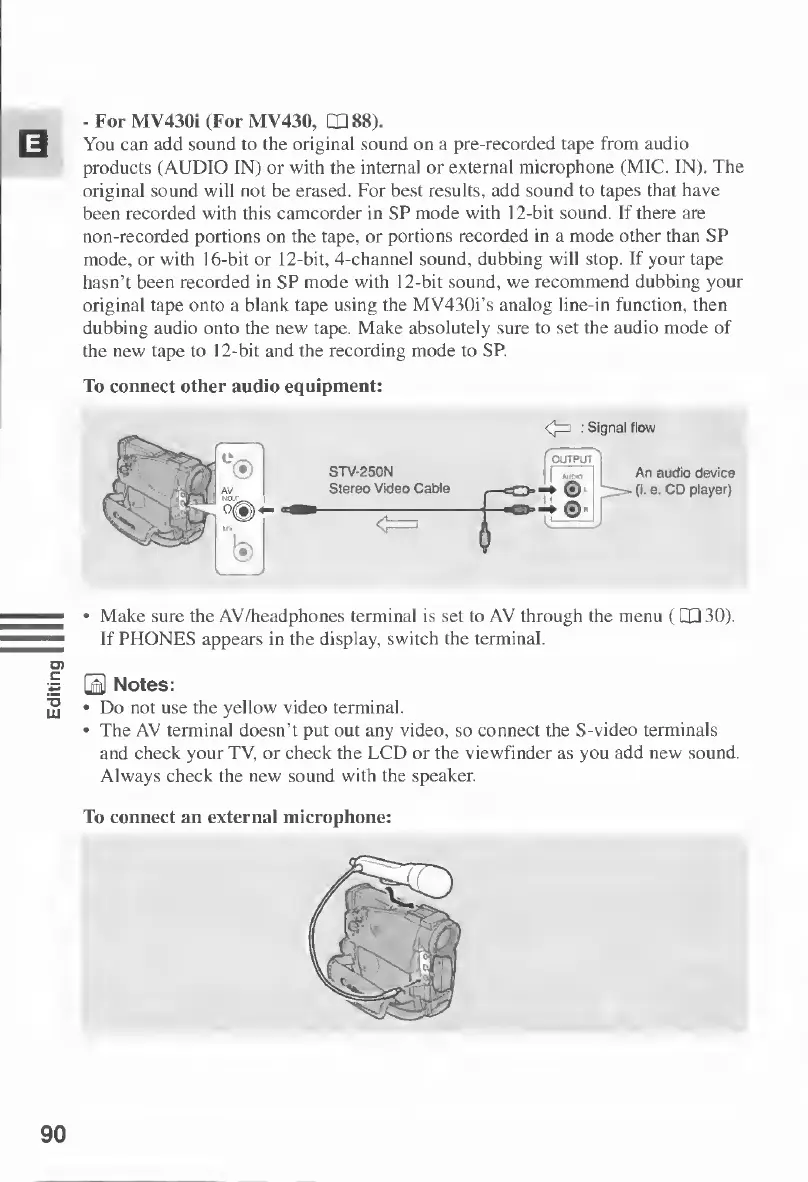
To
connect
other
audio
equipment:
OUTPUT
STV-250N
Stereo
Video
Cable
An
audio
device
(I.
e.
CD
player)
Make
sure
the
AV/headphones
terminal
is
set
to
AV
through
the
menu
(LQ30).
If
PHONES
appears
in
the
display,
switch
the
terminal.
B
Notes:
Do
not
use
the
yellow
video
terminal.
The
AV
terminal
doesn’t
put
out
any
video,
so
connect
the
S-video
terminals
and
check
your
TV,
or
check
the
LCD
or
the
viewfinder
as
you
add
new
sound.
Always
check
the
new
sound
with
the
speaker.
To
connect
an
external
microphone:
90

Table of Contents

Other manuals for Canon MV430

Related product manuals