EasyManua.ls Logo

Canon MV430 - Page 91

Canon MV430
152 pages
Print Icon
To Next Page IconTo Next Page
To Previous Page IconTo Previous Page
Loading...
E
Notes:
When
you
add
sound
using
the
built-in
microphone
make
sure
not
to
connect
any
cables
to
the
MIC
terminal.
To
use
your
TV
to
monitor
video,
connect
the
S-video
terminal
(CO
32)
or
the
AV
terminal
(use
only
the
video
plug)
to
your
TV.
You
can
monitor
the
sound
with
headphones
only
when
using
the
S-video
terminal
(CO
30).
Preparations
_
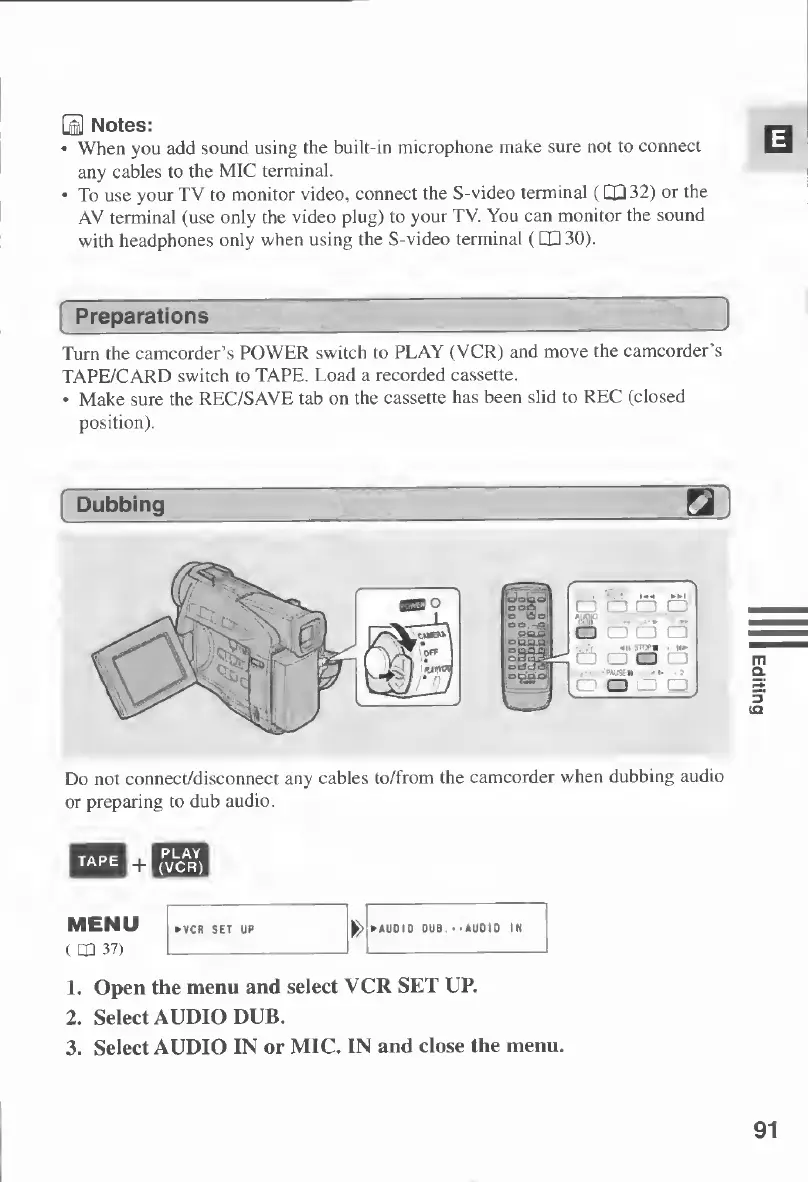
Turn
the
camcorder’s
POWER
switch
to
PLAY
(VCR)
and
move
the
camcorder's
TAPE/CARD
switch
to
TAPE.
Load
a
recorded
cassette.
Make
sure
the
REC/SAVE
tab
on
the
cassette
has
been
slid
to
REC
(closed
position).
Dubbing
Do
not
connect/disconnect
any
cables
to/from
the
camcorder
when
dubbing
audio
or
preparing
to
dub
audio.
1.
Open
the
menu
and
select
VCR
SET
UP.
2.
Select
AUDIO
DUB.
3.
Select
AUDIO
IN
or
MIC.
IN
and
close
the
menu.
o
o
o

Table of Contents

Other manuals for Canon MV430

Related product manuals