CHAPTER 9 INSTALLATION
COPYRIGHT
©
1999 CANON INC. CANON PC800s/900s REV.0 AUG. 1999 PRINTED IN JAPAN (IMPRIME AU JAPON)
9-6
Work Checks and remarksStep
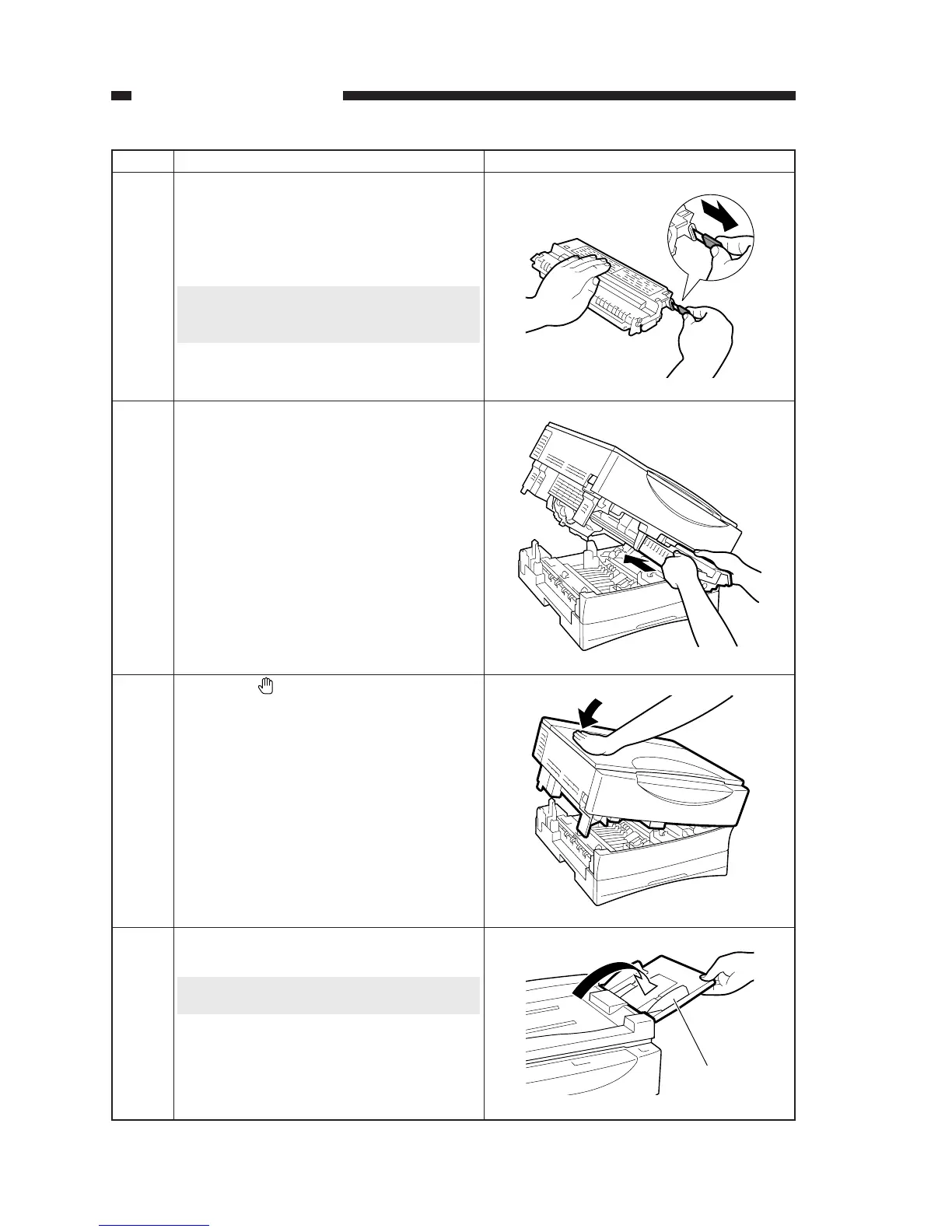
Place the cartridge on a level place, and pull
off the open seal.
Holding the tab, pull it straight out in the di-
rection of the arrow.
Caution:
The seal can tear in the middle. Do no pull it at
an angle.
12
Hold the cartridge with the waning label fac-
ing up, and insert it into the machine with care
until it stops.
13
Push on the marking found on the top of the
machine to close it fully.
14
Original tray
Open the original tray.
Caution:
This step applies to the ADF type only.
15


 To Next Page
 Loading...





