CHAPTER 9 INSTALLATION
COPYRIGHT
©
1999 CANON INC. CANON PC800s/900s REV.0 AUG. 1999 PRINTED IN JAPAN (IMPRIME AU JAPON)
9-5
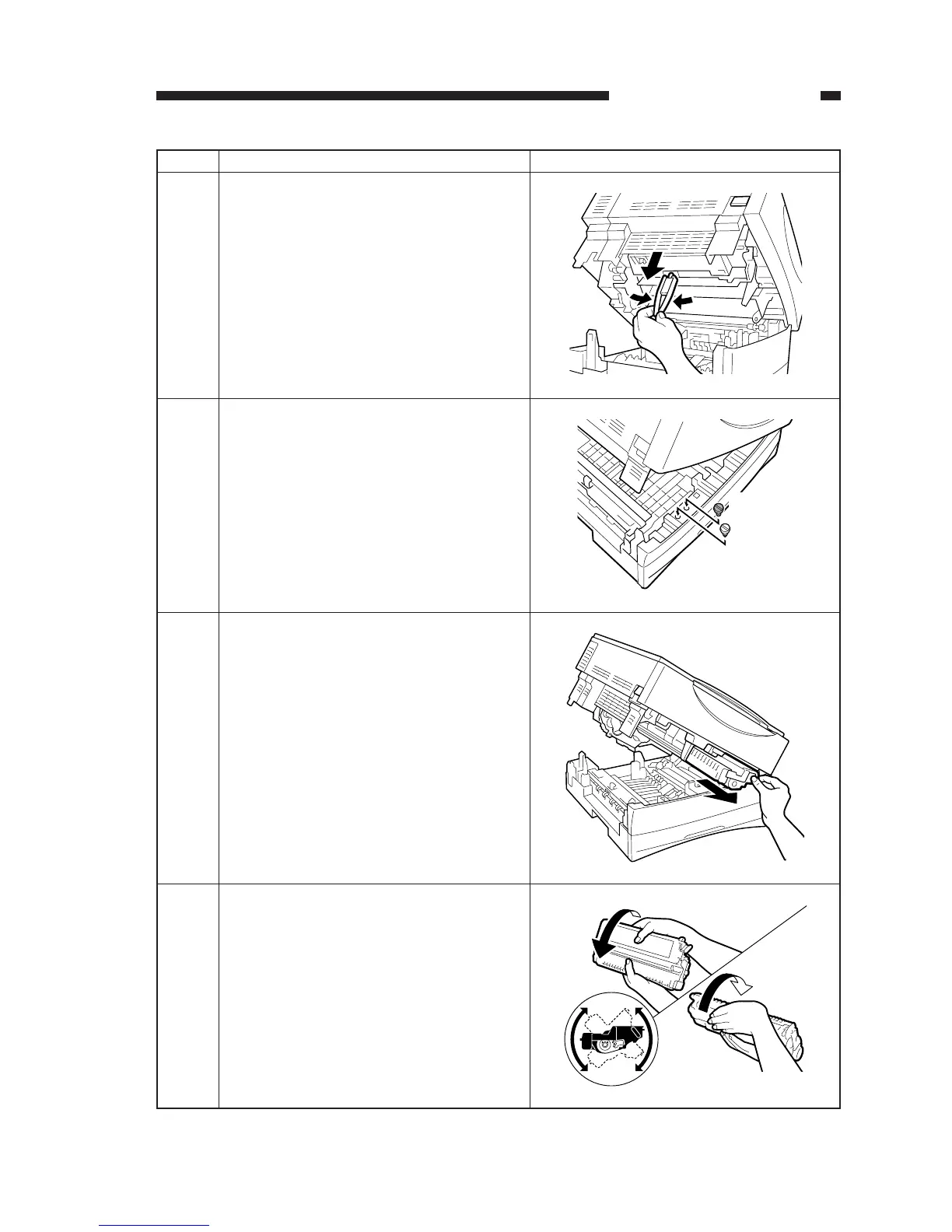
Work Checks and remarksStep
Pick the fixing member from the bottom of the
top unit, and detach it.
8
Store the shipping attachments [1] and [2] re-
moved in steps 3 and 4 in the machine’s bot-
tom unit.
9
[1]
[2]
Hold the tab of the cartridge, and take it out of
the machine.
10
Holding the cartridge with the warning label
facing up, shake it several times in both direc-
tions (90°).
11


 To Next Page
 Loading...





