CHAPTER 9 INSTALLATION
COPYRIGHT
©
1999 CANON INC. CANON PC800s/900s REV.0 AUG. 1999 PRINTED IN JAPAN (IMPRIME AU JAPON)
9-4
Work Checks and remarksStep
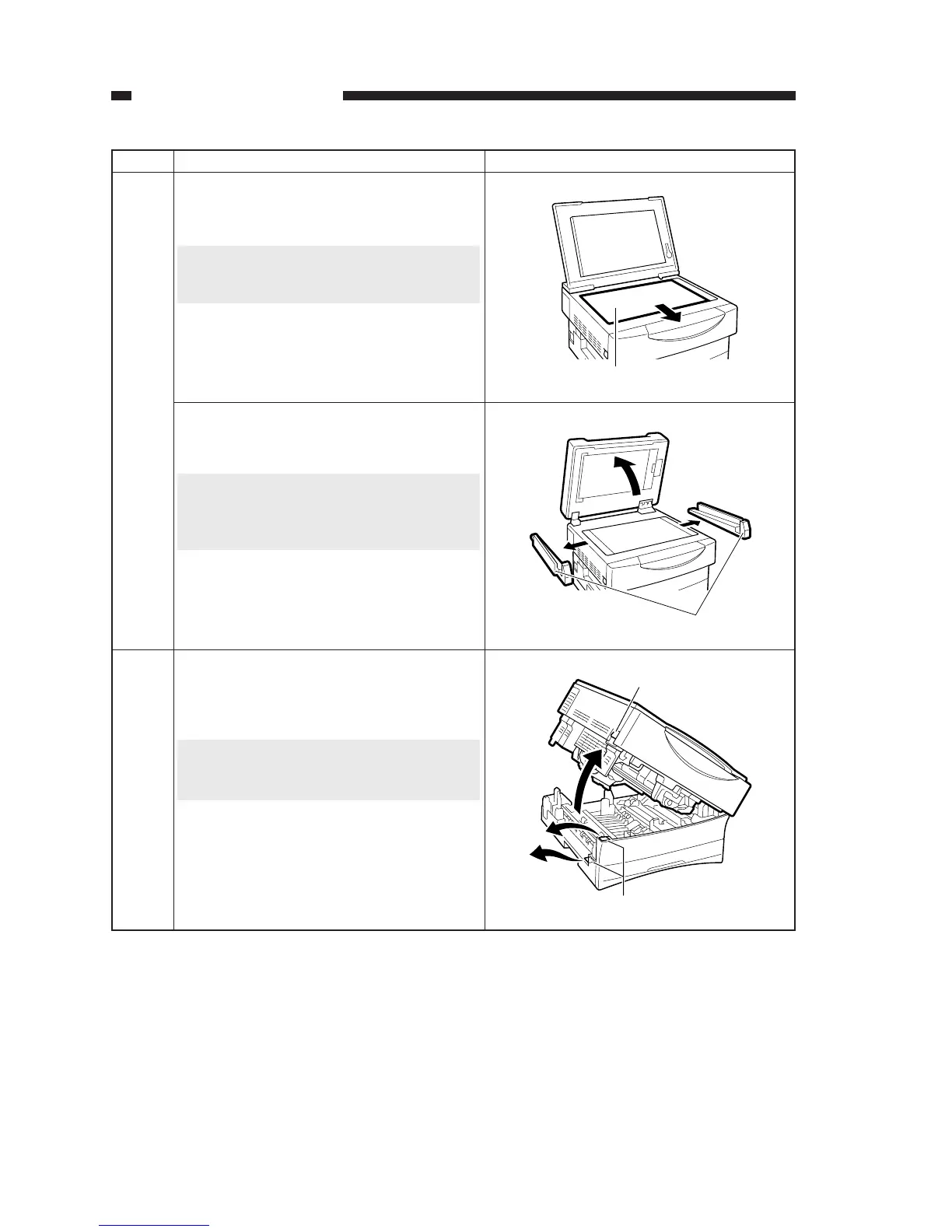
Open the copyboard cover, and remove the
protective sheet. (Copyboard type only)
Caution:
If the protective sheet is not fond on the ma-
chine, go to the next step.
6
Protective sheet
Open the ADF, and remove the protective
members. (ADF type only)
Caution:
You will need this protective member when
relocating the machine. Be sure to store it
away appropriately.
Protective members
Pull the open/close lever found on the left of
the machine to open the machine’s top unit;
then, remove the two protective members.
Caution:
If the protective member is not found on the
machine, go to the next step.
7
Open/close lever
Protective member


 To Next Page
 Loading...





