CHAPTER 3 EXPOSURE SYSTEM
COPYRIGHT
©
1999 CANON INC. CANON PC800s/900s REV.0 AUG. 1999 PRINTED IN JAPAN (IMPRIME AU JAPON)
3-24
Figure 3-322
Figure 3-321
Figure 3-323
[4]
[3]
[2]
[1]
Face without a marking
[5][1]
[6]
[5]
[7]
[8]
[9]
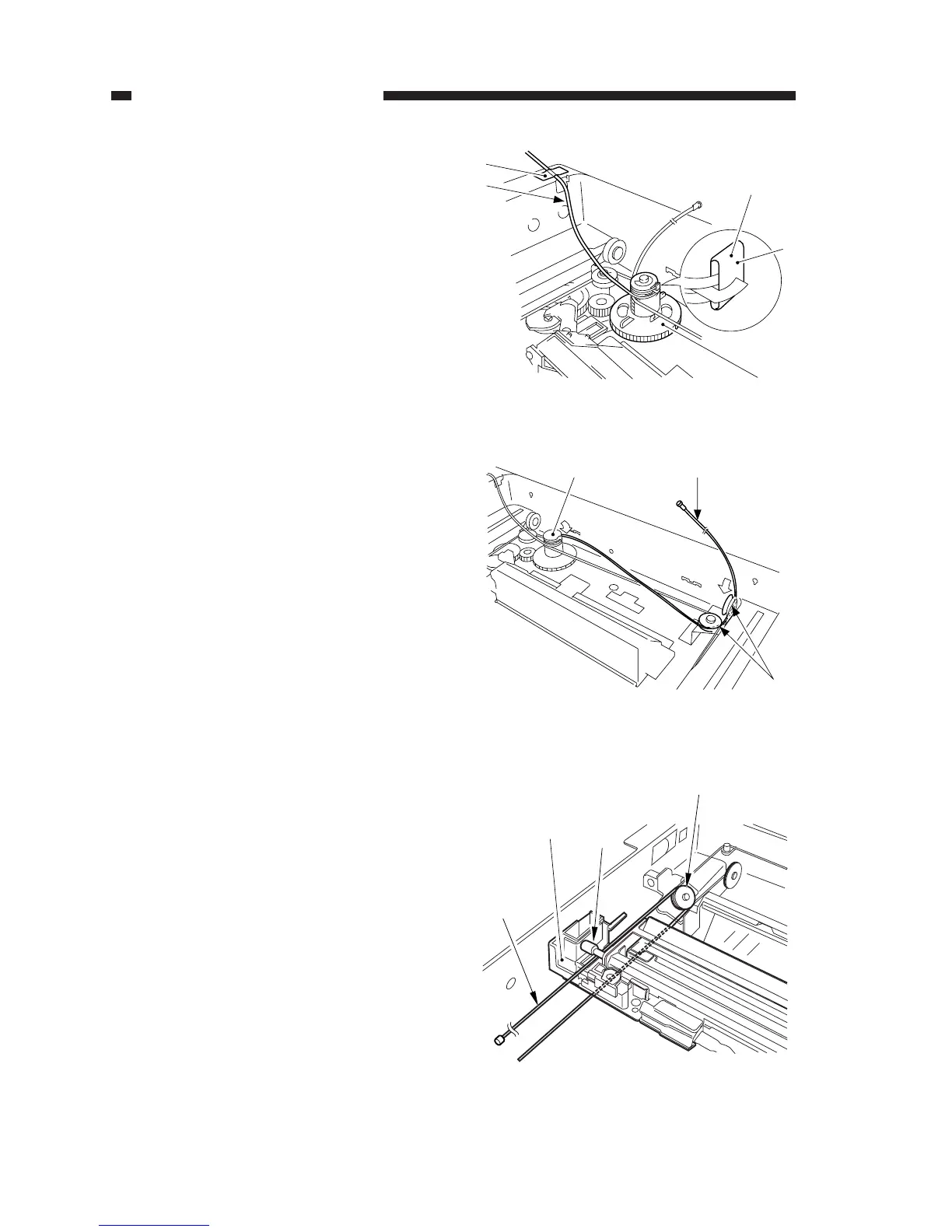
c. Routing the Forwarding Cable
1) Fit the longer end forwarding cable
(black) [2] on the top hook of the cable
drive pulley [1], and wind it 1.5 times.
Then, secure the shorter end [3] as shown
with adhesive tape [4].
2) Lead the longer end [5] along the cable
drive pulley [1] as shown, and hook it on
the pulley [6] on the right front side.
3) Lead the longer end [5] under the No. 1
mirror mount [7]; then, hook it on the pul-
ley [8] of the No. 2/3 mirror mount, and
lead it between the No. 1 mirror mount [7]
and the scanning lamp [9].



 To Next Page