60
3-4 Integration Calculations [OPTN]-[CALC]-[
∫
dx]
To perform integration calculations, first display the function analysis menu and
then input the values in one of the formulas shown below.
Gauss-Kronrod Rule
4(∫dx) f(x) , a , b , tol )
∫
( f(x), a, b, tol) ⇒
∫
a
b
f(x)dx
Simpson’s Rule
4(∫dx) f(x) , a , b , n )
∫
( f(x), a, b, n) ⇒
∫
a
b
f(x)dx, N = 2
n
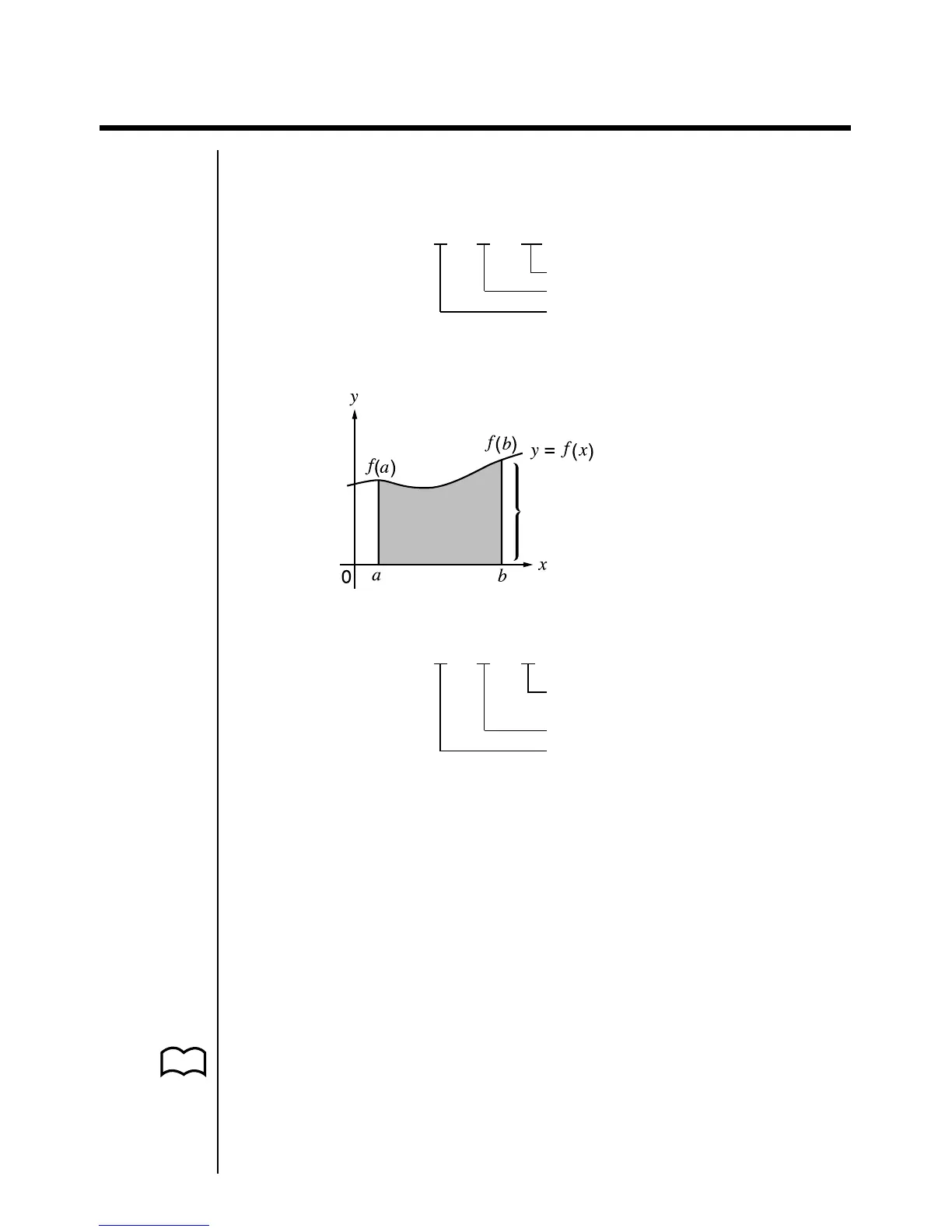
As shown in the illustration above, integration calculations are performed by
calculating integral values from a to b for the function y = f (x) where a < x < b, and
f (x) > 0*. This in effect calculates the surface area of the shaded area in the
illustration.
*When f (x) < 0 on a < x < b, the surface area calculation produces negative
values (surface area below the x-axis).
k Changing Integration Calculation Methods
This calculator can use either Gauss-Kronrod Rule or Simpson’s Rule to perform
integration calculations. To select a method, display the set up screen and select
either “Gaus” (for Gauss-Kronrod Rule) or “Simp” (for Simpson’s Rule) for the
Integration item.
All of the explanations in this manual use Gauss-Kronrod Rule.
Area of
∫
a
b
f(x)dx is calculated
Tolerance
End point
Start point
Number of divisions (value for
n
in N = 2
n
,
n
is an integer from 1 through 9)
End point
Start point
P.6



 To Next Page