77/89
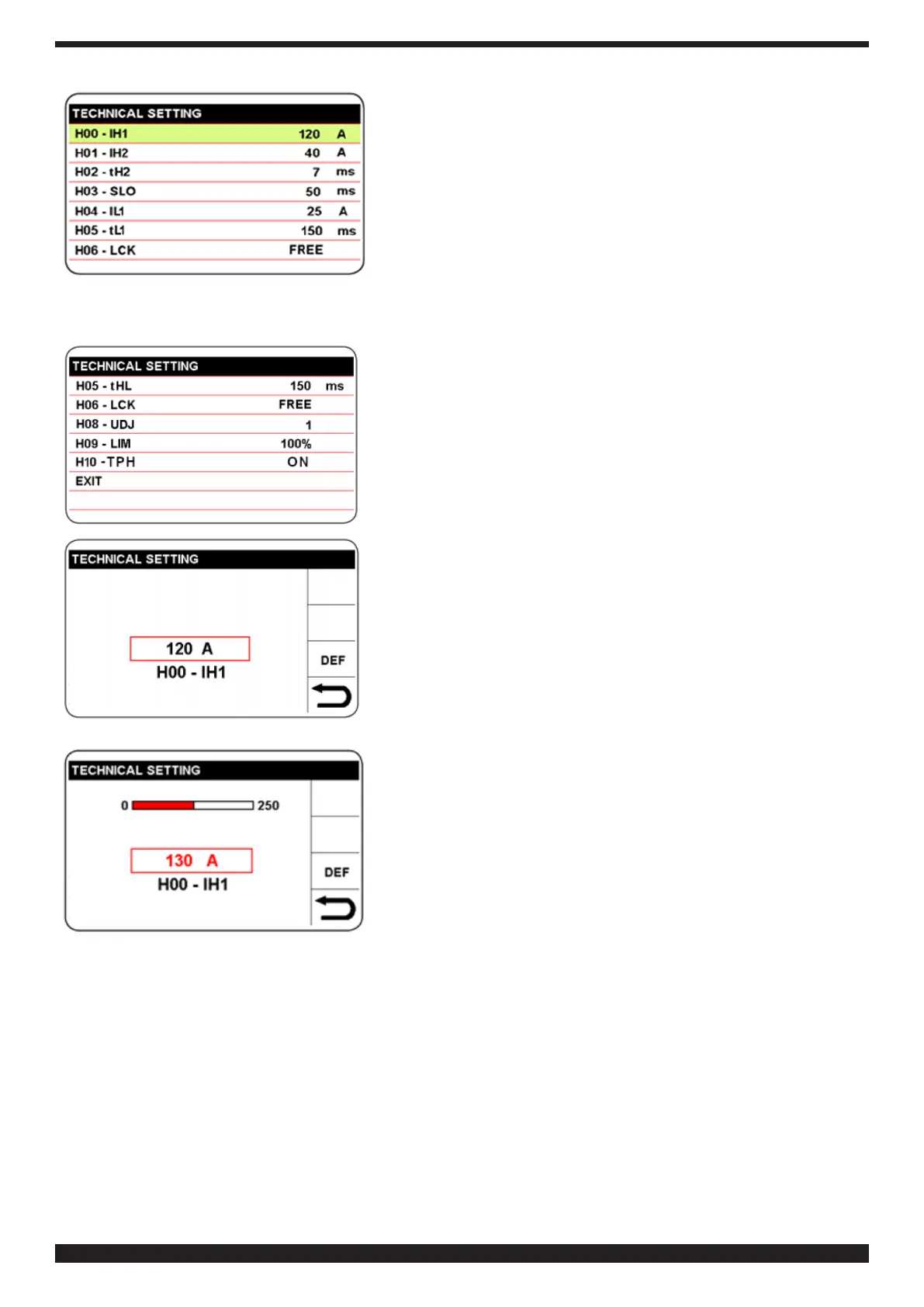
Select and conrm the parameter to modify.
The parameter is activated in red; then press knob B.
TurnknobBtosettheselectedparameter;thenpresstoconrm
the setting.
Similarly, you can select, modify and conrm all the welding
parameters that appear in succession, and are summarised in
table 7.
To return to the previous list, select and conrm the sector to
return to the previous screen. To return to the main screen, press
and hold button B (> 0.7 s).


 To Next Page
 Loading...