68/89
5�6 TIG AC (only Item No 558)
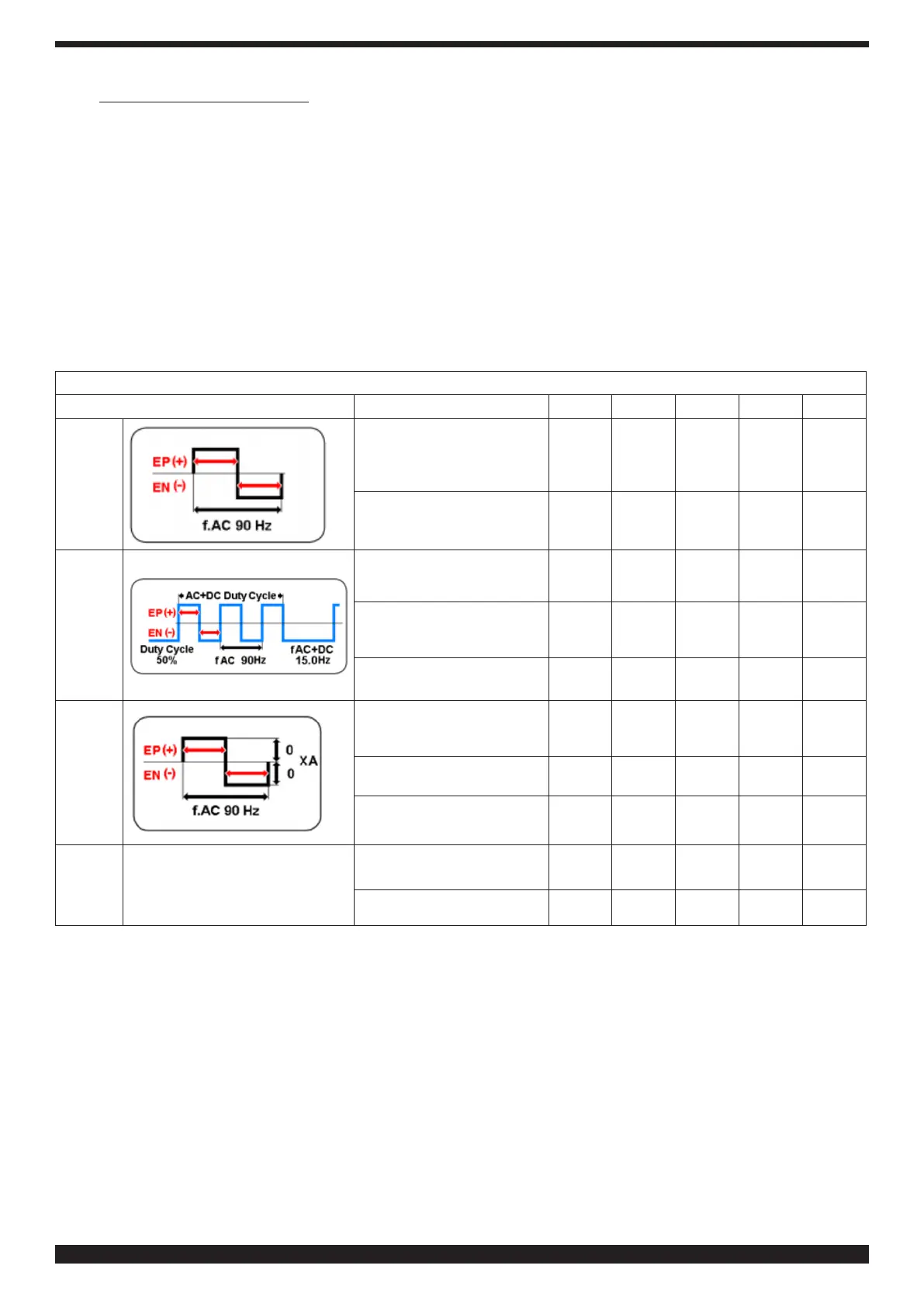
AC welding is used to weld aluminium and aluminium alloys. The procedure involves continuous changes in the
polarity of the tungsten electrode. Two phases are available (half-waves): a positive phase and a negative phase. The
positive phase causes the aluminium oxide layer on the surface of the material to break down (cleaning effect), while
at the same time a cap forms on the tungsten electrode tip. The size of this cap depends on the length of the positive
phase. It should be noted that an over-large cap leads to a diffuse and unstable arc with reduced penetration. The
negative phase cools the tungsten electrode while generating the necessary penetration. It is important to choose the
correct time ratio (balance) between the positive phase (cleaning effect, cap size) and the negative phase (penetration
depth).
5�6�1 AC settings (SECTOR U)
Based on the AC process selected in the U-sector of the main screen, the icons corresponding to the related welding
parameterswillappear.SelectandconrmUsectortoaccessadjustmentoftheweldingparametersasinTable5.
Table 5 - AC PROCESS PARAMETERS SETTING
Process Description Min.
Def
Max UM Sol.
TIG AC
Balancing AC
EP 8
EN-8
0.0
EP-8
EN 8
- 1
Frequency
AC 50 90
200
Hz
1
TIG
AC+DC
Balancing AC
EP 8
EN-8
0.0
EP-8
EN 8
- 1
Frequency
AC
50
90
200
Hz
1
Duty Cycle
20
50
90 % 1
TIG
AC-XA
Balancing AC
EP 8
EN-8
0.0
EP-8
EN 8
- 1
Frequency
AC 50 90
200
Hz
1
Adjustment
Amplitude AC
EP-1
EN 1
EP-50
EN 50
EP-80
EN 80
% 1
MMA
AC
HOT START
HOT START
Current
0.0
50
100
% 1
HOT START
Time
0.0
200 500
ms
10
Select the desired parameter. The parameter activates in red.
Conrm and set the selected parameter. Then press to conrm the setting and automatically move on to the next
parameter, or turn knob B to select the desired parameter.


 To Next Page
 Loading...