82/89
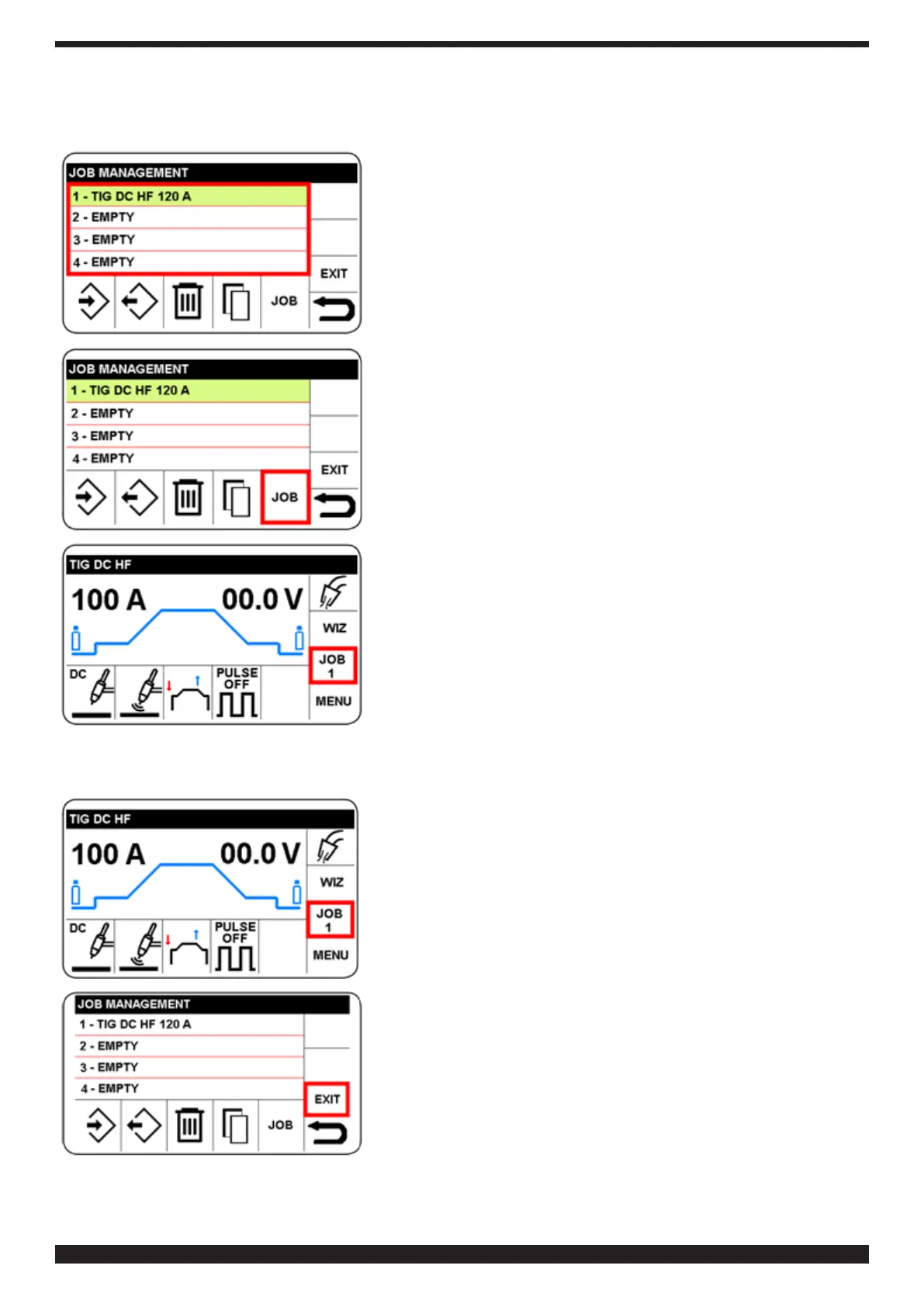
7�3�5 Welding with a JOB
Access the JOB menu as described in 11.1
Select and conrm the desired number.
Select and conrm the JOB sector.
The program is available for welding, and no parameter can be
modied.
To return to the main screen, press knob B (do not release
immediately) (> 0.7 sec).
7�3�6 Logging off from a JOB
Select and conrm the JOB1 sector.
Select and conrm the EXIT sector.
To return to the main screen, press knob B (do not release
immediately) (> 0.7 sec)


 To Next Page
 Loading...