80/89
7�3�1 Saving a JOB
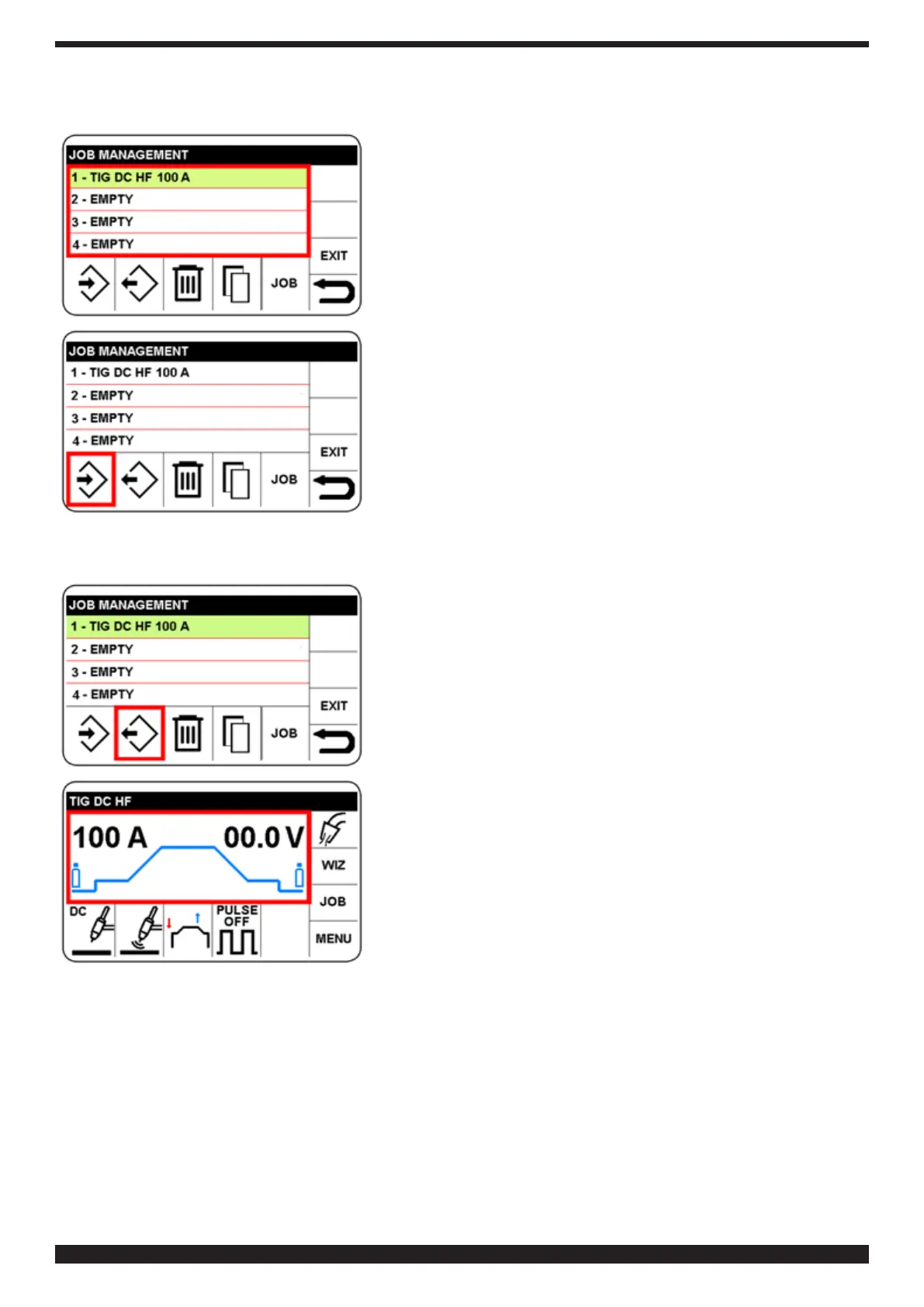
Press and select the memory number in which the JOB is to be
saved. In this example, no. 1
Conrmthechoicethatishighlightedingreen.
TosavetheJOBinmemory1,selectandconrmtheicon,save,
andthenconrm.
To return to the main screen, press knob B (do not release
immediately) (> 0.7 sec).
7�3�2 Modifying a JOB
To modify or use a program, proceed as follows:
♦ Access the JOB menu as described in 7.3
♦ SelecttheJOBtobemodied
♦ Selectandconrmretrieve sector
To return to the main screen, press knob B (do not release
immediately) (> 0.7 sec).
The program is available for welding.
to modify welding parameters, proceed as described in section
5.4 and the following sections.
to save once more, proceed as described in section 7.3.1.
7�3�3 Deleting a JOB
To do so, proceed as follows:
♦ Access the JOB menu as described in 7.3
♦ Select the JOB to be deleted
♦ Selectthe"delete"iconandconrmchoice


 To Next Page
 Loading...