81/89
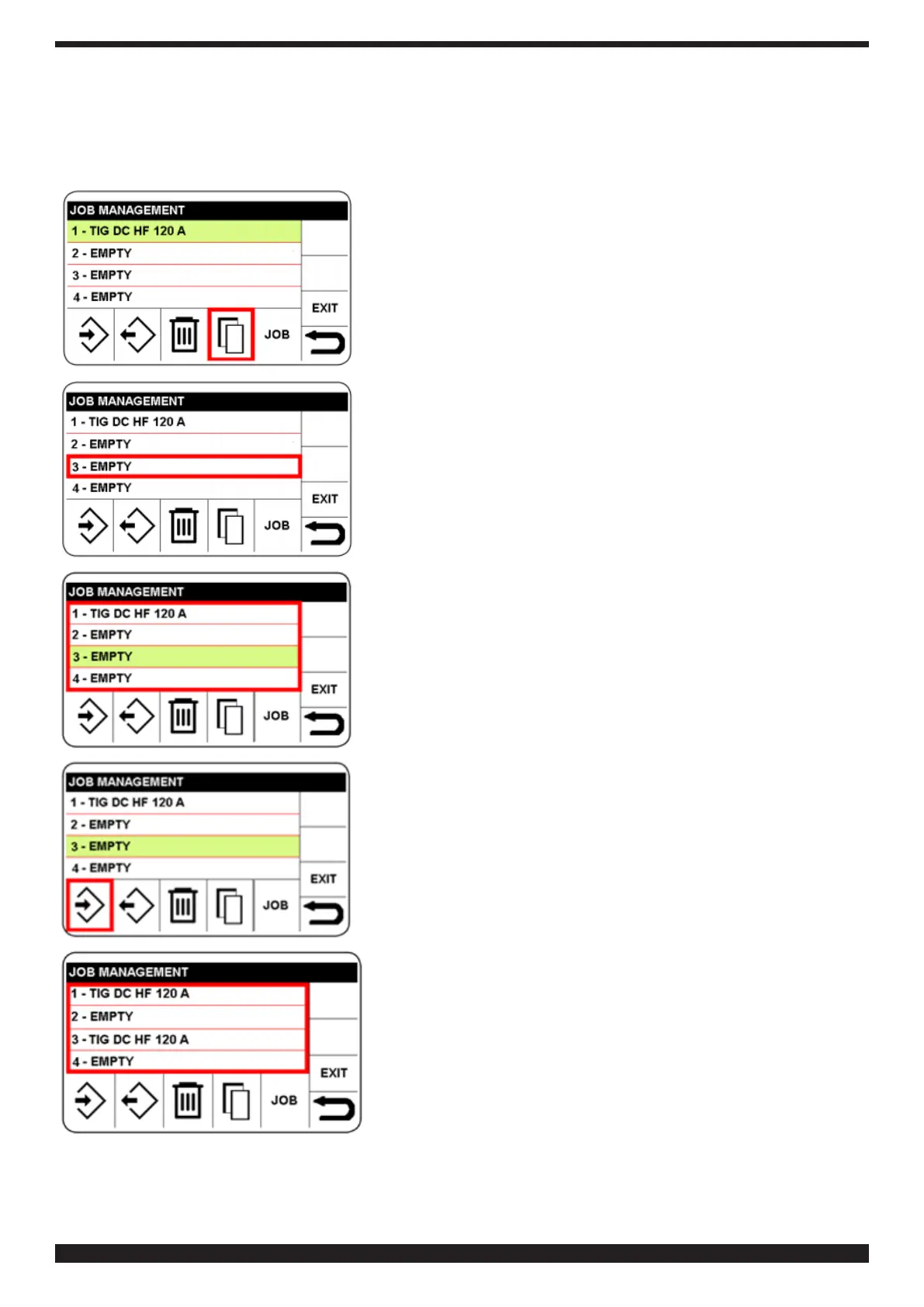
7�3�4 Copying a JOB
To do so, proceed as follows:
♦ Access the JOB menu as described in 7.3
♦ Select the JOB to be copied, then the sector: copy.
Select the memory number in which the copied JOB is to be inserted
Conrm the selected memory, which turns green
Select and conrm the icon save.


 To Next Page
 Loading...