20
GB
INSTALLATION
RX DC X-RAY UNIT
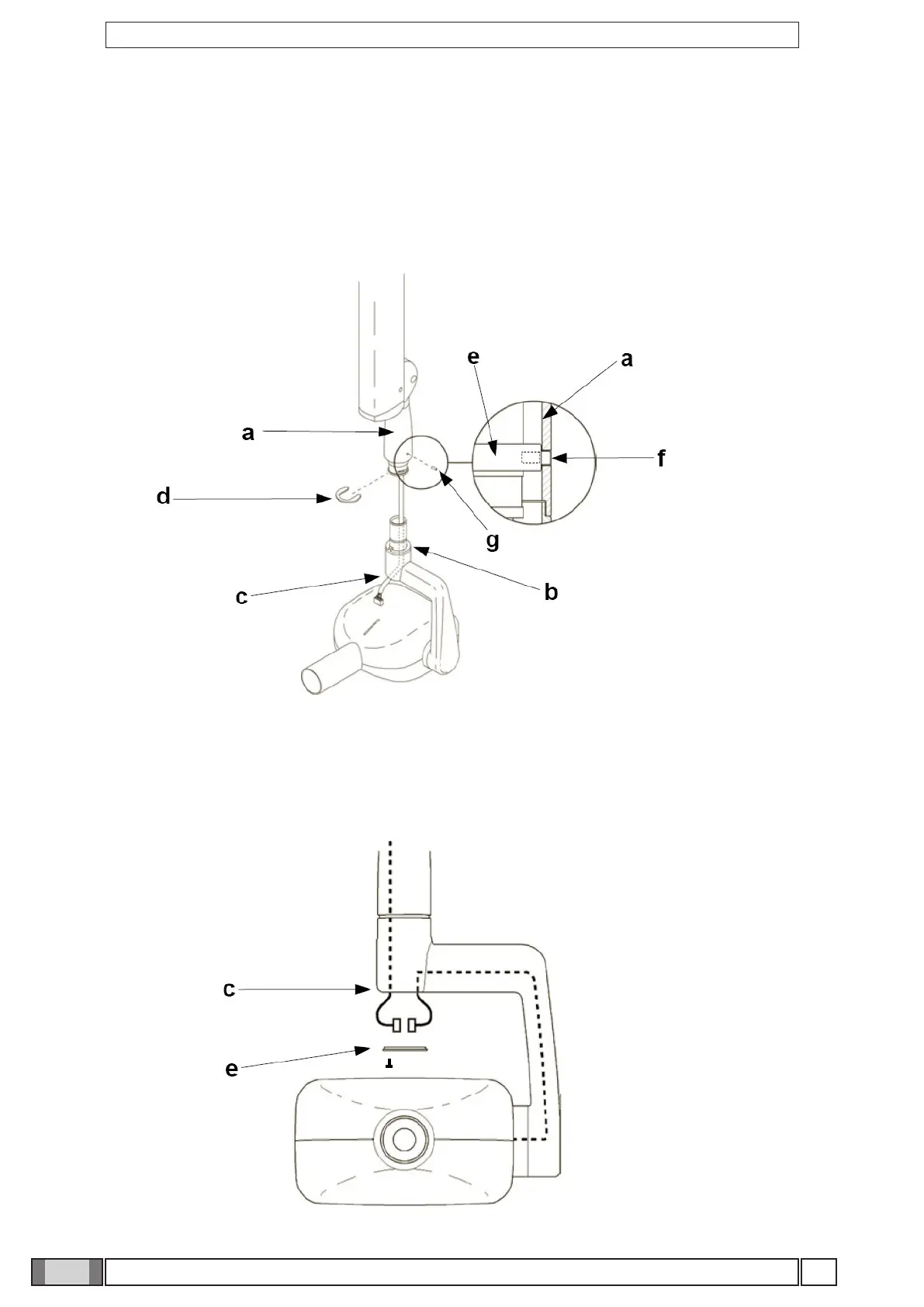
Figure M
Figure N
• Fit the connector of the pantograph arm cable to that of the generator cable.
• Place them inside the hole provided (c).
• Fit the plug (e) supplied into the hole then tighten the screw that is already in place. (see gure N)
• Insert the power supply cable of the pantograph arm in the generator pin until it comes out of the hole below (see
point C – gure M).
• Raise the cover (a).
• Insert the pin in the sleeve so that it corresponds to the openings provided and then Fit the mounting yoke (d) supplied.
• Lower the cover (a) so that the hole (f) in the cover (a) is aligned with the hole in the internal washer (e).
• Fit the M4x6 self-locking grub screw (g) into the hole (f) and tighten it to 1 mm below the outer surface of the cover (a).



 To Next Page