55
GB
INSTALLATION
RX DC X-RAY UNIT
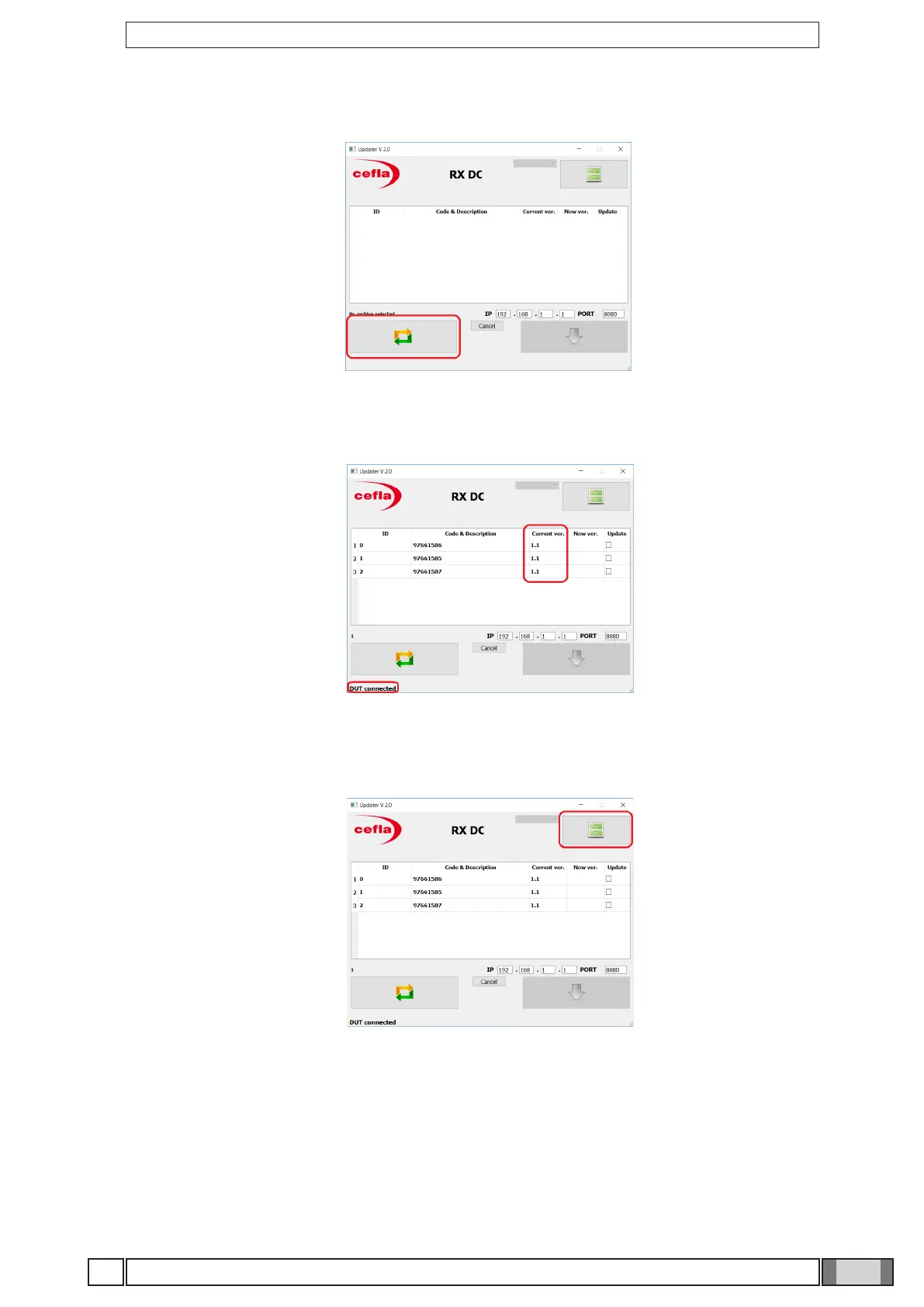
5. Use the key highlighted in the picture to connect to the X-ray unit.
6. Press the key highlighted in the gure and select the .zip le (not uncompressed) containing the previously
downloaded update.
As a consequence, the “DUT connected” message will be displayed at the bottom right, and the current FW
versions of the three boards, sorted by code, will appear.



 To Next Page