56
GB
INSTALLATION
RX DC X-RAY UNIT
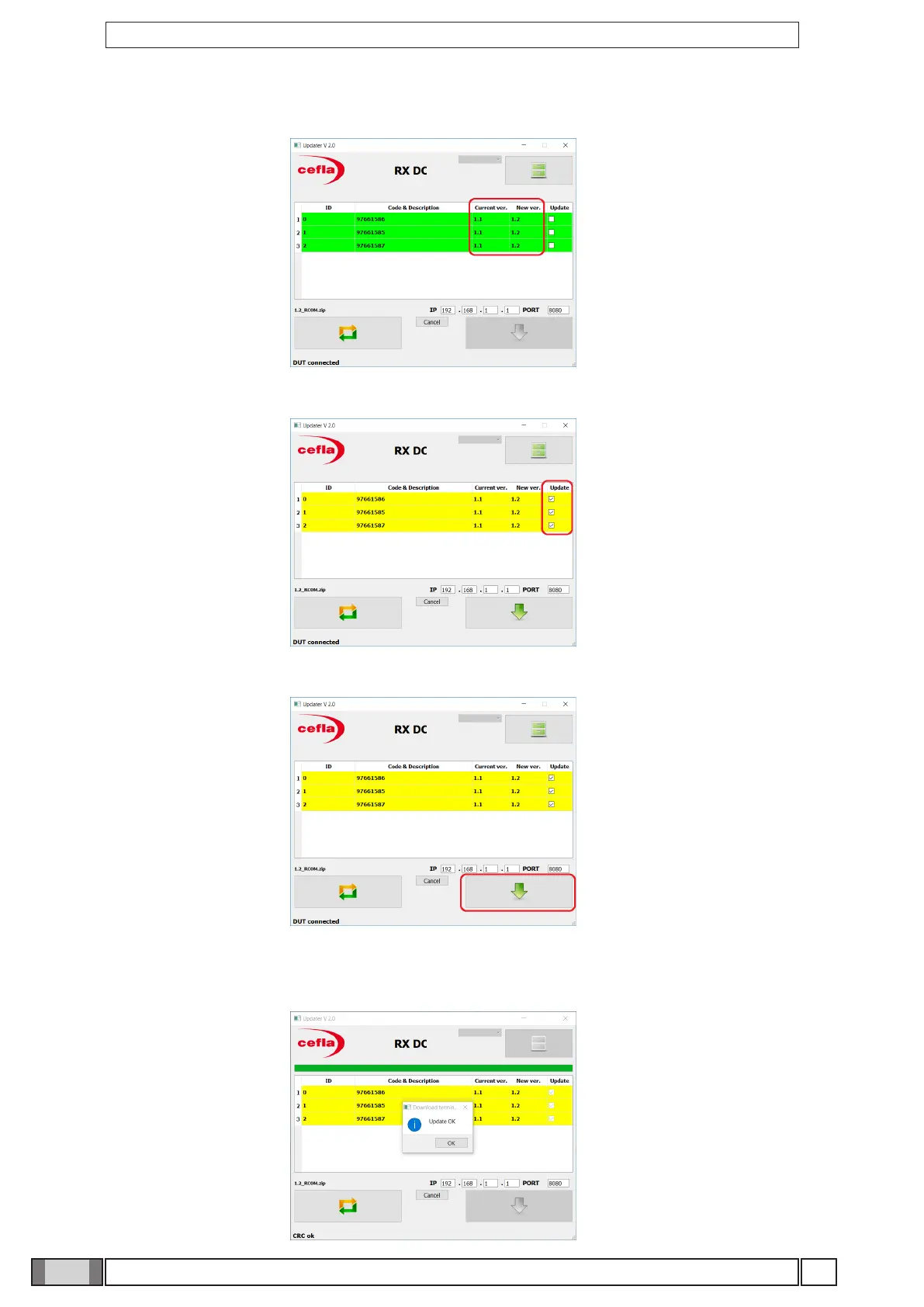
7. The new rmware version will be displayed next to the current one.
8. Tick the box “Update” for all the three boards.
9. Press the key highlighted in the gure to start the FW update procedure
10. Wait for the update process to be completed. In case of procedure positive outcome, the message “Update
OK” will be displayed.
In case of errors, turn o and on again the device and repeat the procedure.



 To Next Page