EN-57
EN
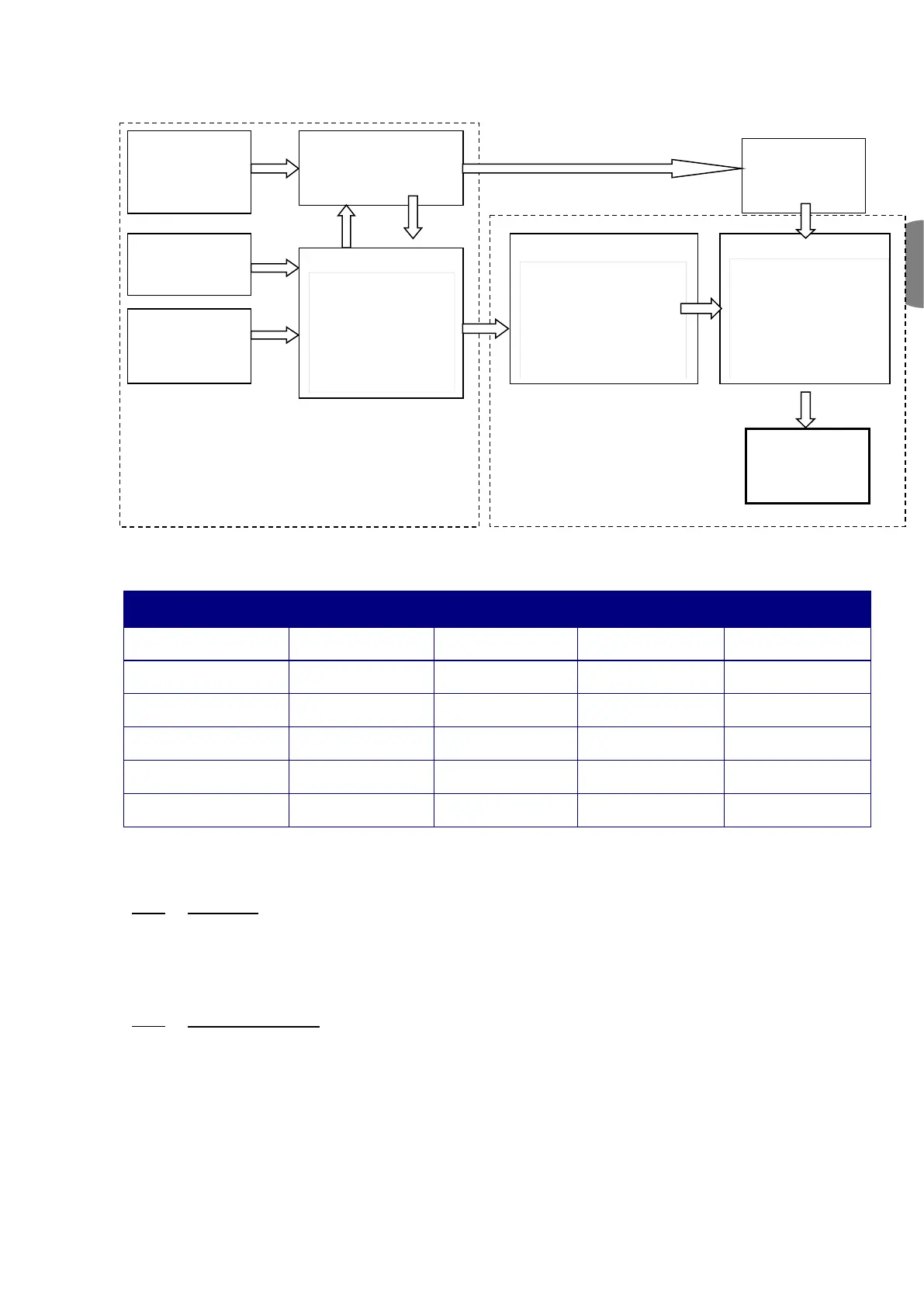
No group
addresses
Enter the group
addresses
with the plugin
Create the links
between the various
datapoints, i.e.,
allocate the group
addresses
complete
Assign the addresses
to all the modules,
and configure the
other products
Download XML file to
the modules (table
with group addresses)
of installation
OFF-line: linkage of variables
Download the configuration
Physical connection to
network required
The diagram below illustrates the phases of the "configuration process" required for configuring the card correctly:
The types of KNX Datapoint available and the respective conversion methods are listed in the table below:
Standard ID Format KNX range
Range available
in the controller
Unsigned 8 bit
(DPT_Value_1_Ucount)
Signed 8 bit
(DPT_Value_1_Count)
Unsigned 16 bits
(DPT_Value_2_Ucount)
Signed 16 bits
(DPT_Value_2_Count)
Floating 16 bits
(DPT_Value_Temp)
It is important to remember that the same group address cannot be assigned to more than one Datapoint.
5.5.3 The plugin
As is the case for other manufacturers' devices, the ETS3 data archives must be loaded with a specific description of
the device. The plugin is distributed in the form of a "project database", which assigns the addresses and downloads
the table created by K-Set, i.e., the XML file.
5.5.4 Installing the plugin
The plugin is installed as follows:
. Find the file "Carel_plugin_21.pr4" (the updated version of the plugin is available from ksa.carel.com)
. Import "Carel_plugin_21.pr4" using Files → Import as shown below:


 To Next Page