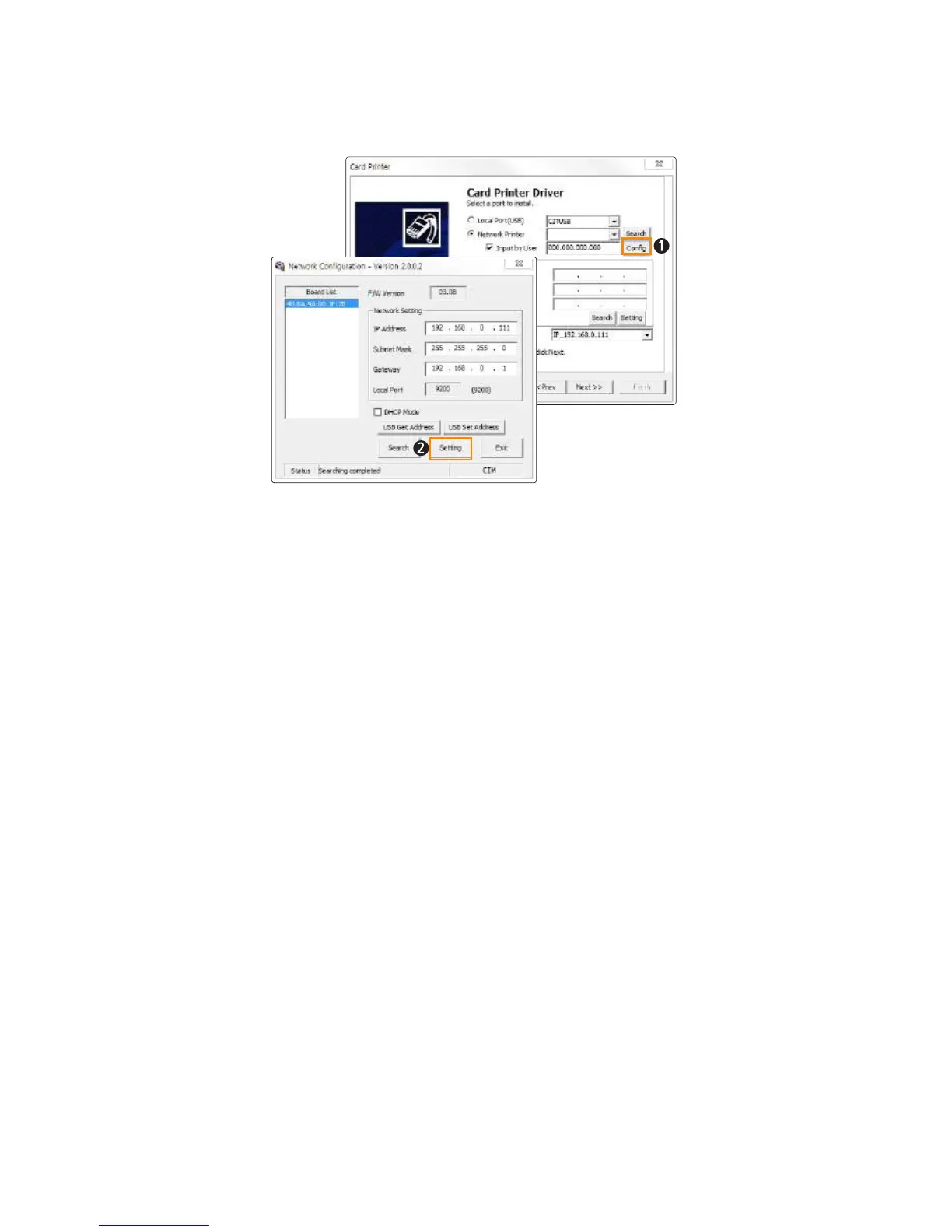
(2) If they are in the same IP range, but the printer cannot be found
Check “Input by user” and click “Setting”.
When the Network Configuration window pops up, the available printers will
be displayed.
Check the IP Address, Subnet Mask and Gateway and click "Setting".
Check DHCP to enable DHCP mode and click “Setting”. If the settings are
entered correctly, the printer will initialize.
If the IP address and Board List are not specified in the Network Configuration
window, then they may be in a different IP address range or the printer is not
connected to the network. You will need to check your network settings.
38
Install printer and ready



 To Next Page