APPPENDIX A:
Voice and fax boards
147
Hardware settings
Do the following procedure as you install fax boards.
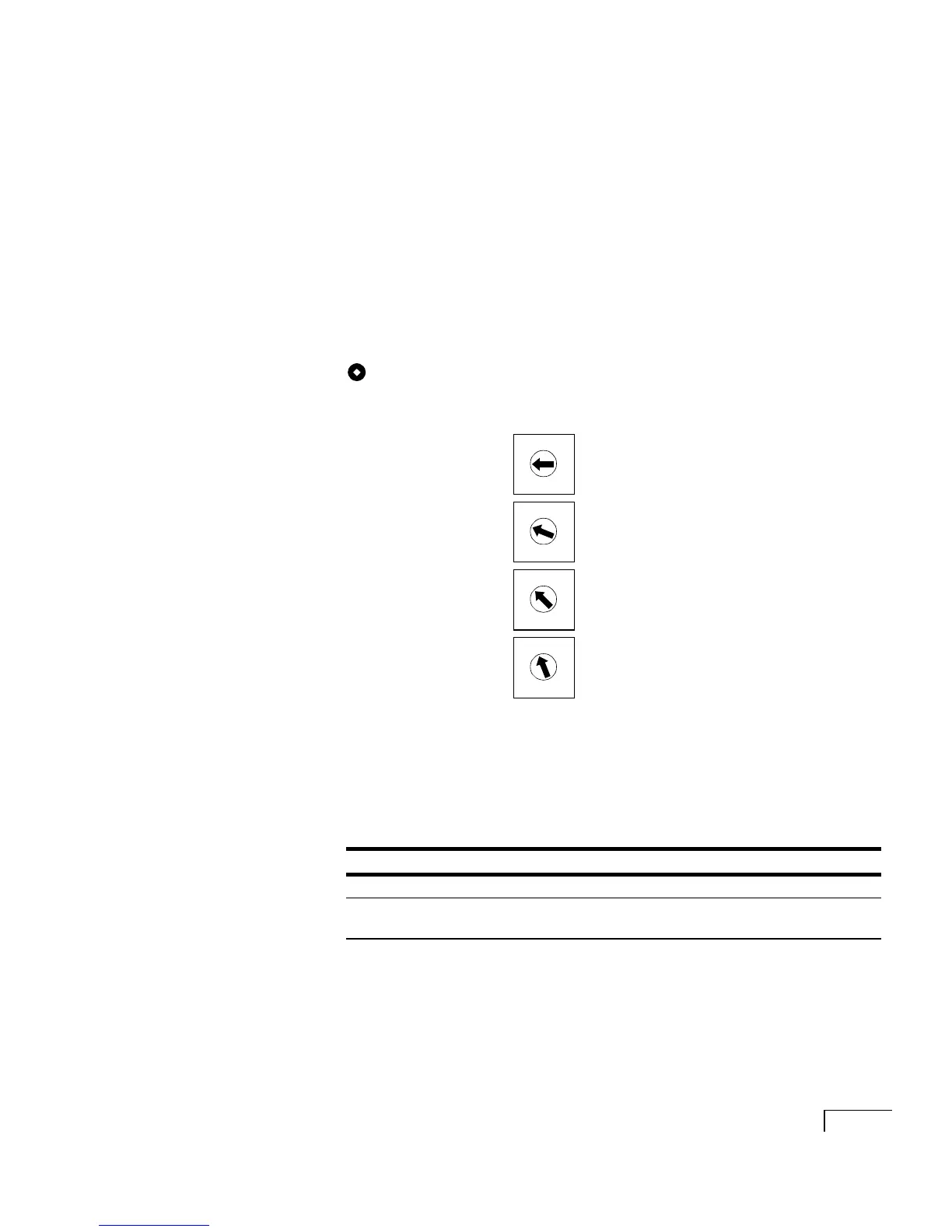
To set the rotary switch
The rotary switch setting identifies the fax board and specifies
which fax ports are on which board.
The CPi/200 PCI board contains two fax ports. Depending on the
configuration of the Unity server, you can install up to four
CPi/200 PCI boards.
Set the rotary switch on each board as shown below.
LED status indicators
There are two LED status indicators for each fax port. The fol-
lowing table describes the meaning of the status indicators.
Switch
First board
Second board
Third board
Fourth board
Color Lit Unlit Blinking
Green Port is off hook Port is on hook ---
Amber Board is
operational
Board is not
operational
Board configuration
problem
4
0
8
C
6
7
5
9
A
B
1
2
3
D
E
F
4
0
8
C
6
7
5
9
A
B
1
2
3
D
E
F
4
0
8
C
6
7
5
9
A
B
1
2
3
D
E
F
4
0
8
C
6
7
5
9
A
B
1
2
3
D
E
F



 To Next Page