Citrix ADC MPX
Replace an AC power supply
Most Citrix ADC MPX platforms can accommodate two power supplies. Some platforms can accom-
modate four power supplies. All Citrix ADC appliances function properly with a single power supply,
except the appliances that can accommodate four power supplies. These appliances need two power
supplies for proper operation. The other power supply serves as a backup. All power supplies must
be of the same type (AC or DC).
Note: If the appliance has only one power supply, you have to shut down the appliance before replac-
ing the power supply. With two power supplies, you can replace one power supply without shutting
down the appliance, providedthe otherpower supply is working. With four power supplies, you can re-
place one or two power supplies without shutting down the appliance, provided the other two power
supplies are working.
To install or replace an AC power supply on a Citrix ADC appliance:
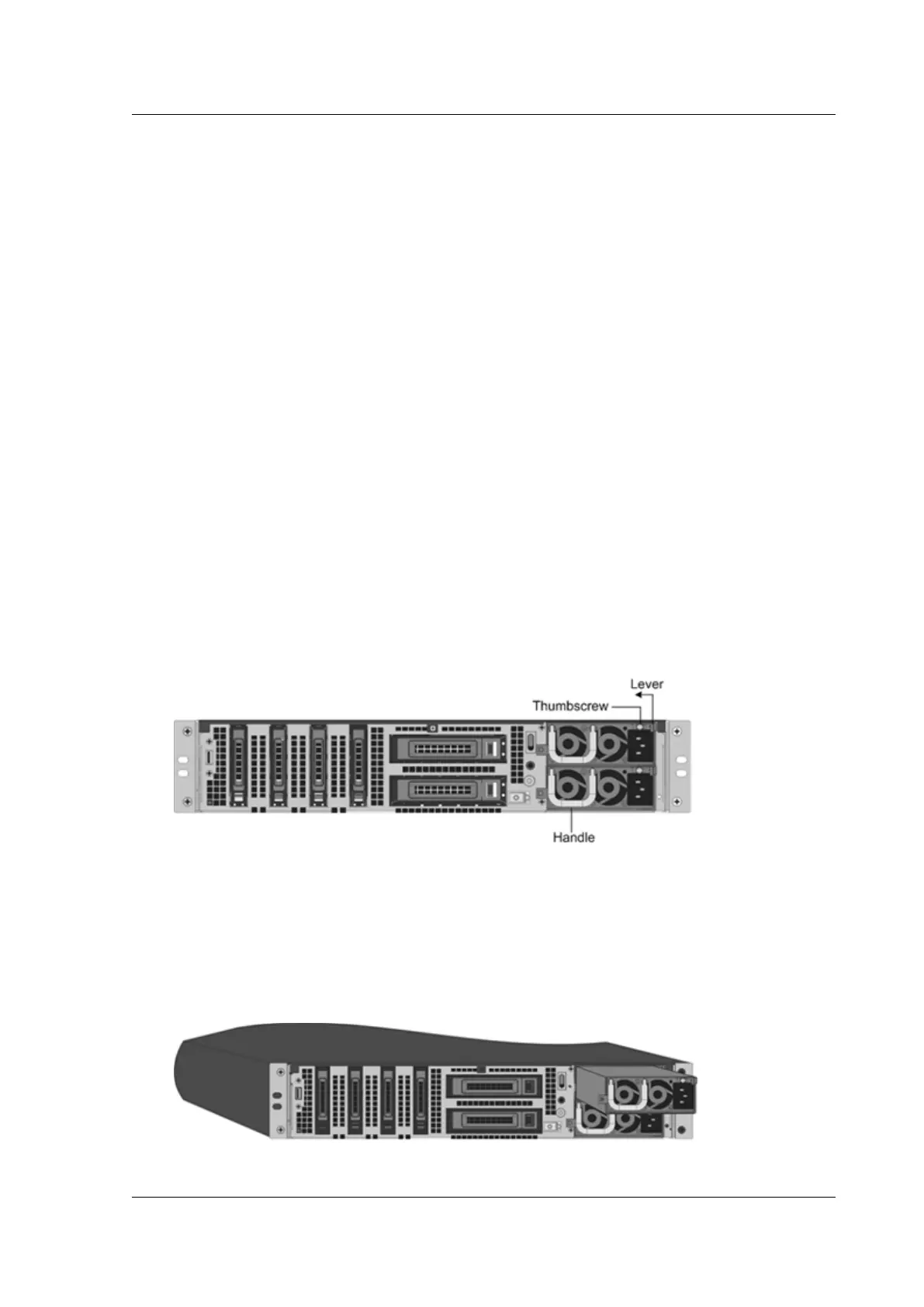
1. Align the semicircular handle perpendicular to the power supply. Loosen the thumbscrew and
press the lever toward the handle and pull out the existing power supply, as shown in the fol-
lowing figure.
Note: The illustration in the following figures might not represent the actual Citrix ADC appli-
ance.
Figure 1. Remove the existing AC power supply
2. Carefully remove the new power supply from its box.
3. On the back of the appliance, align the power supply with the power supply slot.
4. Insert the power supply into the slot and press against the semicircular handle until you hear
the power supply snap into place.
Figure 2. Inserting the Replacement AC Power Supply
© 1999-2019 Citrix Systems, Inc. All rights reserved. 93



 To Next Page
 Loading...

